


The "tabs from other devices" side-panel is broken (but Sync works)
I'm using Mozilla Flatpak 158.0.1 on Bazzite. My user profile is stored in a non-standard path that I granted access to Firefox with Flatseal.
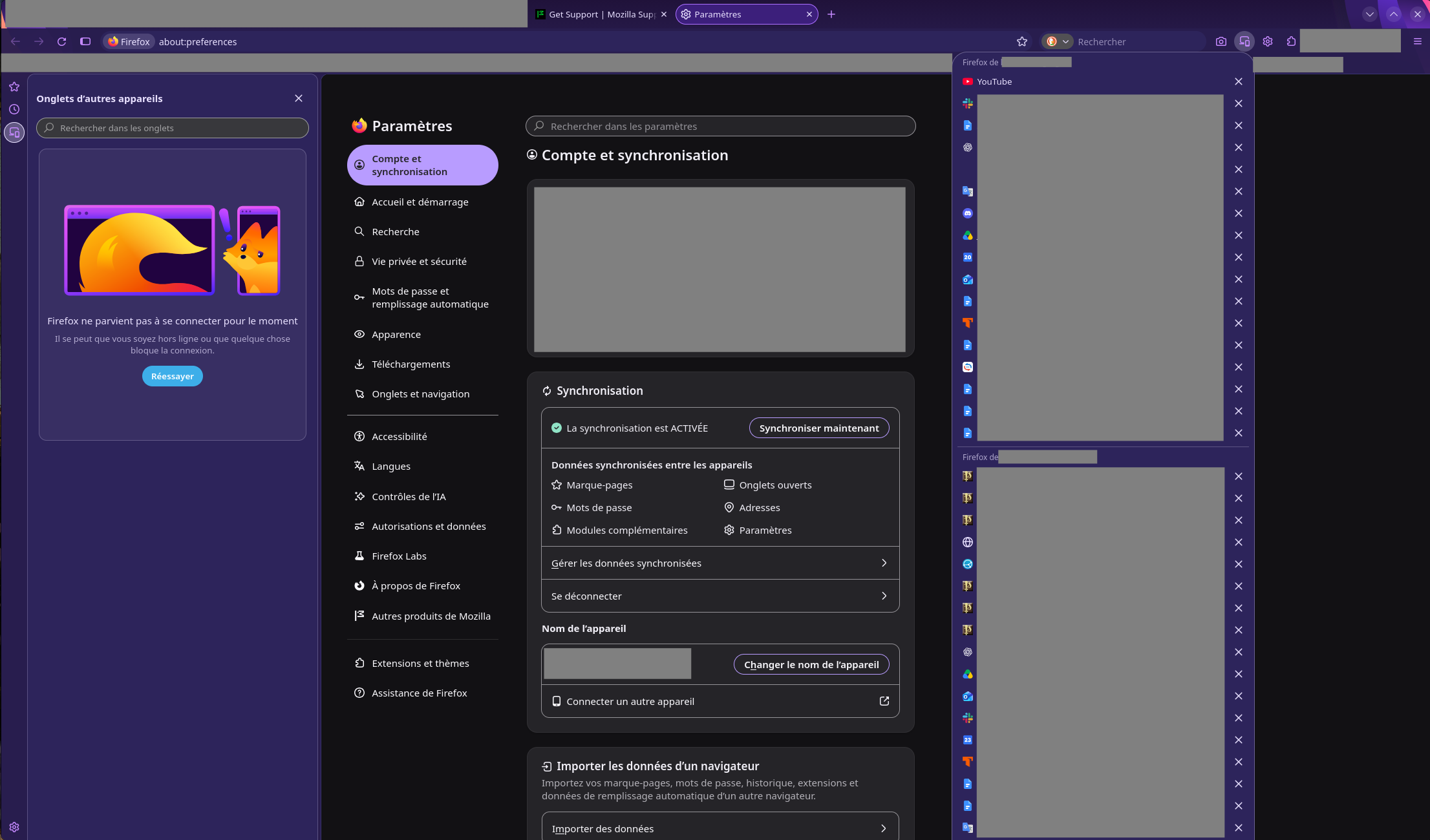
Everything works fine, I can even access the synchronized tabs from my other computers using the "Show tabs from other devices" menu button, but for some reason the very same functionality in the side-panel is broken (see screenshot).
Sometimes it works, sometimes it doesn't. I have no idea why.
Όλες οι απαντήσεις (1)
Hello,
First, here are some alternative ways to access your synced tabs : Go to about:firefoxview#syncedtabs , click the "list all tabs" icon and select "view all tabs", and then choose "tabs from other deviecs".
Another way to access it is to click the menu button, select your mozilla account name, and look for your synced tabs listed directly under the account panel.
Lastly, go to menu > settings, then deselect he new unified sidebar option, and open the older view by going to view > sidebar > synced tabs.