


"refresh" button with Firefox

I have really liked using the "refresh" button with my Firefox browser. The "refresh" button has disappeared from one of my two Dell PC's (I use Windows Eleven, and my Dell PC's have solid state drive). I know there are two other "help" buttons ("troubleshoot mode" and "clear startup cache"). The "refresh" button has really helped me to keep my Firefox browser working properly with my two Dell PC's. Thank you for any comments you might have about this.
Επιλεγμένη λύση
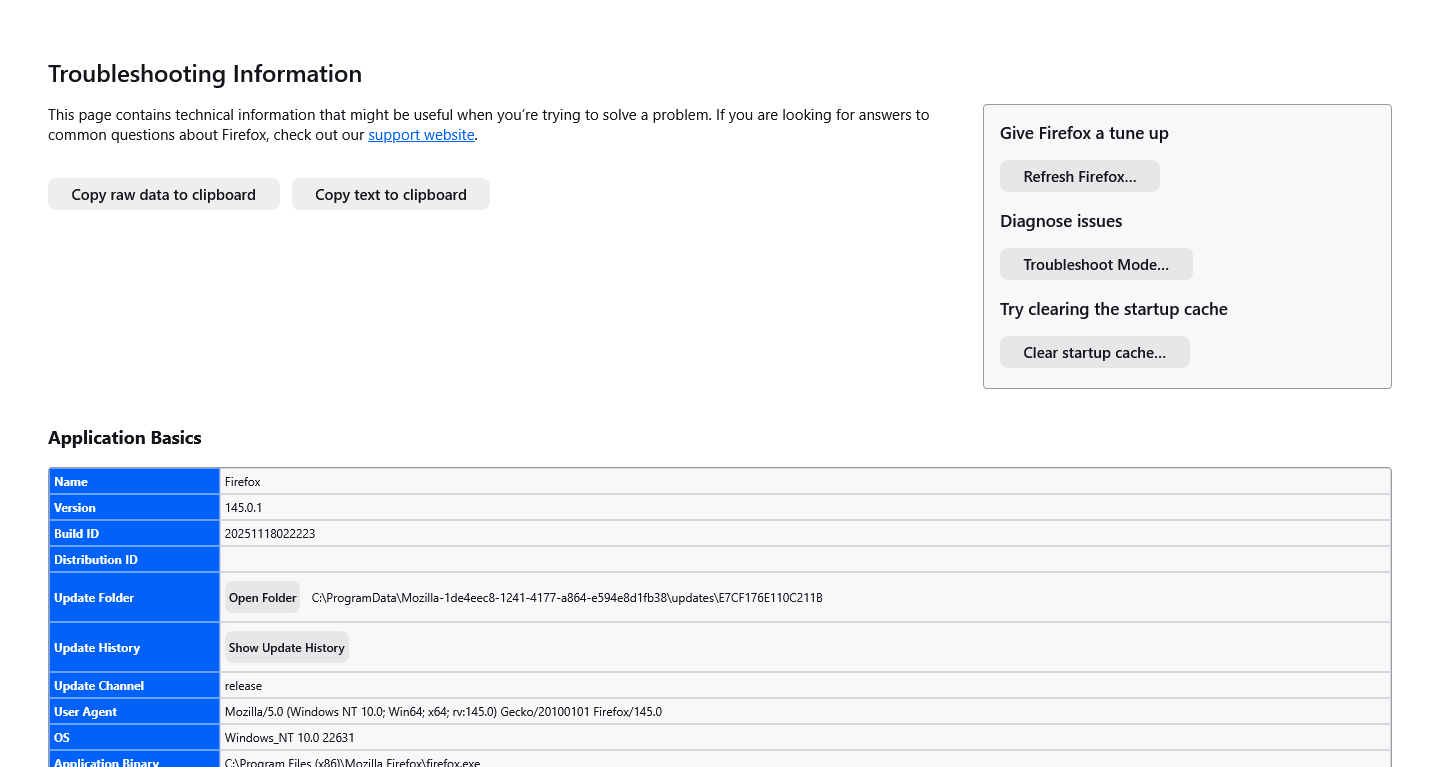
My Dell PC uses Windows Eleven (home). I had downloaded Firefox from Mozilla's website. I do not see anything at the top of my settings page that says that my browser is being managed. The only security software I am using is Microsoft Defender. I have a second Dell PC (Windows Eleven, home) which has had no problems with the refresh button. When I started to uninstall Firefox (this is from the Dell PC, which had "lost" the refresh button), a dialog box appeared which had a "refresh" button (I had remembered this from previous attempts to uninstall Firefox). I was then able to refresh Firefox, and the "refresh" button has now "re-appeared" (see attached screenshot). Thank you for all your comments; I really appreciate your input.
Προβολή απάντησης εντός συζήτησης 👍 0Όλες οι απαντήσεις (5)
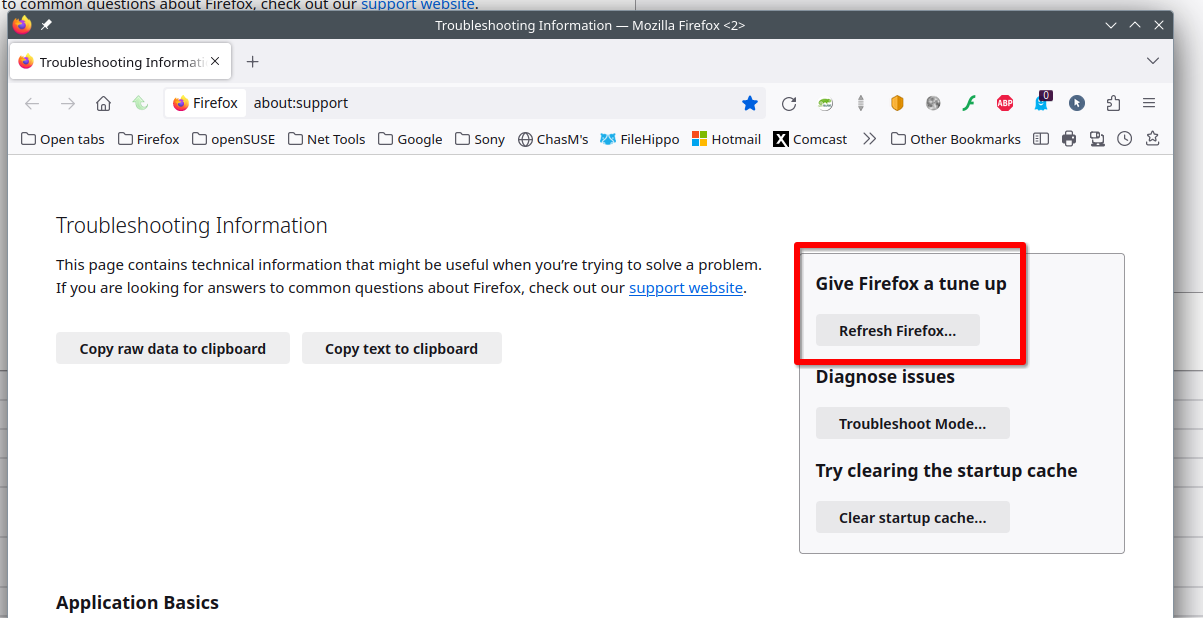
Screenshot is attached; everything you outlined in the red box (in the screenshot you sent to me) is missing, including the "refresh button" (which is the same issue as the screenshot which I have attached to this message). Thank you for any comments you have about this.
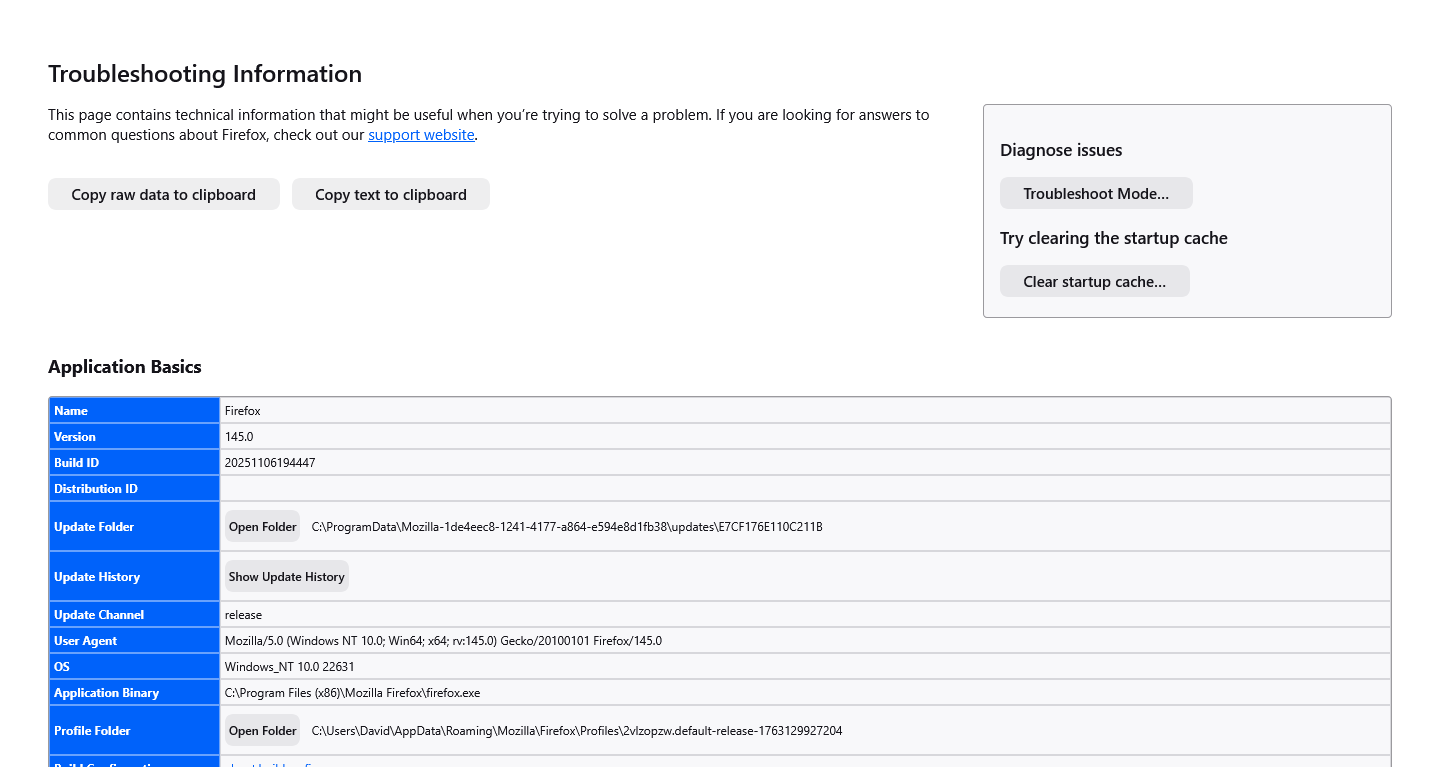
Roger that... Are you running windows home or pro? Did you get Firefox from MS or Mozilla? At the top of your settings page, do you see anything about your browser being managed? What security software are you running besides MS Defender? Do you see the same issue under a different user account? Use the Admin account or create another user.
Επιλεγμένη λύση
My Dell PC uses Windows Eleven (home). I had downloaded Firefox from Mozilla's website. I do not see anything at the top of my settings page that says that my browser is being managed. The only security software I am using is Microsoft Defender. I have a second Dell PC (Windows Eleven, home) which has had no problems with the refresh button. When I started to uninstall Firefox (this is from the Dell PC, which had "lost" the refresh button), a dialog box appeared which had a "refresh" button (I had remembered this from previous attempts to uninstall Firefox). I was then able to refresh Firefox, and the "refresh" button has now "re-appeared" (see attached screenshot). Thank you for all your comments; I really appreciate your input.
I just discovered the following, so I might not and probably do not have the complete picture. That said, for what it's worth:
One possible explanation for not seeing a Refresh button in Firefox 134+ is if you experimented with the "new" profiles feature on the main menu at some point. Here's why: The data that connects your initial profile to the "new" profiles created from within your initial profile is stored within that initial profile. Because Refresh clears the preference used to connect the profiles -- orphaning the new profile(s) in folders Firefox doesn't have centrally indexed -- Refresh has been hidden until the orphaning problem is resolved.
If this was the reason the button did not appear for you, do you recall caring about the new profile(s) created pre-Refresh? If you actually need access to now-orphaned profile(s), don't delete the Old Firefox Data folder from your desktop just yet, since its prefs.js file contains the toolkit.profiles.storeID value used to link to the orphaned profile(s). If you don't need them, don't worry about it.
For users of Firefox 145+ that experimented with one or more new profiles but do not need their data: you can restore the Refresh button by toggling the browser.profiles.forceEnableRefresh preference to true in about:config.