


Viruses

I attempted to put in an address of what I thought was a website today on mozilla. I soon found out that it was not available or a proper website.
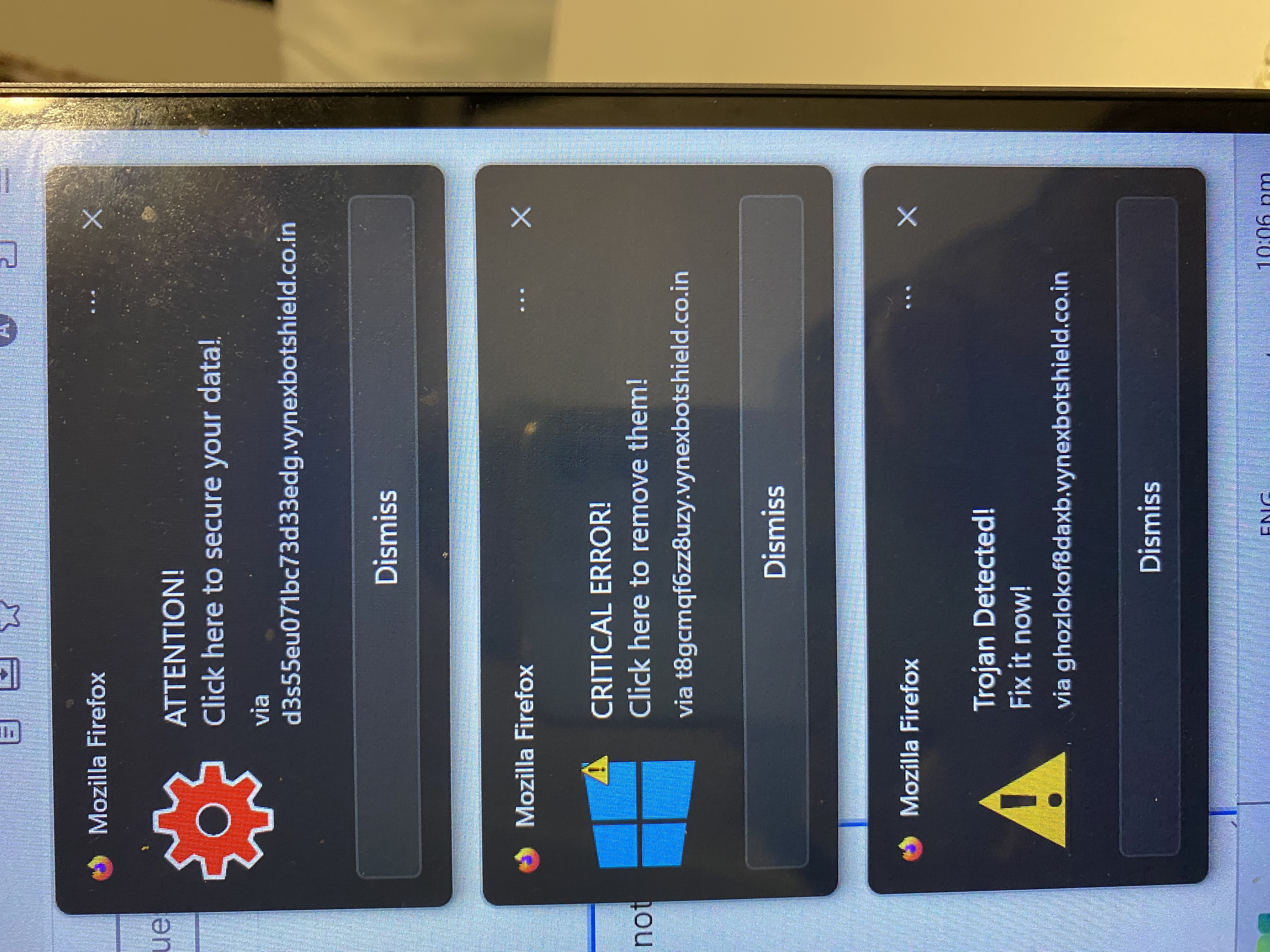
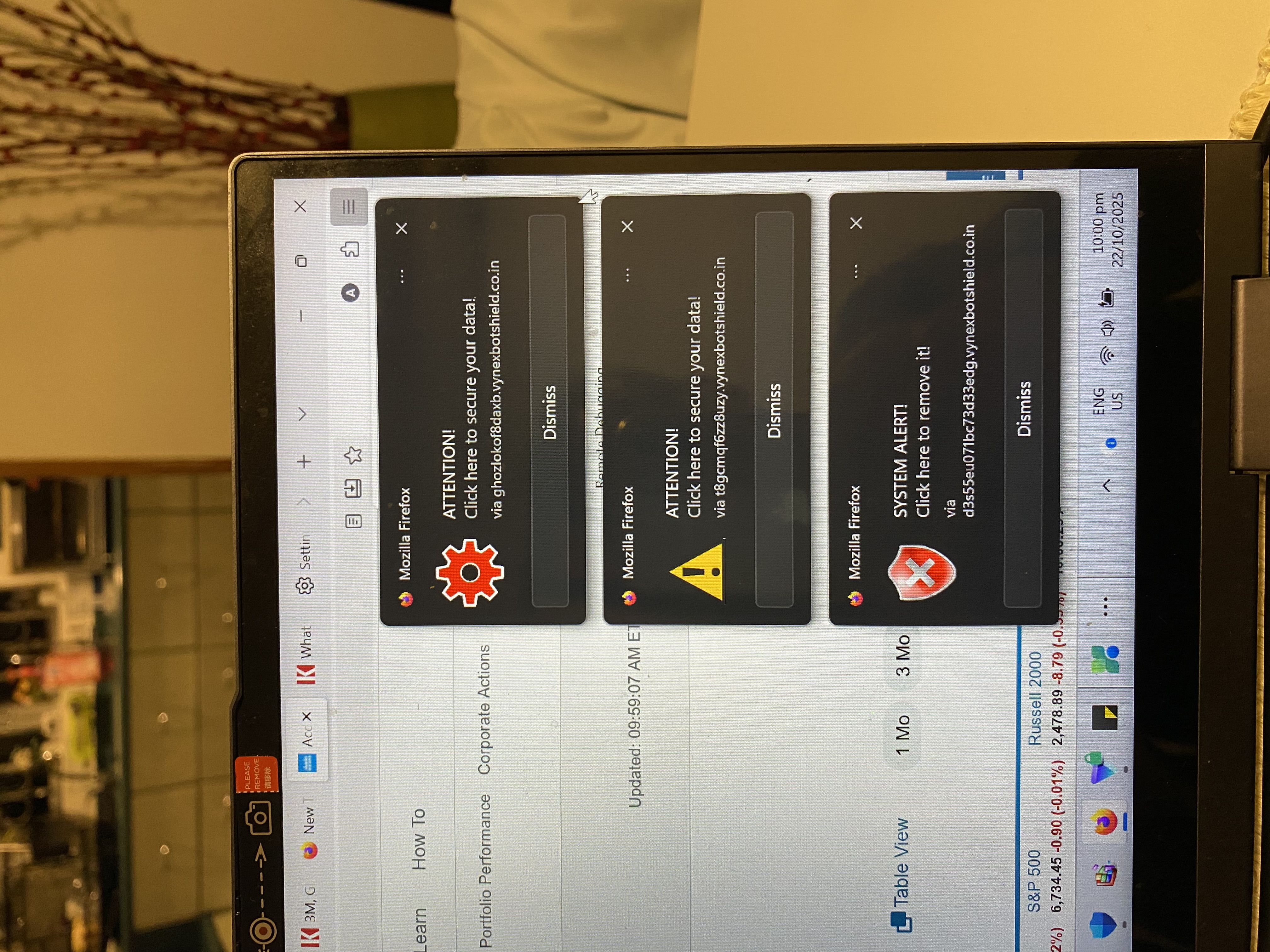
Now I am getting alarming notices with heading Mozilla Firefox all via what looks like an Indian website, saying 1. Click to secure your 2. Trojan detected Fix it now. 3. Critical Error. Click here to remove them.
I have not clicked on any part apart from the x top right to remove the notifications. I can send photos of them
I have scanned with my Windows Security repeatedly and nothing.
Max
PS. The messages are obstinate to remove and it takes effort to x them.
Επιλεγμένη λύση
Those look like "desktop notifications" or "web push notifications." You may be need to remove site permissions to send notifications. See: Web Push notifications in Firefox (check the "How do I revoke Web Push permissions for a specific site?" section)
If you installed a new add-on recently, that's also worth checking as a potential culprit, but please check the above first. You can view, disable, and often remove unwanted or unknown extensions on the Add-ons page. Either:
- click the Extensions button (puzzle piece) on the toolbar > Manage Extensions
- Ctrl+Shift+a (Mac: Command+Shift+a)
- "3-bar" menu button (or Tools menu) > Add-ons
- type or paste about:addons in the address bar and press Enter/Return
In the left column of the Add-ons page, click Extensions. On the right side, find the "Manage Your Extensions" heading.
If there is at least one extension before the next heading -- "Recommended Extensions" -- please continue:
Then cast a critical eye over the list below that heading. Any extensions Firefox installs for built-in features are hidden from this page, so everything listed here is your choice (and your responsibility) to manage. Anything suspicious or that you just do not remember installing or why? If in doubt, disable (or remove). For your privacy and security, don't let mystery programs linger here.
Any improvement?
Note: Sometimes extensions can frustrate access to this page. In that case, first restart Firefox in its Troubleshot Mode and then try again. See: Use Troubleshoot Mode in Firefox -- Open, not Refresh.
Προβολή απάντησης εντός συζήτησης 👍 1Όλες οι απαντήσεις (3)
Επιλεγμένη λύση
Those look like "desktop notifications" or "web push notifications." You may be need to remove site permissions to send notifications. See: Web Push notifications in Firefox (check the "How do I revoke Web Push permissions for a specific site?" section)
If you installed a new add-on recently, that's also worth checking as a potential culprit, but please check the above first. You can view, disable, and often remove unwanted or unknown extensions on the Add-ons page. Either:
- click the Extensions button (puzzle piece) on the toolbar > Manage Extensions
- Ctrl+Shift+a (Mac: Command+Shift+a)
- "3-bar" menu button (or Tools menu) > Add-ons
- type or paste about:addons in the address bar and press Enter/Return
In the left column of the Add-ons page, click Extensions. On the right side, find the "Manage Your Extensions" heading.
If there is at least one extension before the next heading -- "Recommended Extensions" -- please continue:
Then cast a critical eye over the list below that heading. Any extensions Firefox installs for built-in features are hidden from this page, so everything listed here is your choice (and your responsibility) to manage. Anything suspicious or that you just do not remember installing or why? If in doubt, disable (or remove). For your privacy and security, don't let mystery programs linger here.
Any improvement?
Note: Sometimes extensions can frustrate access to this page. In that case, first restart Firefox in its Troubleshot Mode and then try again. See: Use Troubleshoot Mode in Firefox -- Open, not Refresh.