


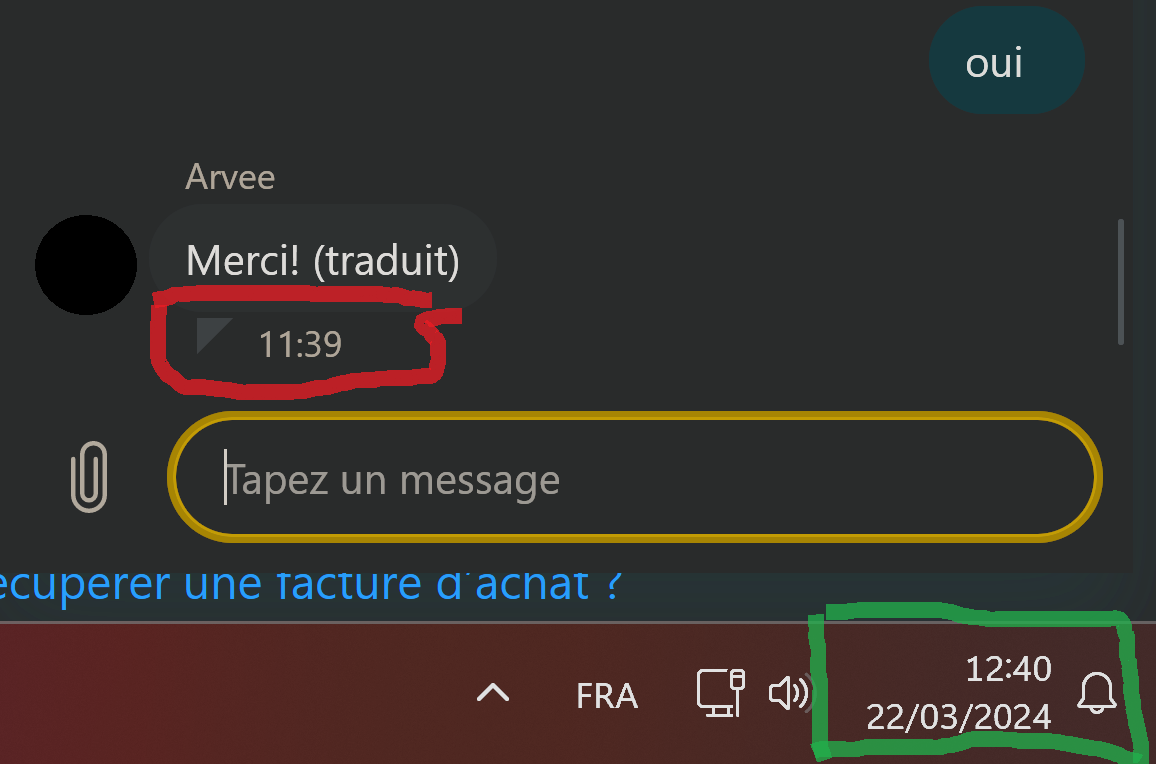
Firefox one hour behind the Windows 11 clock

Hello everyone,
I posted my issue on the french speaking forum a few days ago https://forums.mozfr.org/viewtopic.php?t=153652&sid=96223ded5b326b4da4114d4c0fb4b740 I think I've had this bug since the last update of Firefox. I have checked on other browsers (Edge and Opera), and I have no problem with them. Its also ok on my mobile phone ... with Firefox !
Thank you for your attention and any help you can provide.
Regards Damien
Τροποποιήθηκε στις από τον/την damien-france
Επιλεγμένη λύση
If you have enabled "Resist Fingerprinting", set this pref in about:config to false to disable this feature.
- privacy.resistFingerprinting => false
- https://support.mozilla.org/en-US/kb/about-config-editor-firefox
- https://support.mozilla.org/en-US/kb/firefox-protection-against-fingerprinting
Όλες οι απαντήσεις (8)
Επιλεγμένη λύση
If you have enabled "Resist Fingerprinting", set this pref in about:config to false to disable this feature.
- privacy.resistFingerprinting => false
- https://support.mozilla.org/en-US/kb/about-config-editor-firefox
- https://support.mozilla.org/en-US/kb/firefox-protection-against-fingerprinting
Hello cor-el,
Thank you very much for your reply.
It's really interesting and makes me wonder if installing a VPN has anything to do with my problem. I recently installed Cyberghost and used it for a week (it is no longer installed). And if I remember correctly, I had identified "Resist Fingerprinting" in the "Privacy Guards" options package, Firefox tab ... I'll check these options in Firefox and let you know the results.
Kind regards
To my personal understanding, why are the "Resist Fingerprinting (RFP)" settings different between the "application settings" (top right menu in Firefox), and "about:config"?
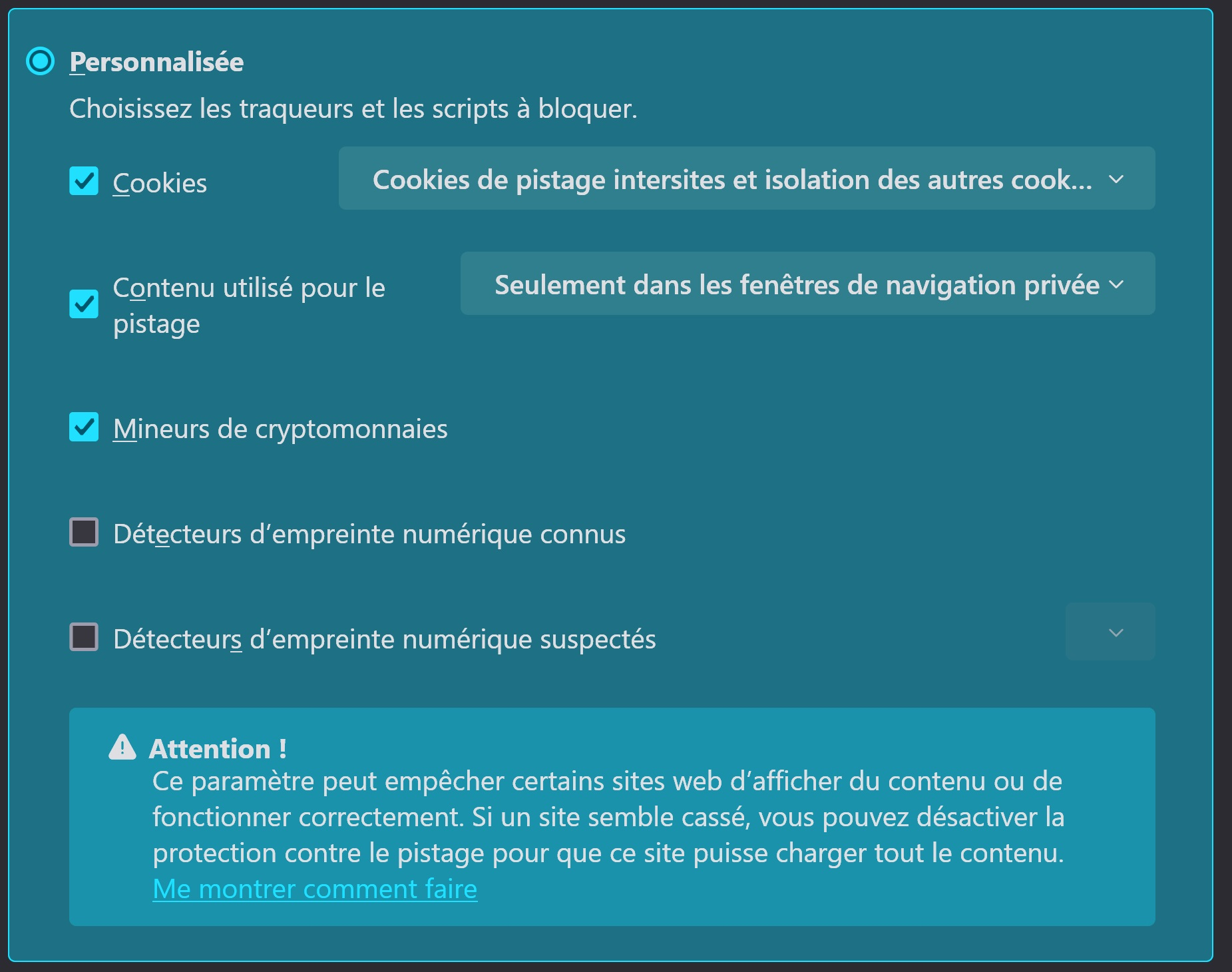
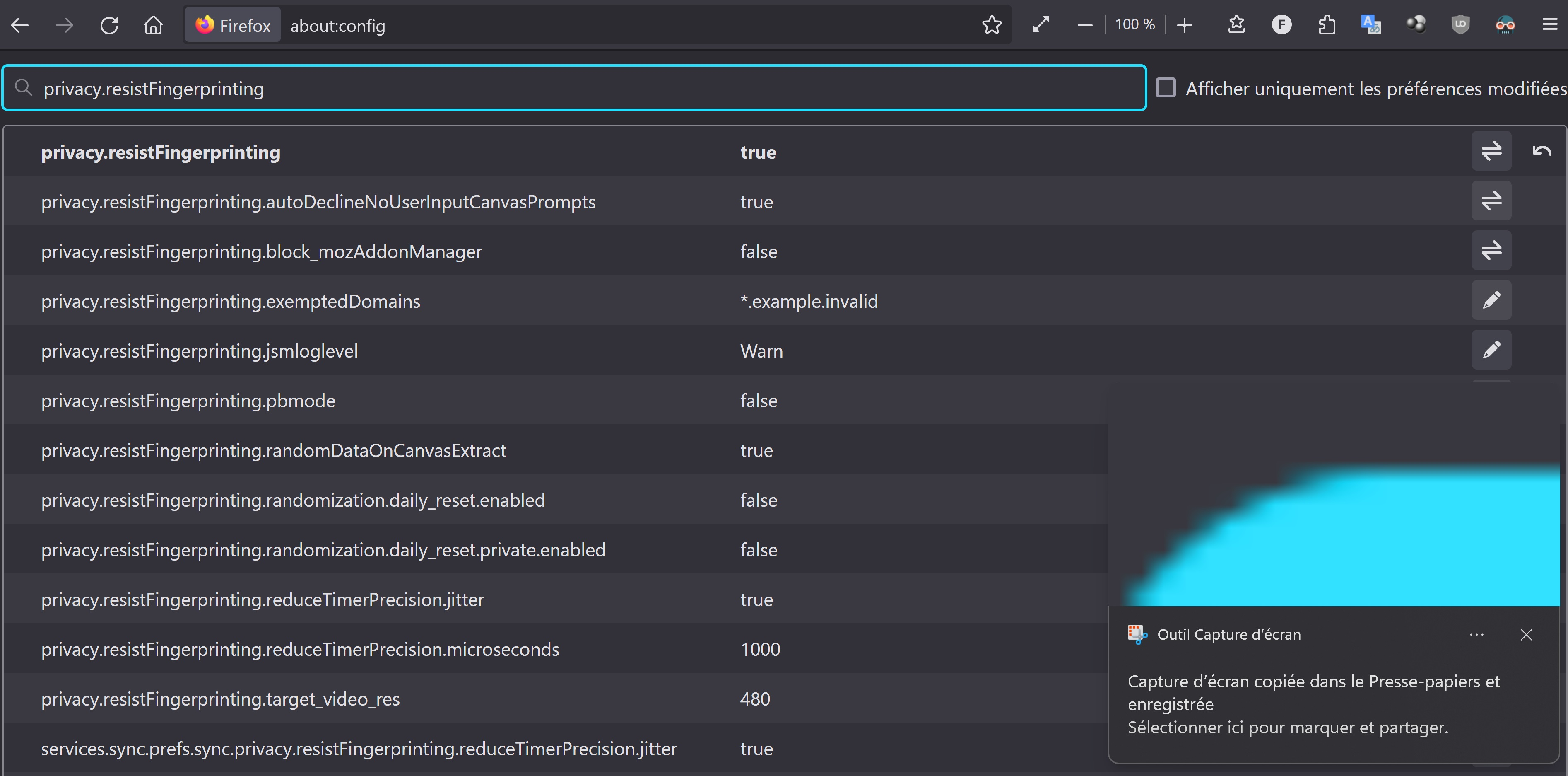
Thanks again for your precious help, this did indeed solve my clock issue. I guess this option will be fix in a future update?
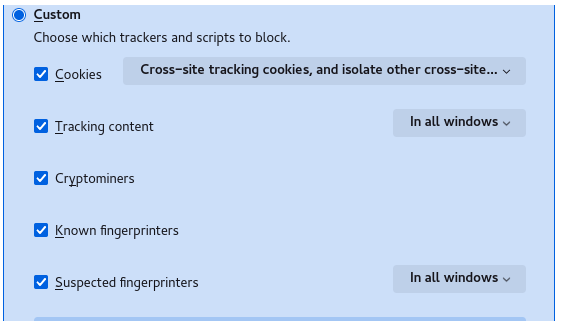
You can disable privacy.resistFingerprinting and instead use the new Enhanced Tracking Protection feature to block Known and Suspected fingerprinters (see Settings -> Privacy & Security). This feature is by default only enabled in PB mode, so you need to select all windows This pref should be set to true
- about:config => privacy.fingerprintingProtection -> true
- privacy.fingerprintingProtection.overrides -> +AllTargets,-JSDateTimeUTC
If you disable Tracking Protection for a site, then it will also disable fingerprinting protection.
(edited to remove a trailing dot)
Τροποποιήθηκε στις από τον/την cor-el
I think Firefox configuration is correct now. One last question please, do I need the "." in "+AllTargets,-JSDateTimeUTC."

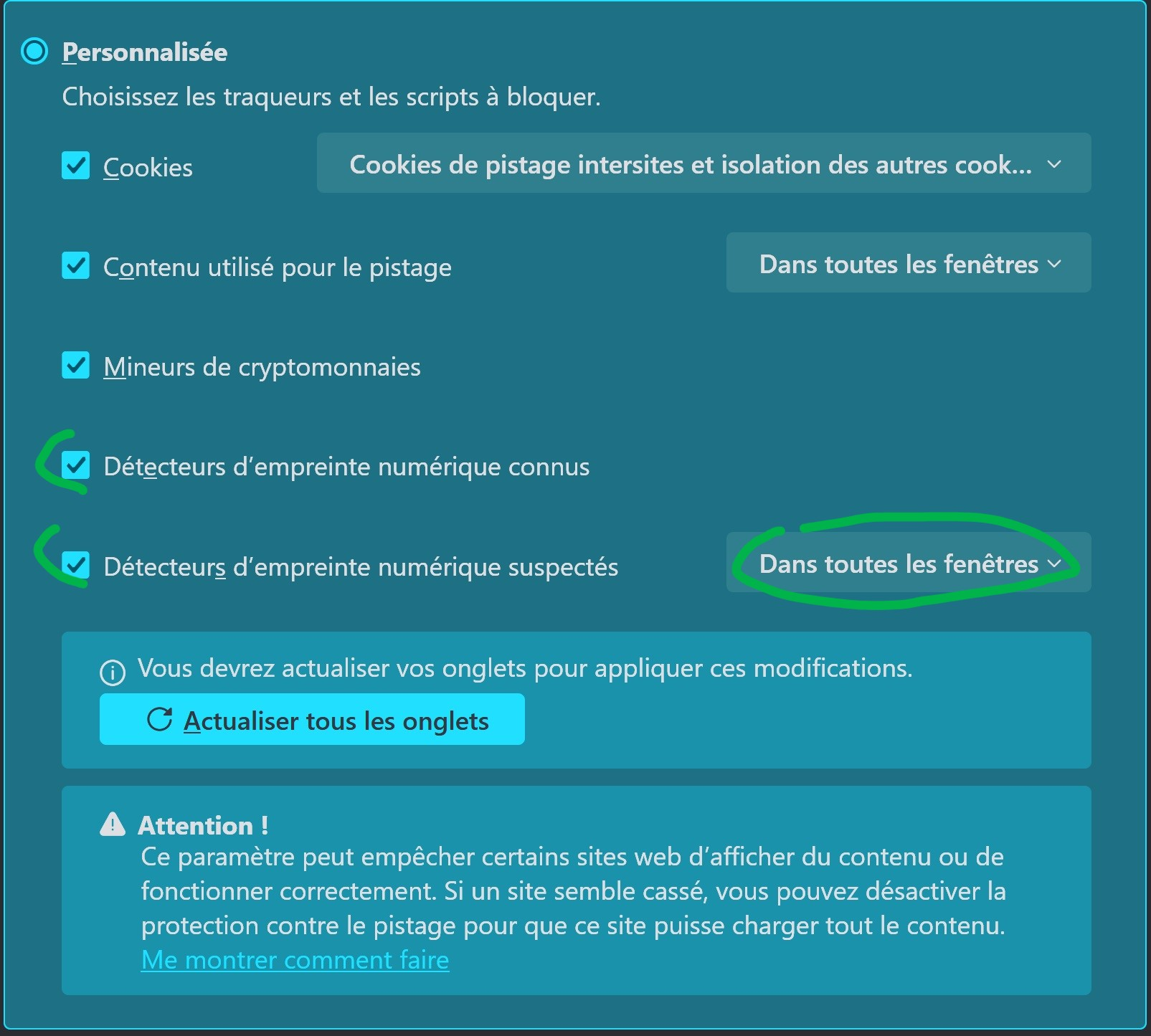
Τροποποιήθηκε στις από τον/την damien-france
You need to leave out the appended dot, sorry about the confusion
No problem, I was good :p And thanks for all your effort
Take care