Multiple windows not restoring.

Hi. I am running a 3 monitor setup and I like to keep open quite a few tabs. And two windows of Firefox. So two Firefox instances with several tabs on each. But because it eats a lot of memory, I have to close and reopen Firefox from time to time. And to my annoyance, sometimes it "forgets" about one of the windows. So opens only one instead of both. Therefore I loose some quite important tabs. Any suggestions on how to fix this? Thank you.
Επιλεγμένη λύση
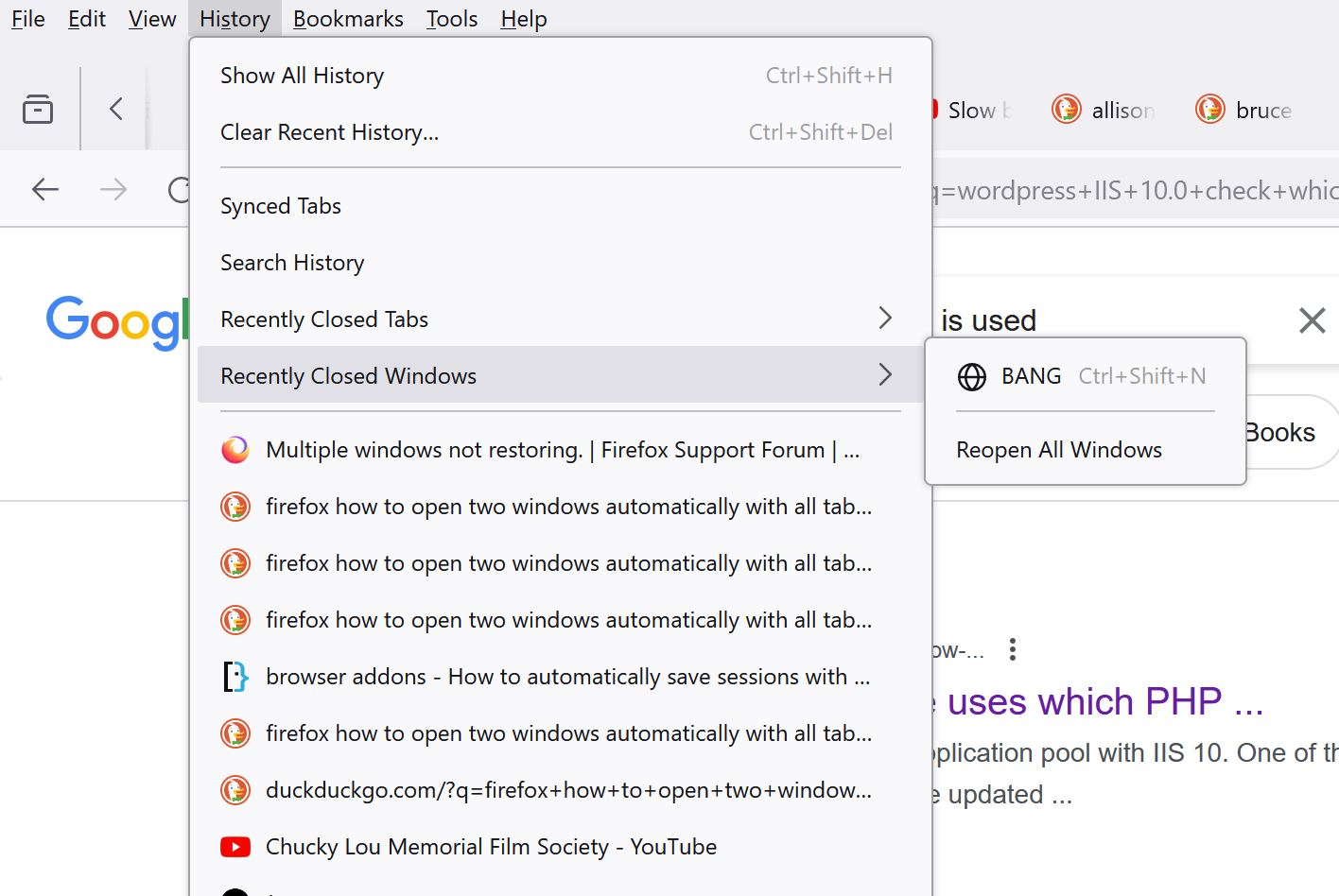
Check History -> Recently closed windows, maybe it's there.
Προβολή απάντησης εντός συζήτησης 👍 2Όλες οι απαντήσεις (3)
Επιλεγμένη λύση
Check History -> Recently closed windows, maybe it's there.
Use one of these to close Firefox if you are currently doing that by clicking the close X on the Firefox Title bar, especially if you have multiple windows or Private Browsing windows open to prevent losing tabs in unnoticed windows.
- "3-bar" menu button -> Exit (Power button)
- Windows: File -> Exit
- Mac: Firefox -> Quit Firefox
- Linux: File -> Quit

A work-around - on your window that shows up, go to History tab -> Recently Closed Windows -> open whatever window is missing. This should open your other window up. This might work if you are in a pinch and don't want to rebuild all of your other window's tabs. How to let FireFox do this automatically, I can't tell you. I'm very sure it used to long ago. Good luck!