


OneDrive web doesn't show files/folders
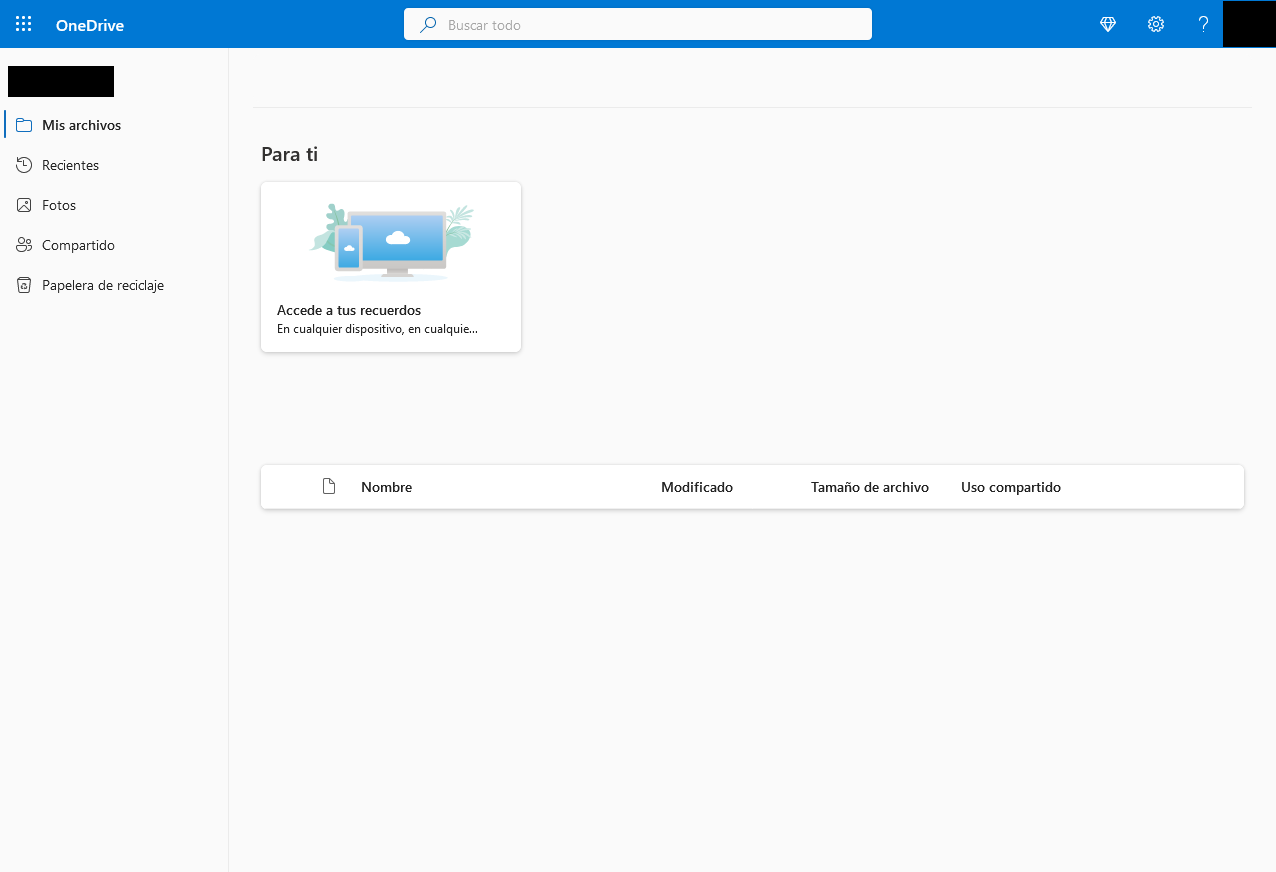
OneDrive web (onedrive.live.com) doesn't show any files/folders. The area where the files/folders should be displayed is just empty. Now the reason I believe this might be a Firefox issue is because I don't have that problem when I use OneDrive on a Private window. OneDrive on a Private window works just fine, the issue is on the regular non-private window where I wan't my session to stay open.
I already tried clearing 'everything' including cookies, site settings and offline website data. I checked all the boxes and the issue persist.
See attached screenshot.
Thanks!
Επιλεγμένη λύση
Hi Tirso, thank you for the additional information.
When you say you cleared everything, do you mean cached web content and the site's cookies and site data?
Sometimes in private windows, one or more of your add-ons are inactive (add-ons need individual permission to run in private windows). That might be one factor. You can scroll down the list on the Add-ons page (Ctrl+Shift+A), Extensions panel, and see which one do and don't have the purple mask icon next to the title. The ones without are not running in private windows.
Προβολή απάντησης εντός συζήτησης 👍 0Όλες οι απαντήσεις (6)
Hi Tirso, if you "select all" using either Ctrl+A or right-click > Select All, is there white/transparent text where there should be black text? or just empty space?
jscher2000 - Support Volunteer said
Hi Tirso, if you "select all" using either Ctrl+A or right-click > Select All, is there white/transparent text where there should be black text? or just empty space?
Nothing happens. Whether I press Ctrl + A or right-click > Select All nothing happens. Nothing is being selected.
Also noticed that the page is not fully loading. It's missing a big banner on top saying I'm running out of space and on the for you section, it should display some pictures and the top menu. So I just don't understand why it's not loading on a regular window but it loads just fine on a Private window even after clearing everything.
Επιλεγμένη λύση
Hi Tirso, thank you for the additional information.
When you say you cleared everything, do you mean cached web content and the site's cookies and site data?
Sometimes in private windows, one or more of your add-ons are inactive (add-ons need individual permission to run in private windows). That might be one factor. You can scroll down the list on the Add-ons page (Ctrl+Shift+A), Extensions panel, and see which one do and don't have the purple mask icon next to the title. The ones without are not running in private windows.
jscher2000 - Support Volunteer said
Hi Tirso, thank you for the additional information. When you say you cleared everything, do you mean cached web content and the site's cookies and site data? Sometimes in private windows, one or more of your add-ons are inactive (add-ons need individual permission to run in private windows). That might be one factor. You can scroll down the list on the Add-ons page (Ctrl+Shift+A), Extensions panel, and see which one do and don't have the purple mask icon next to the title. The ones without are not running in private windows.
Yes, looks like this was the issue, partially. So I disabled uBlock Origin on OneDrive and the page loaded just fine.
So at least we know it's being blocked by uBlock but I still don't know exactly what is being blocked now that wasn't blocked before when OneDrive worked as usual.
So for now I just disabled it on OneDrive and I'll report it to them.
Thanks for your help!
Thank you for reporting back!

I have the same problem with Firefox across platforms - winodws and Linux. I don't have any blockers turned on.