


Default Browser

When I open FireFox, Bing opens up. I do not want Bing. How do I get FireFox back as my default browser?
Όλες οι απαντήσεις (3)
Hey there!
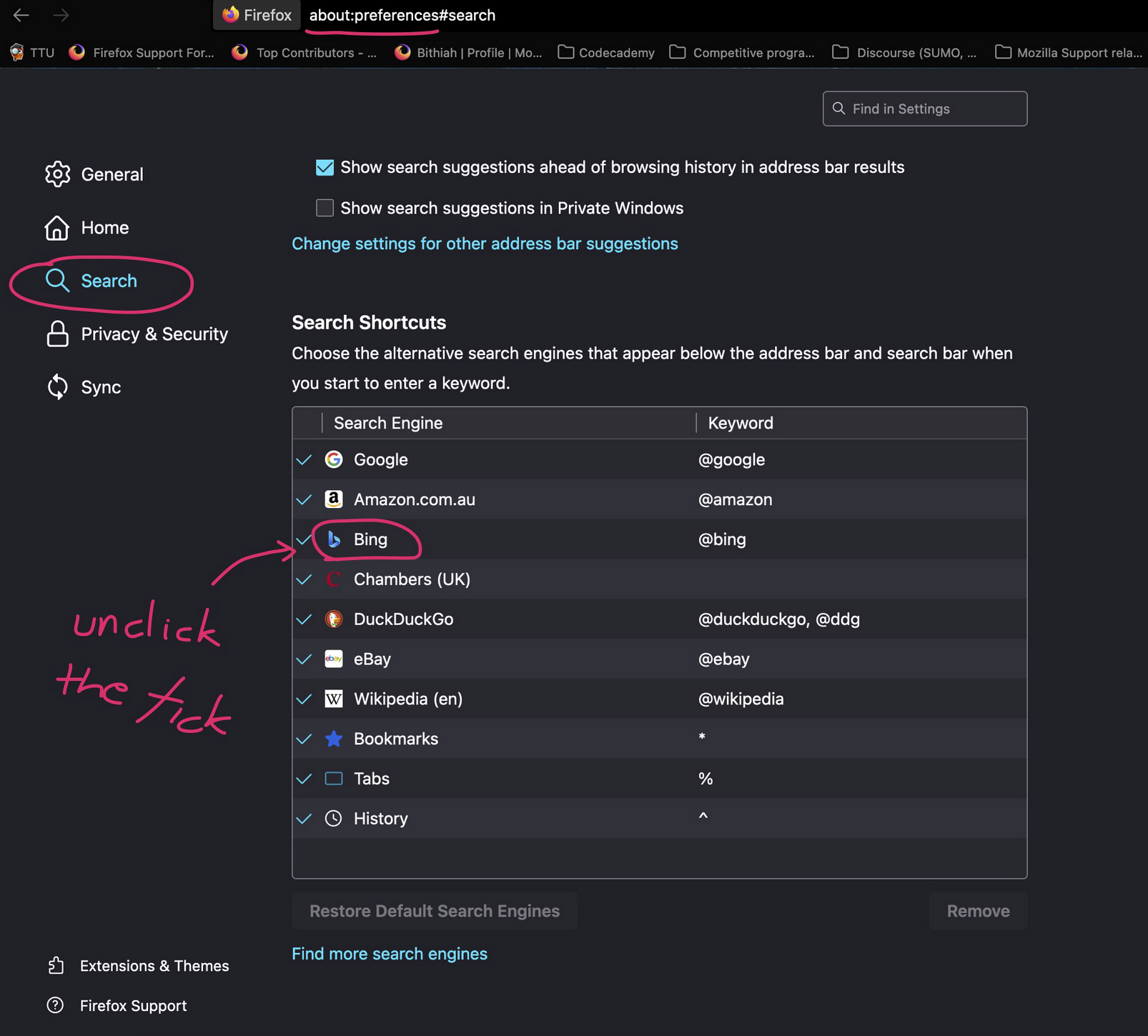
Go to about:preferences on your search bar and click enter. Then on your left handshide click the Search tab and scroll down to search shortcuts and unclick the tick next to Bing.
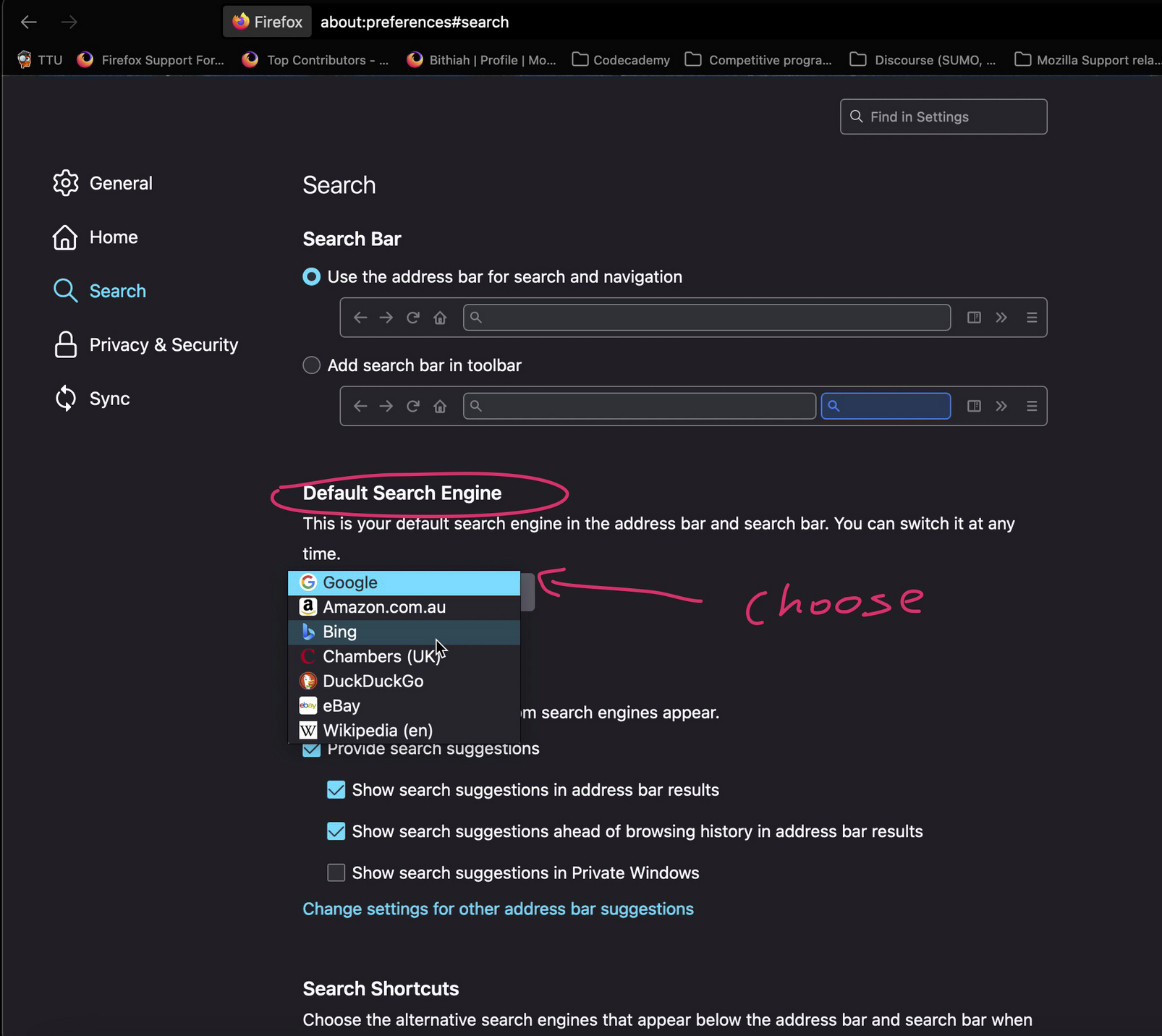
And make sure your search engine isn't Bing.
I have uploaded the screenshots below to show you what I mean.
Hope I helped!
Kind regards,
Bithiah

Bing is a website/search engine.
Are you talking about the home page? https://support.mozilla.org/en-US/kb/how-to-set-the-home-page
Or the search engine? Type about:preferences#search<enter> in the address bar. You can select any search engine to be your default from here.
You can also remove any engine from here.
Hey there!
If your problem is solved, please mark a solution so that others can see this thread is solved. Thank you in advance!
Kind regards,
Bithiah