


I get this message, The proxy moz-proxy://29.cortez-blue.ml:443 is requesting a username and password. The site says: “ZenMate”

I am getting an error "The proxy moz-proxy://29.cortez-blue.ml:443 is requesting a username and password. The site says: “ZenMate”"
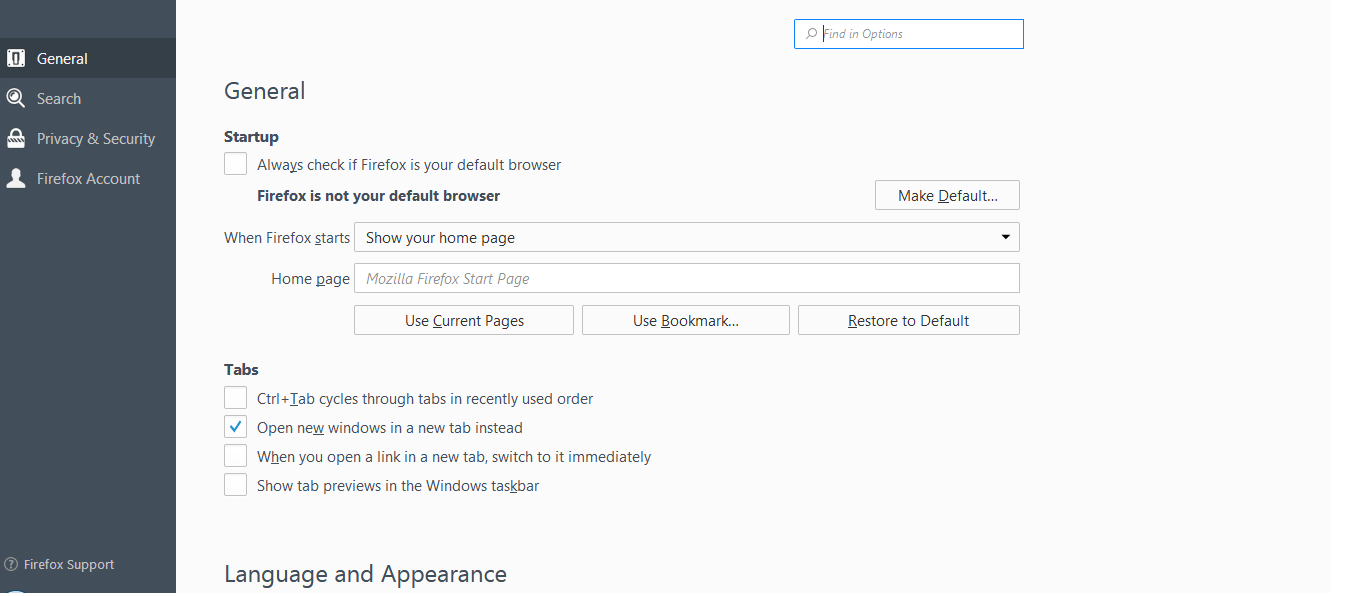
I found this question https://support.mozilla.org/en-US/questions/1034954 But there is no advanced > network > connection - settings in firefox. Here is snapshot of tool section > options section
Επιλεγμένη λύση
Are you using the old ZenMate add-on ?
If so, have you seen this :
Please note that this add-on has been replaced with a complete WebExtensions powered rewrite to be compatible with Firefox 57.0 and above. Download the new ZenMate for Firefox here: https://addons.mozilla.org/en-US/firefox/addon/zenmate-vpn/
Όλες οι απαντήσεις (5)

Never respond to such inquiries unless you know who is asking.
When you're on 'General' as shown in your screenshot :
Scroll all the way down to 'Network Proxy' => Settings
Τροποποιήθηκε στις από τον/την Happy112
Happy112 said
When you're on 'General' as shown in your screenshot : Scroll all the way down to 'Network Proxy' => Settings
I am using Zenmate Add-ons and whenever i active this Add-ons and open any site then this error occurred every time. Please let me know which option i have to change under this section to solve this problem?.


Επιλεγμένη λύση
Are you using the old ZenMate add-on ?
If so, have you seen this :
Please note that this add-on has been replaced with a complete WebExtensions powered rewrite to be compatible with Firefox 57.0 and above. Download the new ZenMate for Firefox here: https://addons.mozilla.org/en-US/firefox/addon/zenmate-vpn/