


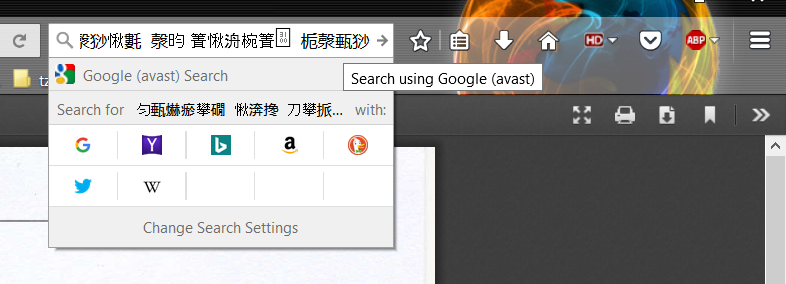
Copying text in english, pasting in chinese. ERROR

Hello. I have this problem. I use adobe pdf addon in my firefox, which allows me to open pdf files in browser. Problem is, when i am copying text from pdf, i am pasting it into the browser in chinese.... I don´t know what to do....i am lost. Please help. Thanks
Όλες οι απαντήσεις (4)
Is this really Chinese or are this only CJK characters?
It is possible that you have UTF-16 code and not UTF-8 (Unicode) on the clipboard ir Firefox thinks that it is UTF-16.
I honestly do not know. Where can i find it?
Here are the screenshots of the problem ... The first picture is what I'm copying. (The upper text is in Czech ... the result is the same, this happens even with numbers) In the second image i am pasting this text into the browser.
I use English firefox (not translated). My main computer language is Czech.

Can you post some of this text to see what Unicode characters this is. You can send them via a PM if you do not want to post them in public.
Document sent via PM. Thank you