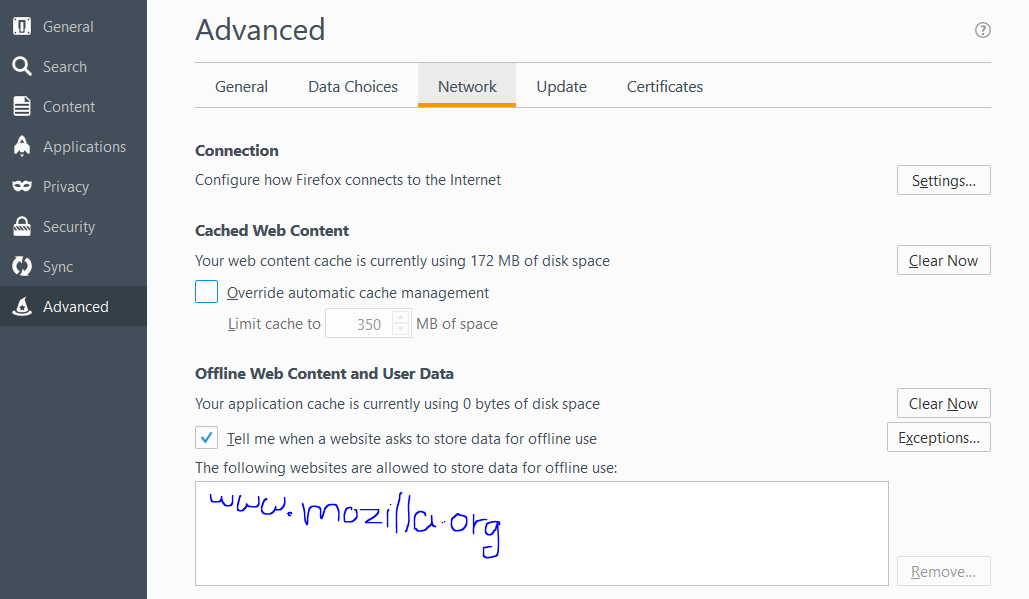
I want to add a website to "The following websites are allowed to store data for offline use". there's no way clear for me throught which I can do that ! URGENT

I want to add a website to "The following websites are allowed to store data for offline use" in the "Offline Web Content and User Data" section under "Adanced" tab in Options. It seems there's no clear way to do that !
Όλες οι απαντήσεις (2)
I have uploaded the directions in an image for where to click to get to the changed permissions that are specific to a particular site about maintaining offline web storage.
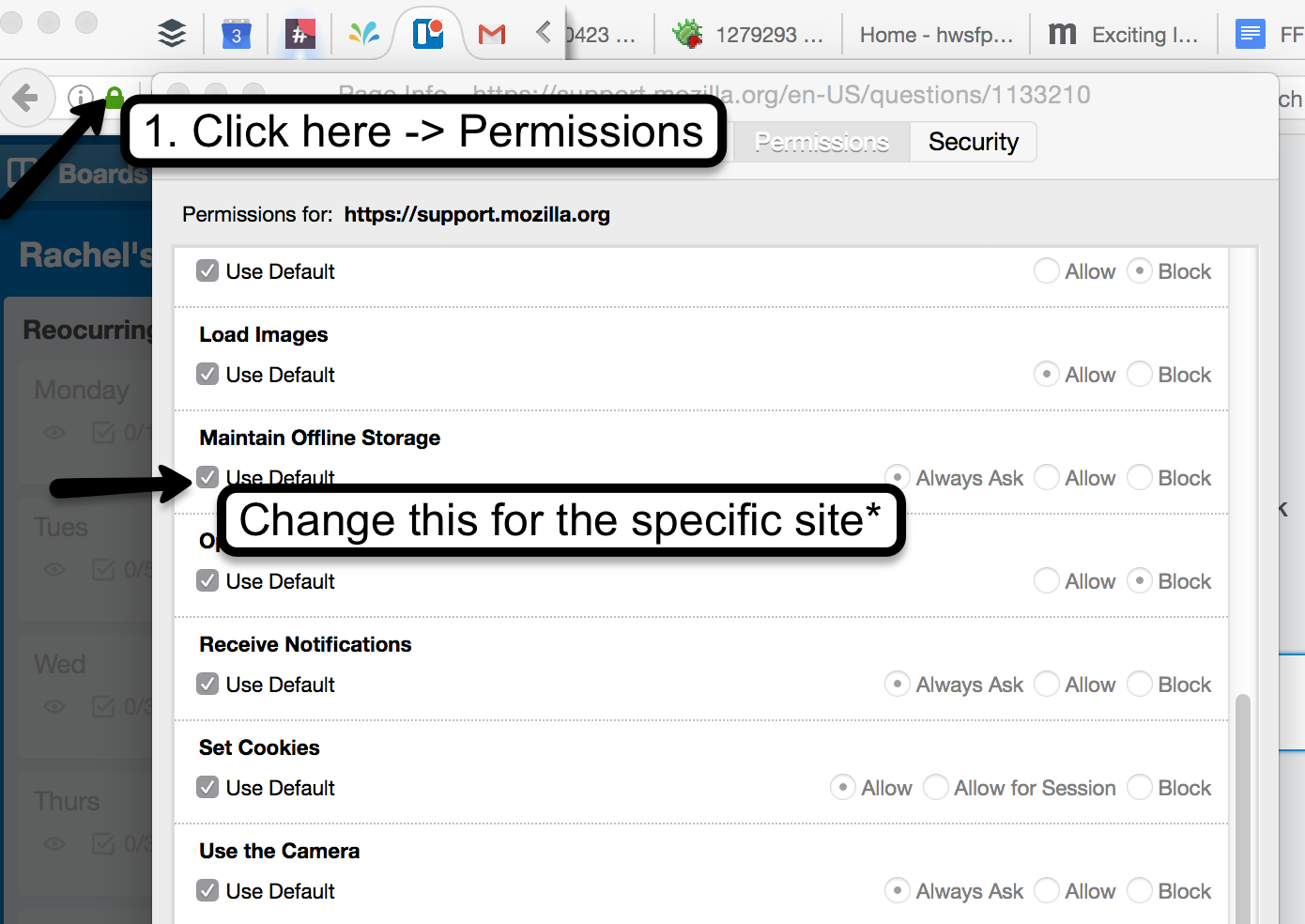
after following above instructions - Set to default >>Always ask - , the website wasn't added into the " The following websites are allowed to store data for offline use" space.
I've attached an image to where I want the website URL to be.
Is it the same thing. I mean, does it not need to be shown in "The following websites are allowed to store data for offline use:" space for it to store data for offline use ?
Thanks, Rawan