


Getting Java error in NewEgg on version 42

Receiving an error every time I click on any item in Newegg.com
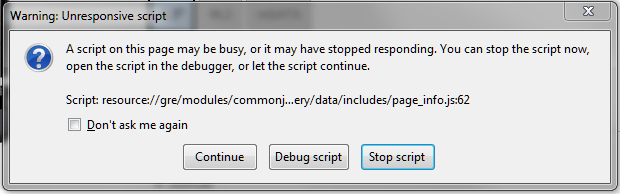
The error is:
A script on this page may be busy, or it may have stopped responding. You can stop the script now, open the script in the debugger, or let the script continue.
Script: resource://gre/modules/commonj…ery/data/includes/page_info.js:62
I've attached the screen shot of the error as well.
Επιλεγμένη λύση
Figured it out. It was the latest Ghostery. Just received an update a two~four days ago or so and that's been the culprit.
Προβολή απάντησης εντός συζήτησης 👍 0Όλες οι απαντήσεις (2)
Java and JavaScript are different languages. To avoid confusion, see:
This issue can be caused by an extension that isn't working properly.
Start Firefox in Safe Mode to check if one of the extensions (Firefox menu button/Tools > Add-ons > Extensions) or if hardware acceleration is causing the problem.
- Switch to the DEFAULT theme: Firefox menu button/Tools > Add-ons > Appearance
- Do NOT click the Reset button on the Safe Mode start window
- https://support.mozilla.org/kb/Safe+Mode
- https://support.mozilla.org/kb/Troubleshooting+extensions+and+themes
You can check for issues caused by plugins and set plugins to "Ask to Activate" on the "Firefox menu button/Tools > Add-ons > Plugins" page.
- plugins are not affected by Firefox Safe Mode
Επιλεγμένη λύση
Figured it out. It was the latest Ghostery. Just received an update a two~four days ago or so and that's been the culprit.