


Getting errors setting up gmail accounts "Unable to log in to server"

Been using thunderbird for years, stopped getting new messages. Removed/deleted the accounts and tried to setup again and get error unable to login at server, probably wrong configuration, username or password. username and password are entered correctly, changed them just to verify, using default settings and appear to match what their supposed to be as documented. Gmail accounts... Any help appreciated...
Wayne Mery trɔe
Ŋuɖoɖo si wotia
I rebooted and everything setup as expected. I HATE windows, If I could I would move this system to Linux.
Xle ŋuɖoɖo sia le goya me 👍 0All Replies (15)
Seeing screenshots of the settings is usually helpful.
screen shots
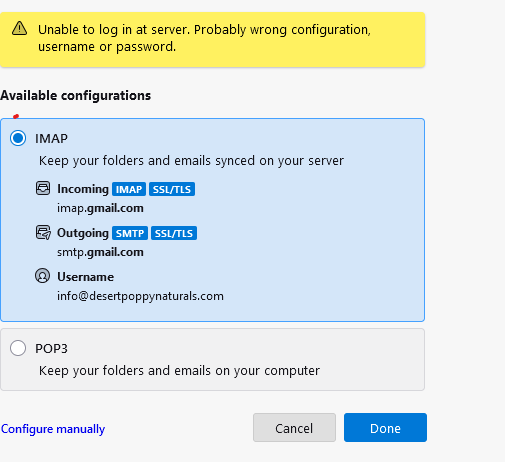
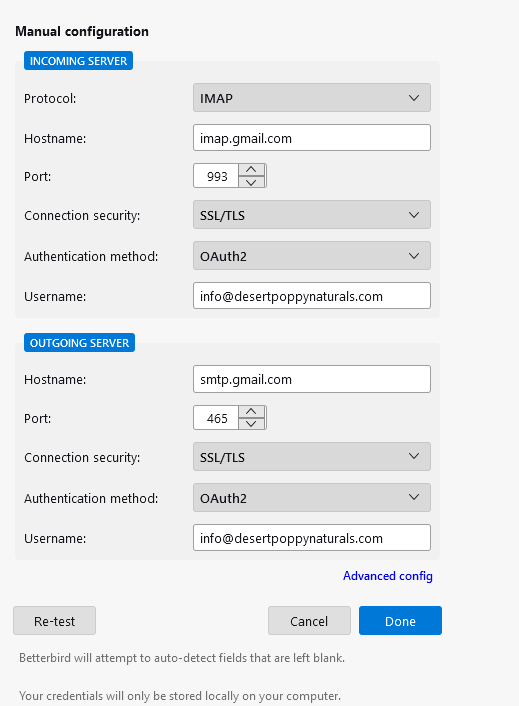
Did you get a prompt from Google to enter password? It appears that would have happened.
No prompt...
check settings>general and verify that the account hub experimental is NOT checked and try again. see attached.
Oops. here is the attached.
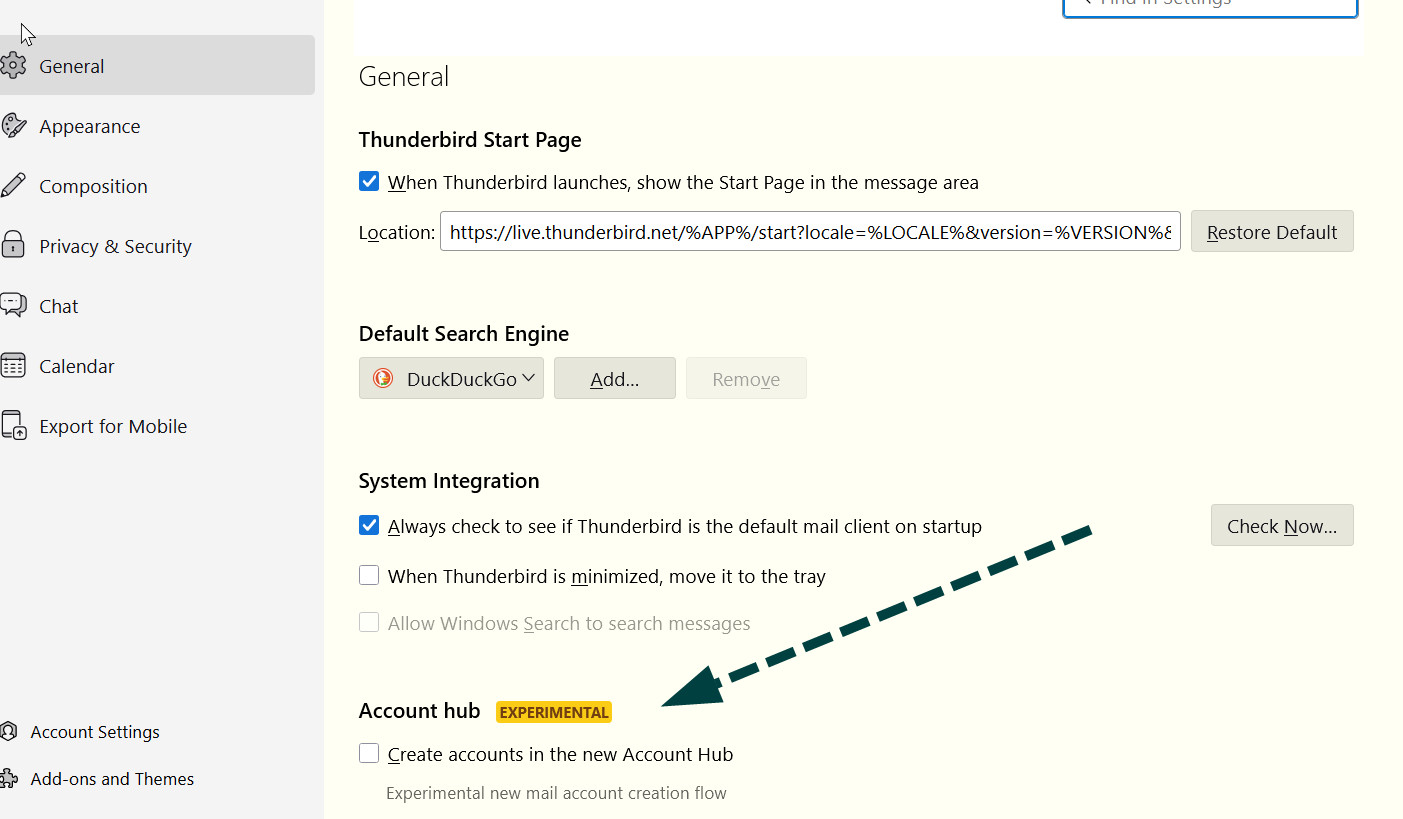
it is not checked
try the setup again. Enter ONLY your name and email address. do not enter password but wait for the prompt
Makes no difference...
does not prompt for password
The only other thing I can think of would be to check settings>pivacy&security to ensure that cookies are enabled.
Ɖɔɖɔɖo si wotia
I rebooted and everything setup as expected. I HATE windows, If I could I would move this system to Linux.
Your problem is puzzling, as I do get the prompt. On your comment, I have successfully on several occasions moved a windows thunderbird configuration to linux. Good luck to you.

I have this problem too, and I see that many other people have it (see https://support.mozilla.org/en-US/questions/1532478 https://support.mozilla.org/en-US/questions/1543095 https://support.mozilla.org/en-US/questions/1527593). I use thunderbird 140.6 on macOS (26.2), therefore I cannot run it in "safe mode". The gmail address that I cannot add any more used to work with Thunderbird for many years. I tried to login without typing through password, but not popup appears. thanks.
filippo mannucci said
I have this problem too, and I see that many other people have it (see https://support.mozilla.org/en-US/questions/1532478 https://support.mozilla.org/en-US/questions/1543095 https://support.mozilla.org/en-US/questions/1527593). I use thunderbird 140.6 on macOS (26.2), therefore I cannot run it in "safe mode". The gmail address that I cannot add any more used to work with Thunderbird for many years. I tried to login without typing through password, but not popup appears. thanks.
It's really best to post your own question. And especially not to tag on to a question that is already marked by the reporter as "solved".
Also, the postings you have cited are relatively old and so unless the problem is being continuously reported by users in support (which I think we are not seeing) then there is a good chance they are not related.