I just reseted my Firefox and I don't know how to put my old stuff back into it?

So I just reseted my Firefox and I want all my old stuff back such as my toolbars, bookmarks, and so on. I know how there's a file that says Old Firefox Data. But how do I transfer it to the new firefox? PLEASE HELP ME XC
So I just reseted my Firefox and I want all my old stuff back such as my toolbars, bookmarks, and so on.
I know how there's a file that says Old Firefox Data. But how do I transfer it to the new firefox?
PLEASE HELP ME XC
Wšykne wótegrona (2)
When you use the Reset feature, your Firefox bookmarks should be preserved. Can you find those (you can use Alt+b to drop down the Bookmarks menu)?
Why did you use Reset? I don't want to recommend copying files that are likely to create problems.
Which toolbars are missing?
For general background on what is in the "Old Settings" folder, see this article: Restore bookmarks, passwords and data from an old Firefox profile.
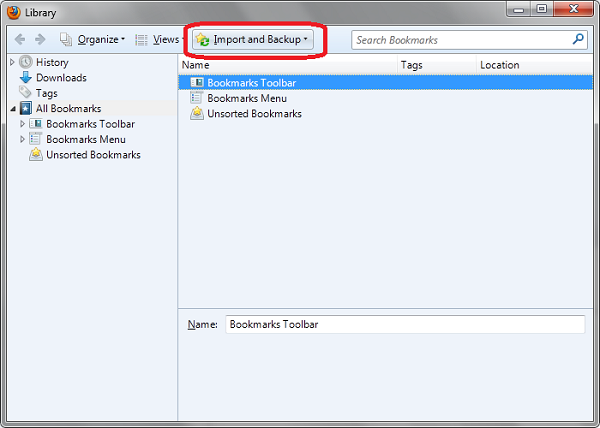
To Restore Bookmarks Click:
- Firefox Top menu >> Bookmarks >> Show all Bookmarks
(Shortcut: CTRL + SHIFT + B)
- Click "Import and Backup" button, Select Restore and choose preferred date or previous saved backup file.