


Windows 10 reached EOS (end of support) on October 14, 2025. If you are on Windows 10, see this article.

Pomoc pśepytaś

Glědajśo se wobšudy pomocy. Njenapominajomy was nigda, telefonowy numer zawołaś, SMS pósłaś abo wósobinske informacije pśeraźiś. Pšosym dajśo suspektnu aktiwitu z pomocu nastajenja „Znjewužywanje k wěsći daś“ k wěsći.

Dalšne informacije
Wócynjony

Unable to launch latest version of firefox.exe, downloaded 09/05/2026

alucalindstrom

I received an error indicating that Firefox was unable to be updated. I tried refreshing the installation as suggested, to no avail. Then I removed the application, downloaded the most recent version, and tried to install it. The installation never seemed to begin. I tried troubleshooting compatibility again with no success.

I've rebooted between each failed attempt to install (at least twice). I opened Task Manager, and the process appears to be stalled. It starts; however, it doesn't consume any resources and hangs. I've attached a screenshot of basic system information.

I use Firefox as my default browser; I would really like to get the newest version installed on this device. Thank you, Aluca Lindstrom
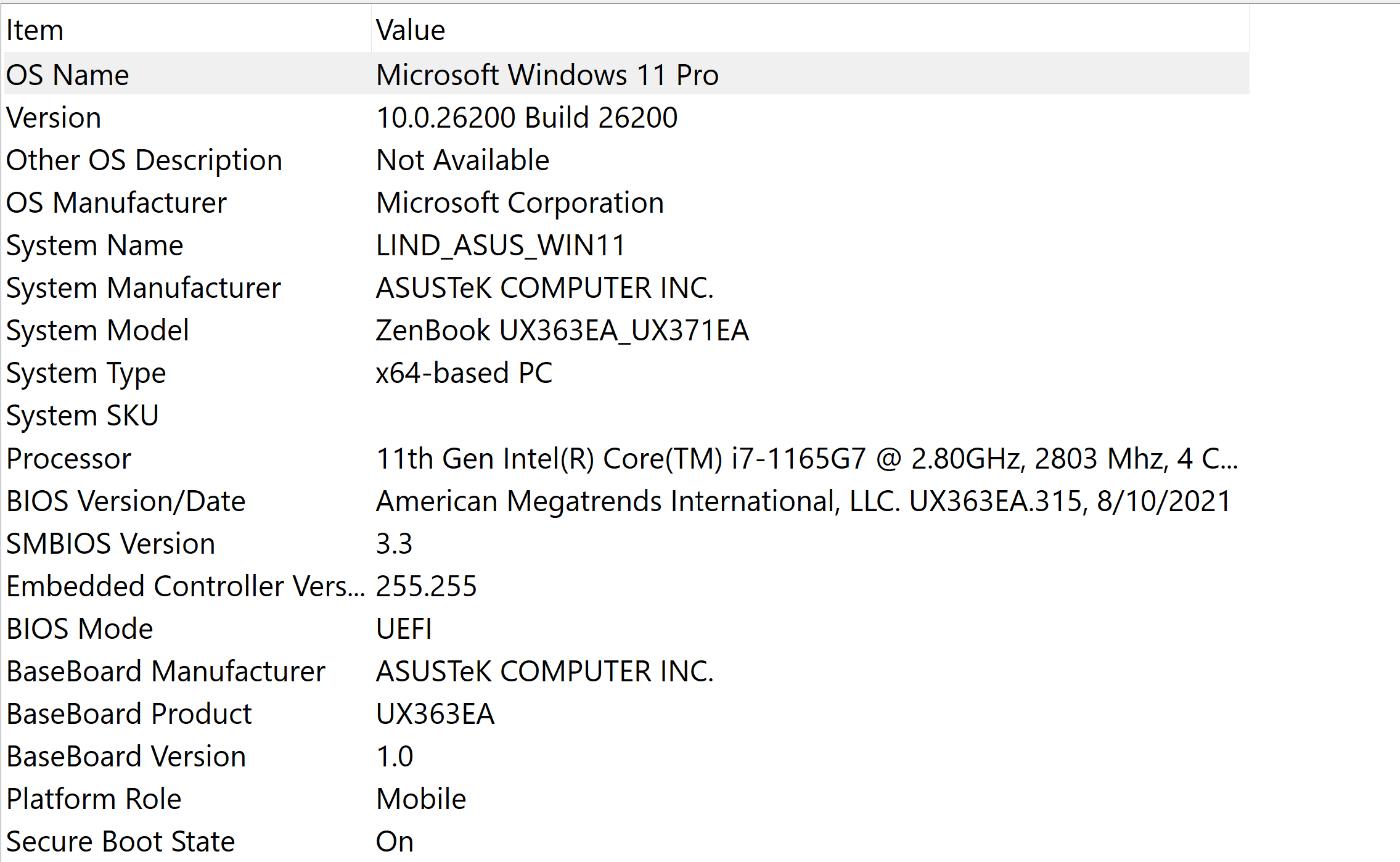
I received an error indicating that Firefox was unable to be updated. I tried refreshing the installation as suggested, to no avail. Then I removed the application, downloaded the most recent version, and tried to install it. The installation never seemed to begin. I tried troubleshooting compatibility again with no success. I've rebooted between each failed attempt to install (at least twice). I opened Task Manager, and the process appears to be stalled. It starts; however, it doesn't consume any resources and hangs. I've attached a screenshot of basic system information. I use Firefox as my default browser; I would really like to get the newest version installed on this device. Thank you, Aluca Lindstrom
Pśipowjesone fota wobrazowki

Wšykne wótegrona (1)

Hi

Are you trying to install a Nightly build of Firefox or the regular Release version?

Stajśo pšašanje

Musyśo se pla swójogo konta pśizjawiś, aby na pśinoski wótegronił. Pšosym stajśo pšašanje, jolic hyšći njamaśo wužywaŕske konto.