


all tabs that i had opened..
last night when i closed the system down, i had 5 spacial tabs with names, and apx 50 other tabs open, come to start the system this morning.. all gone.. nothing.. just a new firefox.. all my history.. gone... this is not good, as the 5 spacial tabs that i had where from seriten sits that need to be their,and now.. just gone.. the lot... and all the setting are correct..
Wšykne wótegrona (10)
"and all the setting are correct."
What settings are you referring to
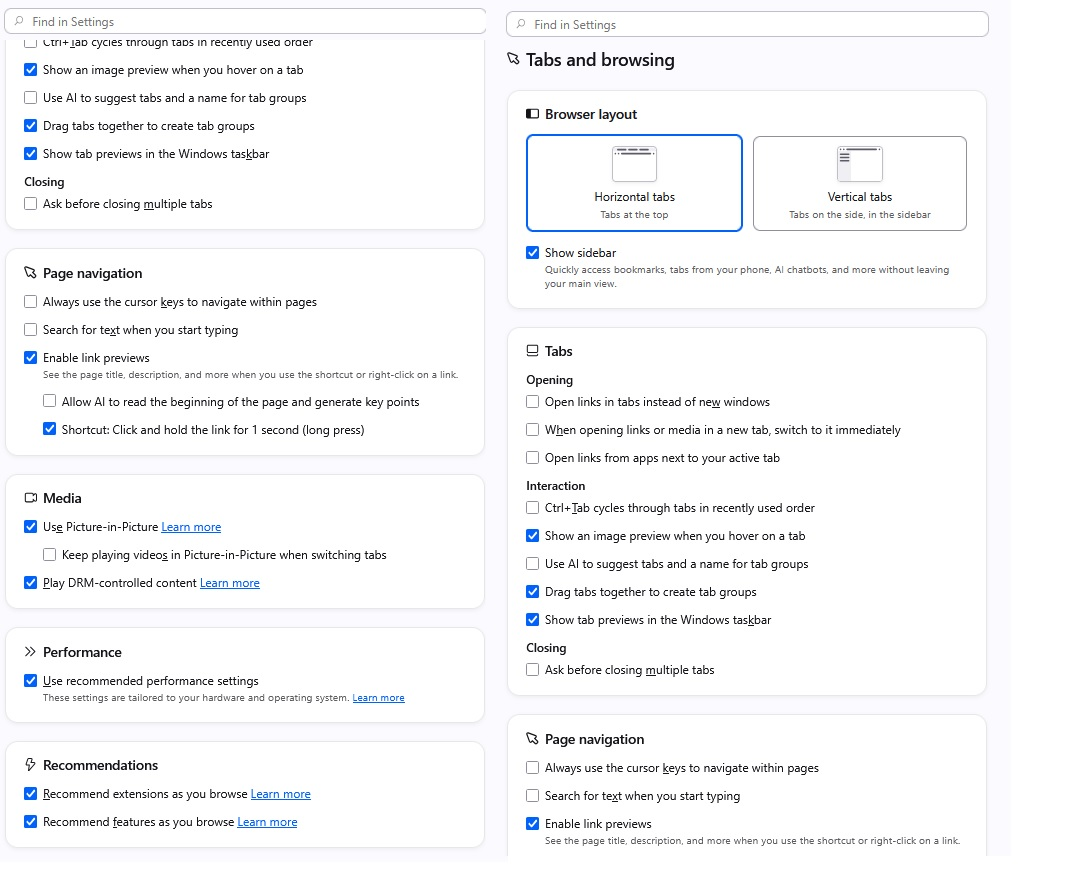
i have the same settings as before, nothing changed, and restarted again today, and the same thing happened again.. all gone... I have attached a file with the settings, their looks nothing wrong, unless their is another setting that is turned on or off..
Check that when you close Fx doesn't clear the Site Settings.
I just notice it did on mine which overrode the Pop Up options I had

I had this same issue. I am so effing angry. There were tabs that I had open for something I was researching for MONTHS. Now I have to sit and manually go through MONTHS of history to be able to open these tabs again. This is going to cost me a lot of time and extra effort. Honestly I am seriously considering quitting Mozilla because this is so much effort that I will now have to spend. Switching to a better operating system.
amoun said
Check that when you close Fx doesn't clear the Site Settings. I just notice it did on mine which overrode the Pop Up options I had
what seeting is this one, as i looked and found nothing that supports Site Settings, unless you are talking about Use vpn... and that is not the right one... it still keep falling apart
spamherforchandni said
I had this same issue. I am so effing angry. There were tabs that I had open for something I was researching for MONTHS. Now I have to sit and manually go through MONTHS of history to be able to open these tabs again. This is going to cost me a lot of time and extra effort. Honestly I am seriously considering quitting Mozilla because this is so much effort that I will now have to spend. Switching to a better operating system.
Yes, im thinking of the same thing, F/fox is soo good, but now sad to say that this has happened.. its really really sad.. the other thing that could have happened.. is a virus.. but windows firewall would not have let this happen... so i may be going to another browser.. but what one.. ??
Hi,
First, sorry you've experienced this.
Could you please clarify what you mean by "spacial tabs"?
Firefox creates session backups that should help you restore your session. Please see this article on how to do that.
If you don't see any meaningful backups, the following article may help: Recover user data missing after Firefox update or reinstall
Looking forward to your update!

The problem continues. I cannot find "Fx doesn't clear the Site Settings." In the settings I used the search for "clear the Site Settings" and variations on the theme and FireFox does not return any values or these settings. Where are these settings??
Robert said
The problem continues. I cannot find "Fx doesn't clear the Site Settings." In the settings I used the search for "clear the Site Settings" and variations on the theme and FireFox does not return any values or these settings. Where are these settings??
Hi Robert, which problem are you referring to?
Denys said
Robert said
The problem continues. I cannot find "Fx doesn't clear the Site Settings." In the settings I used the search for "clear the Site Settings" and variations on the theme and FireFox does not return any values or these settings. Where are these settings??Hi Robert, which problem are you referring to?
yes the problem still continues, also instead of a new tab, its a both a new tab and also a new window.... not impressed about this, Fx was great, but now, ..