


How do I permanently remove Mozilla Maintenance Service?
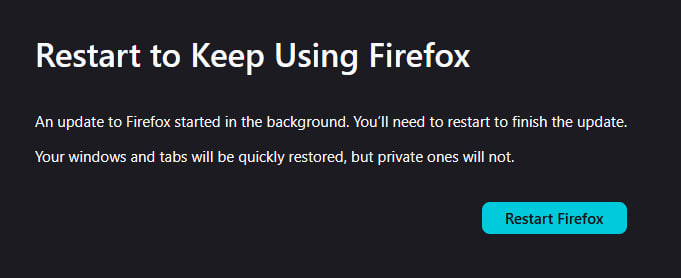
Every time I manually update firefox, it reinstalls the automatic update malware "Mozilla Maintenance Service". I can't stop this malware from being installed with my browser every time I update Firefox. I call it malware because its not wanted, and it behaves like malware by secretly downloading content without my consent and then shutting down my browser when it finishes by blocking access to all new tabs.
I've tried adding policies to stop auto updates, but Mozilla Maintenance Service ignores all policies. I'm going to see if I can contact AVG and explain to them that Mozilla Maintenance Service is malware and see if I can get it classified as such to see if that'll finally get through to someone because I'm sick of this crap constantly being installed and forcing things on me whenever they want and not when I want.
Now after this update, every google search forces open my location service trying to force me to give location rights. This update is even more malware than all the other updates before hand. Firefox is getting extremely dangerous.
Wšykne wótegrona (11)
I've disabled the service in services, and quarantined the file in my antivirus, and contacted AVG about it as well. Since the file behaves like malware due to it being installed every time I update even when I don't want it, it is kind of malware. It downloads without consent, and crashes another program after it does. Its almost the exact definition of malware.
Hello
To continue this discussion.
https://support.mozilla.org/en-US/questions/1556031 Clarification, by this i mean to say that, Windows registry https://connect.mozilla.org/t5/discussions/upgrade-notification-spam/m-p/115143/highlight/true#M44920, or, policies.json, i do not have any problems.
cor-el said
See:
1) The article for Maintenance Service is wrong, there is no option to disable background service. The option does not exist. I checked Thunderbird too, no option there either. 2) Every time I've uninstalled this service, it reinstalls its self.
Agent virtuel said
Hello To continue this discussion. https://support.mozilla.org/en-US/questions/1556031 Clarification, by this i mean to say that, Windows registry https://connect.mozilla.org/t5/discussions/upgrade-notification-spam/m-p/115143/highlight/true#M44920, or, policies.json, i do not have any problems.
Again, I said that Mozilla Maintenance Service ignores policies. When an update is applied, policies are deleted. Mozilla has decided that the Distribution folder is obsolete and every update removes it. You have to use GPO edit instead. How do you not know this being a long term user here? I find that rather strange.
I did download the GP templates now though. https://github.com/mozilla/policy-templates/releases I'll try this and see if it works any better. Meanwhile, I will keep Mozilla Maintenance Service in my antivirus quarantine to ensure it doesn't come back, hopefully.
Hello
Sorry, here https://support.mozilla.org/en-US/questions/1556031#answer-1813824 i forgot the s https://mozilla.github.io/policy-templates
Agent virtuel said
Hello Sorry, here https://support.mozilla.org/en-US/questions/1556031#answer-1813824 i forgot the s https://mozilla.github.io/policy-templates
Please stop telling people to use templates like that. Mozilla does not support them anymore. It uses a GPO Policy editor.
However today it looks like Mozilla bypassed my shit again. Honestly. Mozilla is raping my computer with unwanted forced updates. I even classified maintenance service as a virus in an attempt to stop it, and it didn't stop it.
Hello
https://support.mozilla.org/en-US/questions/1590804#answer-1829802 Firefox updates https://support.mozilla.org/en-US/kb/enable-background-updates-firefox-windows As for me, Check for updates, but choose when to install, that's my choose As for me, i choose my favorable moment to perform the updates https://connect.mozilla.org/t5/discussions/upgrade-notification-spam/m-p/64080/highlight/true#M22529 I use, DisableAppUpdate (e.g) https://www.youtube.com/watch?v=7lxCwF8I1F8 At one point in the video, a black screen appears, and that's normal, that's my strategy, the time it takes to answer Yes in the "User Account Control" (UAC) dialog box
Mozilla Service came back again, I tried re-classifying it as a virus and then uninstalled it. No idea how to prevent it from returning.
My GPO settings are all still in tact, Firefox uses the GPO settings as shown in about:policies, showing that the policies from the GPEdit.msc are active.
Mozilla Maintenance Service overrides all Policies.
Firefox https://bugzilla.mozilla.org/describecomponents.cgi?product=Firefox
https://support.mozilla.org/en-US/kb/file-bug-report-or-feature-request-mozilla If you wish, you can file a bug report
mercredi 1 juillet 2026 Votre navigateur est géré par votre organisation, l'organisation, c'est moi
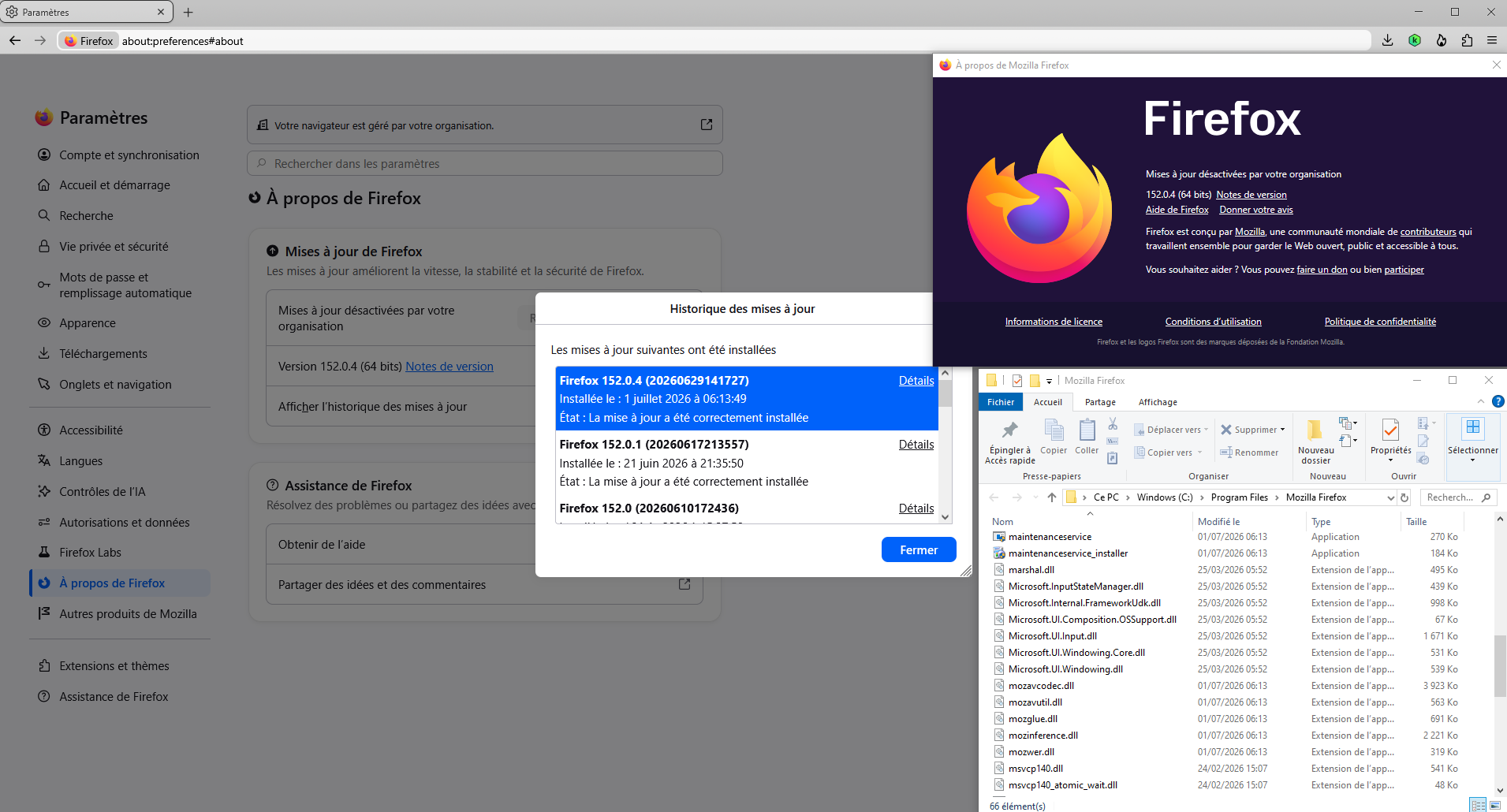
This conversation https://connect.mozilla.org/t5/discussions/upgrade-notification-spam/m-p/115113/highlight/true#M44901
Windows registry for illustration
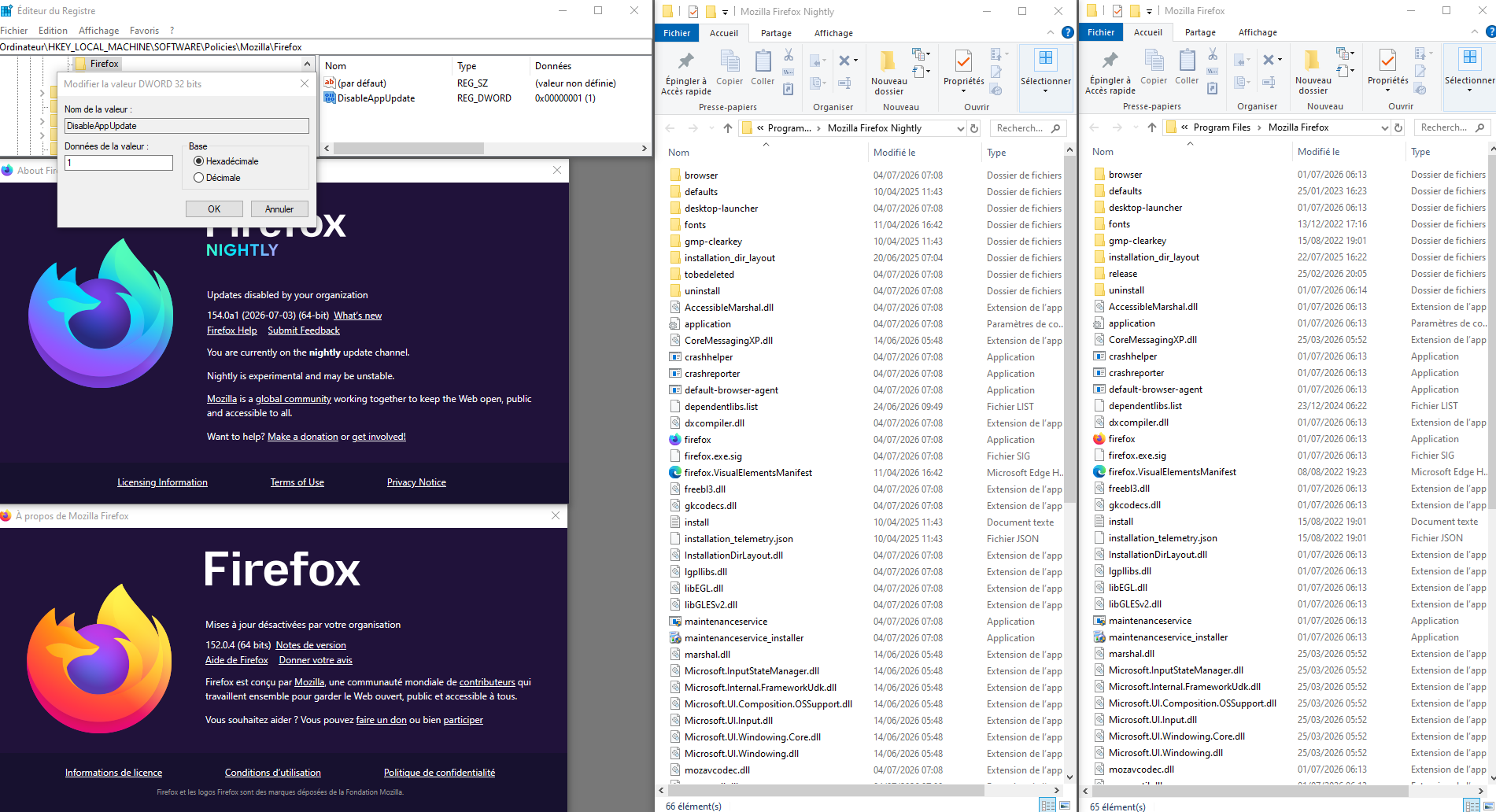
https://support.mozilla.org/en-US/questions/1556031#answer-1813824 Screenshot, clarification, about, the update-config.json file
update-config.json https://support.mozilla.org/en-US/questions/1590154#answer-1828917 Screenshot