

Toś ta nitka jo se archiwěrowała.
Pšosym stajśo nowe pšašanje, joli trjebaśo pomoc.

Rozwězany
Archiwěrowany
How do I pin an add-on/extension to the toolbar?

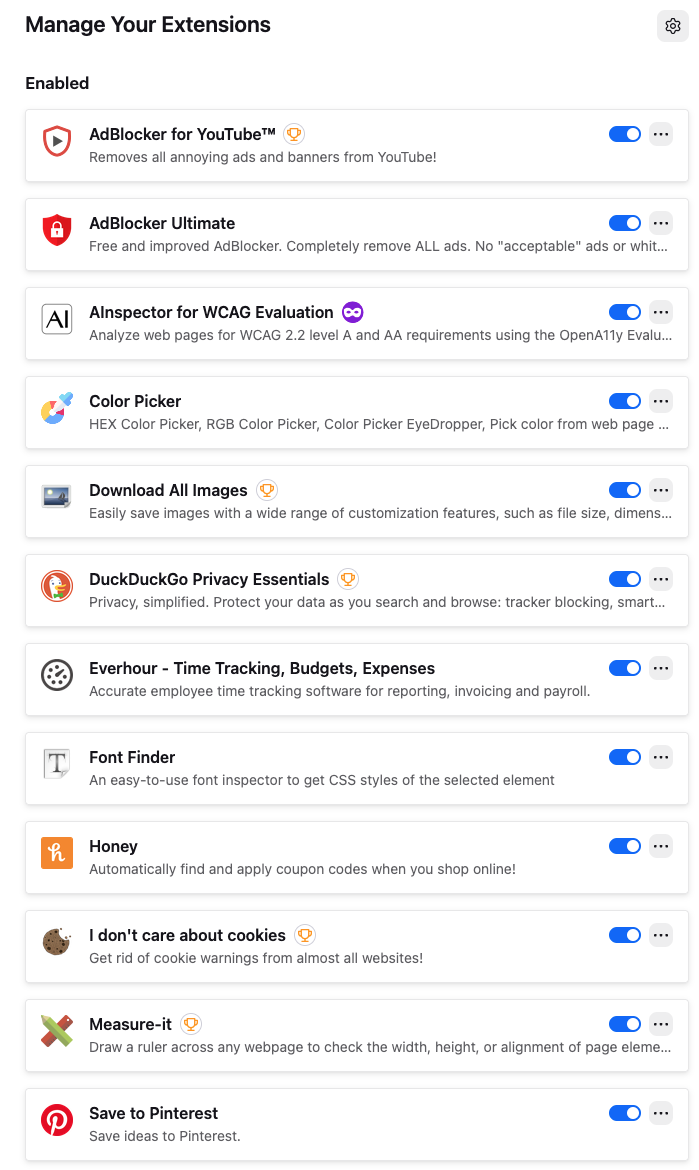
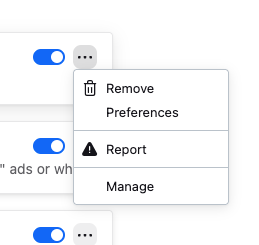
I can no longer pin extensions/add-ons to the toolbar. My interface does not look like the one in the help section. I don't see a gear, I see three dots. And when I click on the three dots I don't have the option to pin to toolbar.
I am using Firefox 147.0.4 on Mac OS 26.3 Tahoe.
I can no longer pin extensions/add-ons to the toolbar. My interface does not look like the one in the help section. I don't see a gear, I see three dots. And when I click on the three dots I don't have the option to pin to toolbar.
I am using Firefox 147.0.4 on Mac OS 26.3 Tahoe.
Wšykne wótegrona (3)
What happens when you click the jigsaw/puzzle icon on the toolbar?
Wubrane rozwězanje
Yes, that gives me the gear and the pin option! I must have clicked on the wrong puzzle piece and went to the Add-ons Manager page.

I'm glad it worked for you. I don't have the option to pin no matter where I look.