Windows 10 reached EOS (end of support) on October 14, 2025. If you are on Windows 10, see this article.

Pomoc pśepytaś

Glědajśo se wobšudy pomocy. Njenapominajomy was nigda, telefonowy numer zawołaś, SMS pósłaś abo wósobinske informacije pśeraźiś. Pšosym dajśo suspektnu aktiwitu z pomocu nastajenja „Znjewužywanje k wěsći daś“ k wěsći.

Dalšne informacije
Toś ta nitka jo se archiwěrowała. Pšosym stajśo nowe pšašanje, joli trjebaśo pomoc.
Archiwěrowany

How do I get Firefox to open windows in the correct order?

Leo.Levosky

When I start Firefox on Windows it does not open all the Windows it had last time even though that option is selected in settings. It seems random on which Windows open.

Then I start one Window at a time and restore my tabs from bookmarks. Once I have done that I have all the Windows in the order I want, with the tabs I want.

Then for no apparent reason some of the Windows disappear and/or the Windows change order. This is very frustrating.

How do I get Firefox to always open the Windows in the correct order and keep them displayed in that order?

When I start Firefox on Windows it does not open all the Windows it had last time even though that option is selected in settings. It seems random on which Windows open. Then I start one Window at a time and restore my tabs from bookmarks. Once I have done that I have all the Windows in the order I want, with the tabs I want. Then for no apparent reason some of the Windows disappear and/or the Windows change order. This is very frustrating. How do I get Firefox to always open the Windows in the correct order and keep them displayed in that order?

Wšykne wótegrona (1)

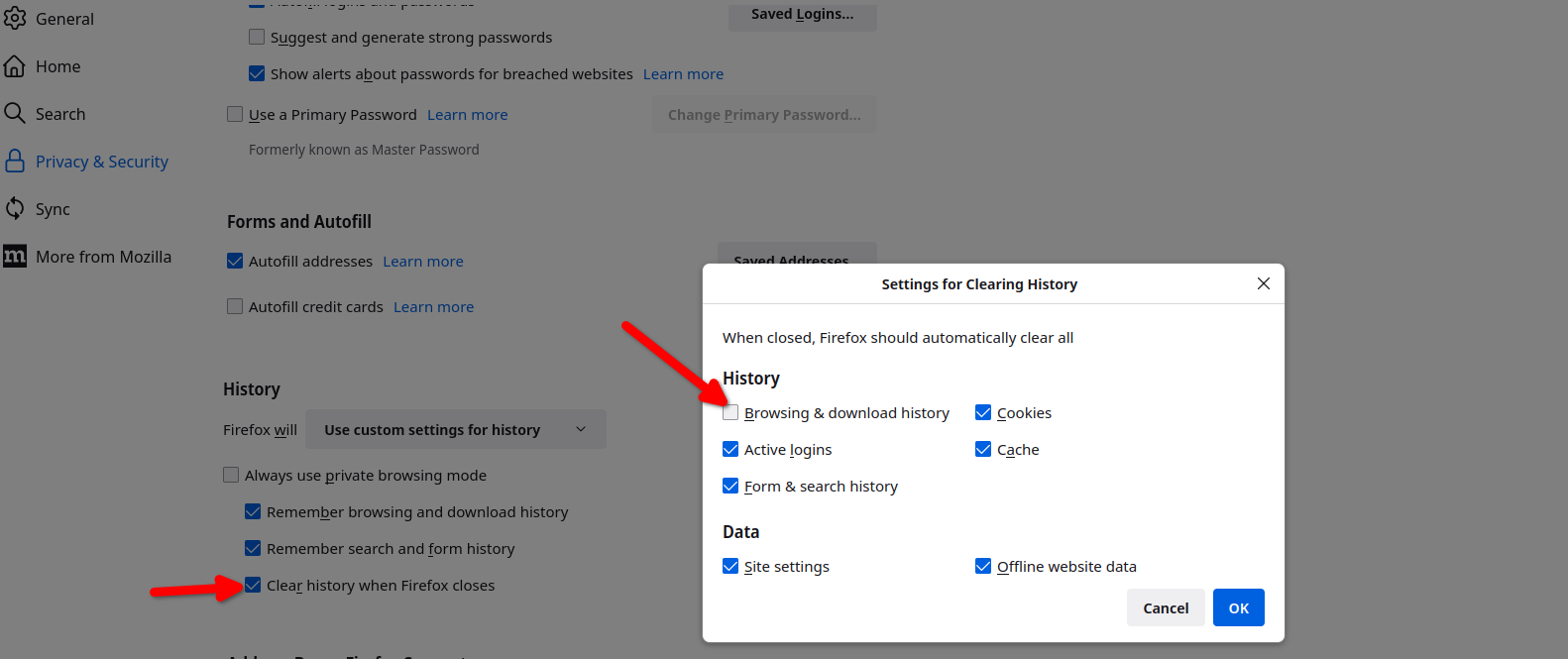
Here are my settings so that my previous windows open. see screenshots That one box is not checked, but Firefox does have a frequent habit of not restoring the sessions. See this link if that's the issue. https://support.mozilla.org/en-US/questions/1557927#answer-1790790