


Default program font appearance

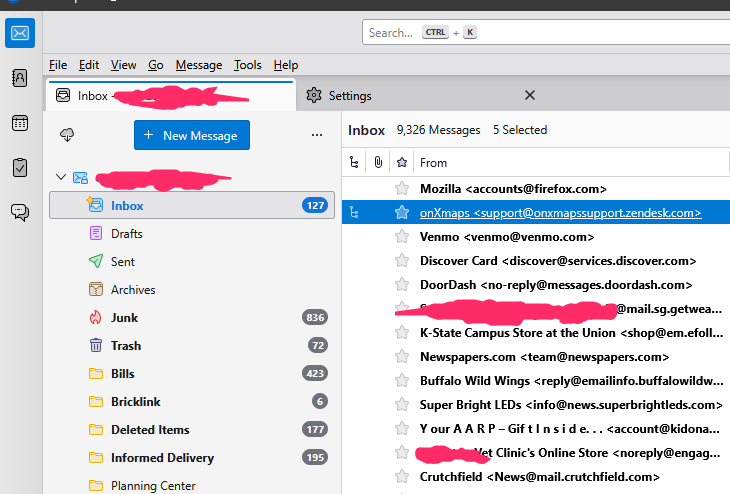
Does anyone else have the issue where the interface just looks bad? It's like I'm using an old version of Microsoft office on a Windows 3.1 machine. I see in the settings I can change the font sizes for composing emails but how about the system interface? Others say "just download a theme" but could someone recommend one? This current font makes me want to delete this software and look for alternatives. I only checked out this software because Microsoft sucks. And I'm about ready to leave this one also.
Thunderbird version 142.0 (64-bit) Windows 11 build 26100.4652 Intel Core i5-9400F 32GB ram
Wšykne wótegrona (2)
Wubrane rozwězanje
I Like FluentBird. (seen in screenshot). If you like the screenshot I can tell you how to get it.
..And I like two birds

The global font can be set with css:
* {
	font-size: 10pt !important;
  	font-family: Cambria, serif !important;
}
or e.g. Open Sans, sans-serif
Help/Troubleshooting Info, Profile Folder, Open Folder, close TB, create a new folder named chrome, create a new document in chrome with a text editor, name it userChrome.css, Save as type: All files *.*, copy in the above code, change the size and font as desired. Double-click toolkit.legacyUserProfileCustomizations.stylesheets to true in Settings/General/Config. editor, restart TB.