


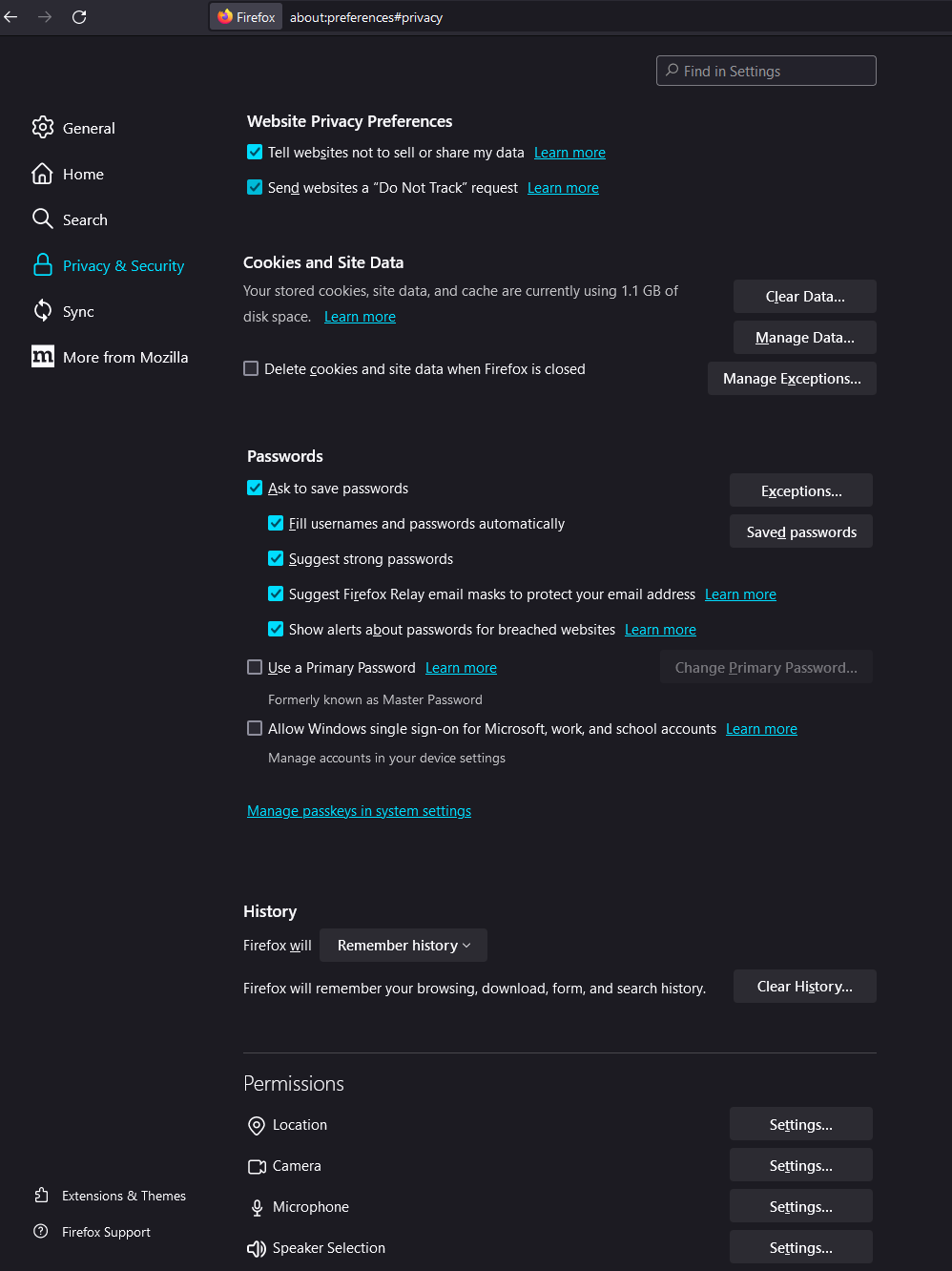
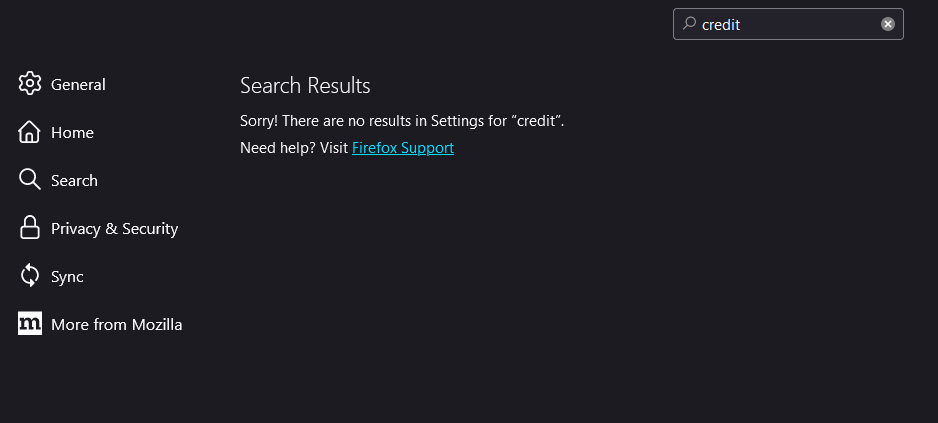
No option for autofilling credit cards in Privacy & Security settings.
I've been trying to add my credit card to my account on Firefox but I cant seem to find a setting for autofilling in settings. I've looked at the forum but cant find the "Autofill credit cards" checkbox.
Am I missing something here? I have attached screenshots of what I see in my settings section.
Wubrane rozwězanje
You can set extensions.formautofill prefs that have a value of "detect" to "on", close and restart Firefox after changing those prefs.
- extensions.formautofill.addresses.supported = "on"
- extensions.formautofill.creditCards.supported = "on"
You can set the hideUI pref to false.
- extensions.formautofill.creditCards.hideui => false
You can add your country code to supportedCountries prefs if "on" doesn't work.
- extensions.formautofill.creditCards.supportedCountries
- extensions.formautofill.addresses.supportedCountries
You can open the about:config page via the location/address bar. On the warning page, click "Accept the Risk and Continue" to open about:config.
Toś to wótegrono w konteksće cytaś 👍 1Wšykne wótegrona (1)
Wubrane rozwězanje
You can set extensions.formautofill prefs that have a value of "detect" to "on", close and restart Firefox after changing those prefs.
- extensions.formautofill.addresses.supported = "on"
- extensions.formautofill.creditCards.supported = "on"
You can set the hideUI pref to false.
- extensions.formautofill.creditCards.hideui => false
You can add your country code to supportedCountries prefs if "on" doesn't work.
- extensions.formautofill.creditCards.supportedCountries
- extensions.formautofill.addresses.supportedCountries
You can open the about:config page via the location/address bar. On the warning page, click "Accept the Risk and Continue" to open about:config.