


LastPass Icon will not appear in menu bar, after extension is added.
I have a desktop and a laptop. Desktop crashed, so rebuilding.
Firefox on both, settings same on both. On Desktop - Last Pass will not appear. On laptop, same as it always has been.
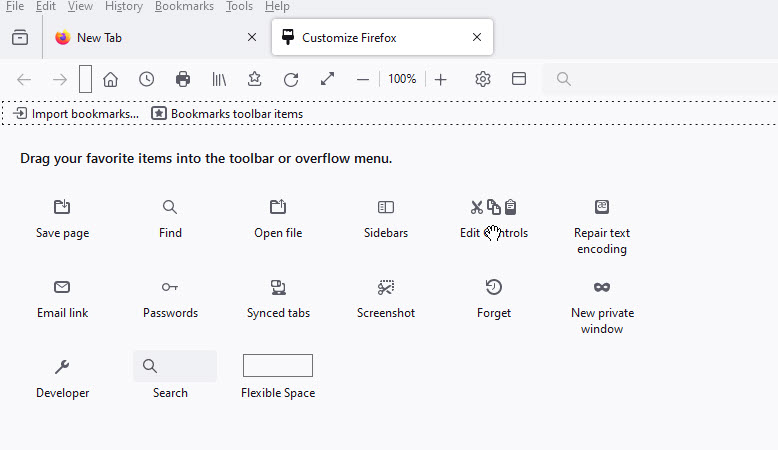
Image below from my Desktop without the Last Pass icon there.
I've downloaded the LastPass Extension from Mozilla a couple times.
Help, please.
Very weird.

Wšykne wótegrona (3)
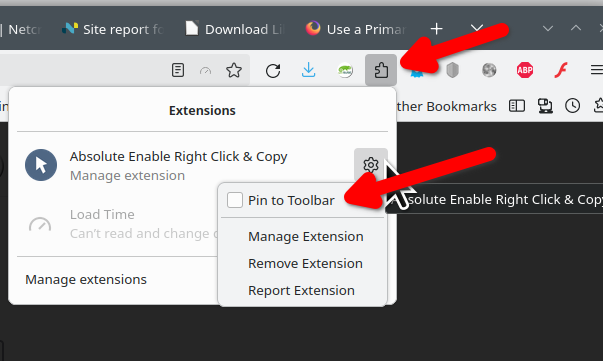
Is it here. see screesshot
Wót jonzn4SUSE změnjony
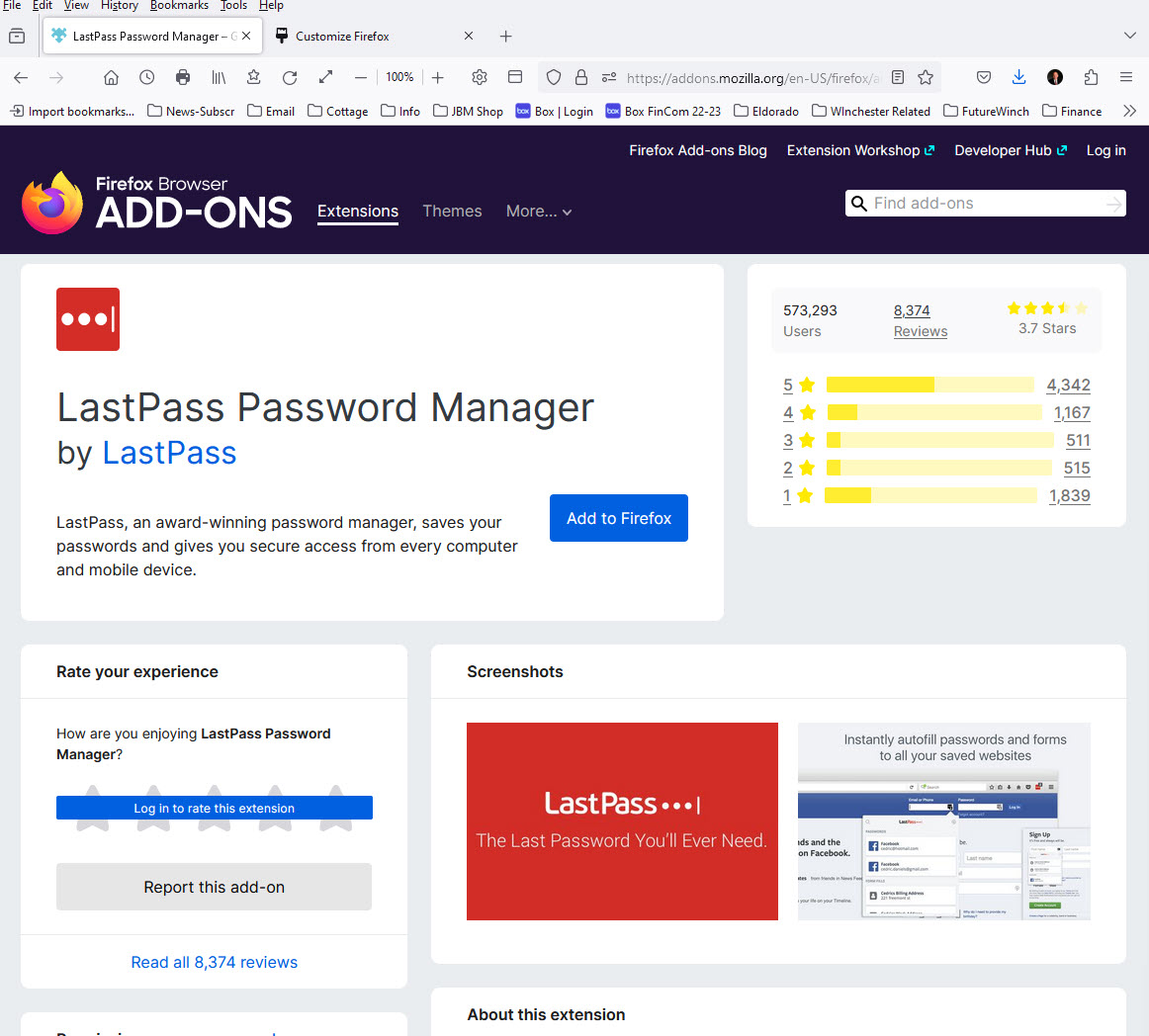
The blue "Add to Firefox" button in your screenshot indicates LastPass is not installed.
Extensions need permission to run in private windows when the browser is in private browsing mode (aka "Never Remember History"), otherwise they won't appear in the Extensions panel.

Mine disappeared too. I've re-added it multiple times over the years, but this time it's not showing even after I pinned it. There is a blank spot now, but clicking it does nothing. My other add-ons don't disappear. Why this one? I kinda need it. Hence why I have it. Thanks!