


Windows 10 reached EOS (end of support) on October 14, 2025. For more information, see this article.

Pomoc pśepytaś

Glědajśo se wobšudy pomocy. Njenapominajomy was nigda, telefonowy numer zawołaś, SMS pósłaś abo wósobinske informacije pśeraźiś. Pšosym dajśo suspektnu aktiwitu z pomocu nastajenja „Znjewužywanje k wěsći daś“ k wěsći.

Dalšne informacije

Cannot connect to the server using a hotspot.

  • 1 wótegrono
  • 0 ma toś ten problem
  • 31 naglědow
  • Slědne wótegrono wót zeroknight

dalšne nastajenja

For the past year, I've been using a Hotspot to access school websites that have been blocked. Today, it took about 5 minutes to tell me it was a "server error" and to check if it was a firewall blocking me out (it wasnt). I restarted my computer and tried again, it took me to another error code that said "PR_CONNECT_RESET_ERROR" and no Google searches helped me, so I restarted it again and then it took me to another error message saying my connection timed out despite me not changing anything with my connection or Hotspot! I cleared my cache and browser data and nothing is doing anything. I checked my desktop settings and there was nothing there connection wise. I'm not sure what to do anymore!
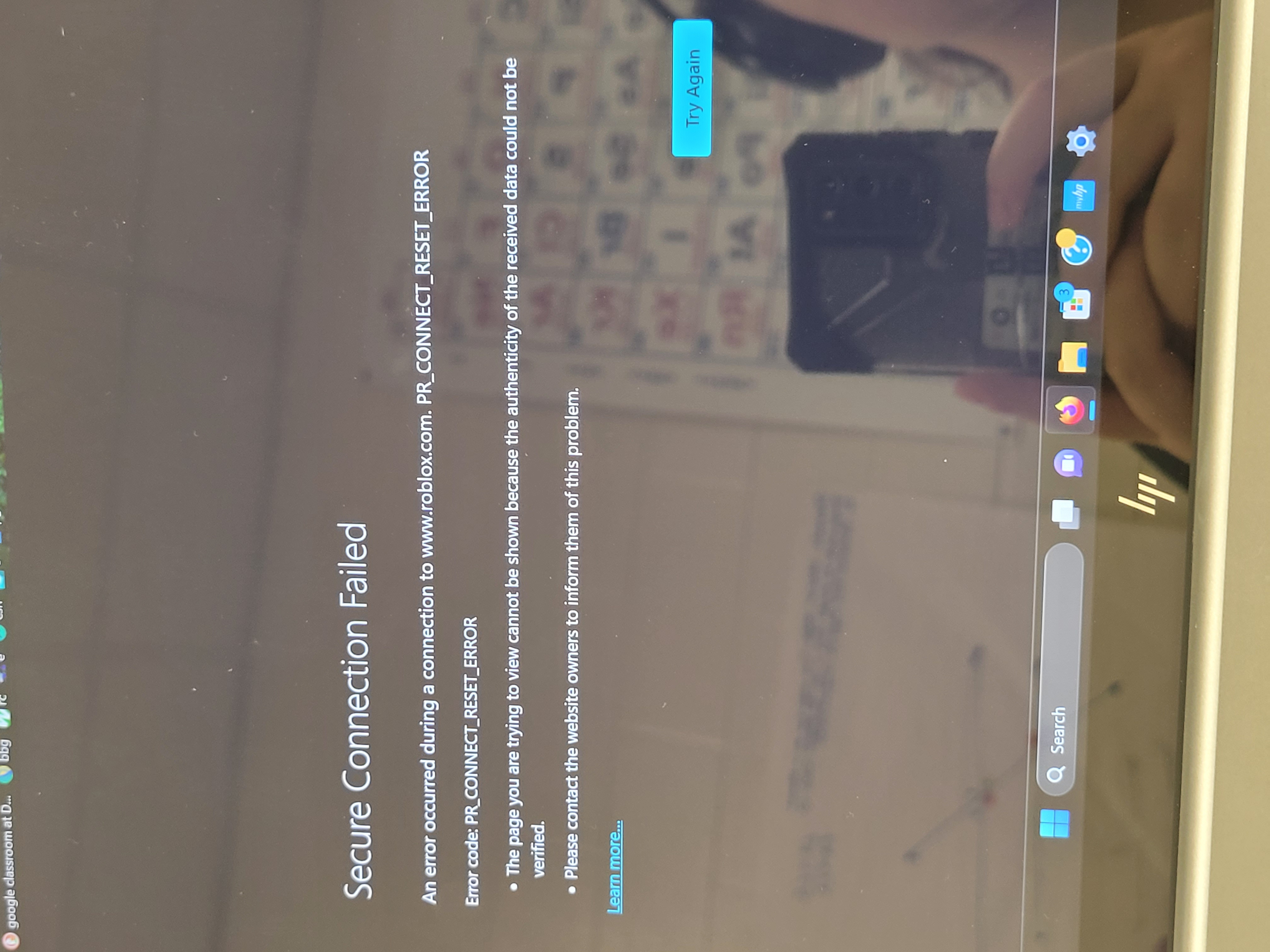
For the past year, I've been using a Hotspot to access school websites that have been blocked. Today, it took about 5 minutes to tell me it was a "server error" and to check if it was a firewall blocking me out (it wasnt). I restarted my computer and tried again, it took me to another error code that said "PR_CONNECT_RESET_ERROR" and no Google searches helped me, so I restarted it again and then it took me to ''another'' error message saying my connection timed out despite me not changing anything with my connection or Hotspot! I cleared my cache and browser data and nothing is doing anything. I checked my desktop settings and there was nothing there connection wise. I'm not sure what to do anymore!
Pśipowjesone fota wobrazowki

Wšykne wótegrona (1)

dalšne nastajenja

Try changing secure DNS over HTTPS (DoH) to "Off" or "Increased Protection" and in Connection Settings change "Use system proxy settings" to "No proxy".