Toś ta nitka jo se archiwěrowała.
Pšosym stajśo nowe pšašanje, joli trjebaśo pomoc.

Archiwěrowany
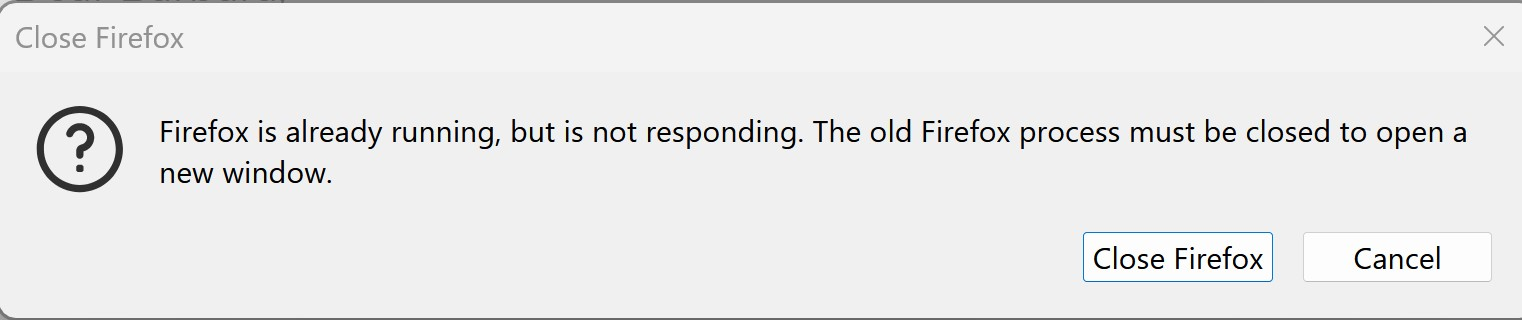
Message: Firefox is already running, but is not responding.
I keep getting the window below, usually multiple windows, instead of a fil(s) opening up in Firefox: "Firefox is already running, but is not responding. The old Firefox process must be closed to open a new window." This happens when clicking on a link, perhaps, in an e-mail. I go through a few e-mails, click on the links which normally open a new tab in an open Firefox window containing the link's info. Then I can go through the tabs one by one. But lately, all I have are a bunch of these windows open with the above two sentences. (see photo) And the option to Close Firefox or Refresh the page. How do I stop this, and get back to the original way of clicking/opening links from elsewhere into Firefox? Thank you.
I keep getting the window below, usually multiple windows, instead of a fil(s) opening up in Firefox:
"Firefox is already running, but is not responding. The old Firefox process must be closed to open a new window."
This happens when clicking on a link, perhaps, in an e-mail. I go through a few e-mails, click on the links which normally open a new tab in an open Firefox window containing the link's info. Then I can go through the tabs one by one.
But lately, all I have are a bunch of these windows open with the above two sentences. (see photo) And the option to Close Firefox or Refresh the page.
How do I stop this, and get back to the original way of clicking/opening links from elsewhere into Firefox?
Thank you.