


Firfox 2FA is saying incorrect code

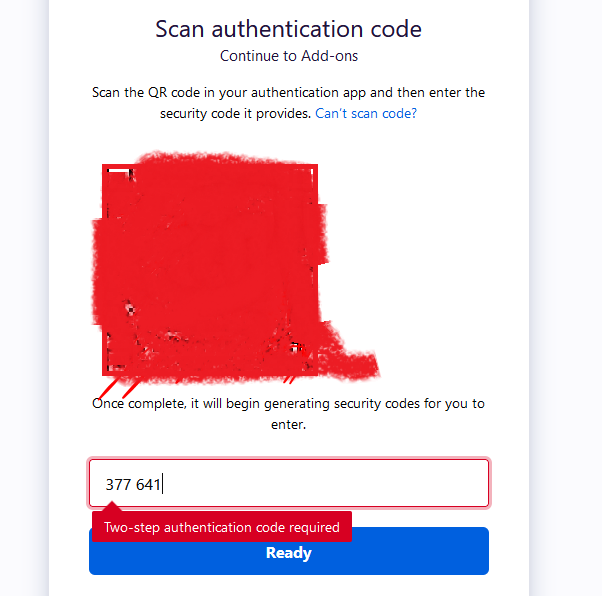
I need to update my extension uploaded on Firefox web store and that requires login to developer's account but when I try to login it showed me to do Enable two-step authentication and when ever I entered the code and hit submit ti showed me error "Two-step authentication code required". How can I proceed further?
Wšykne wótegrona (3)
You need to enter the 6-digit code as one word without spaces (377641) as those are only shown to make it easier to keep track of what you have typed.
Make sure the time and timezone are correct on all devices including the mobile device with the authenticator app as the TOTP code is only valid for thirty seconds.
cor-el said
You need to enter the 6-digit code as one word without spaces (377641) as those are only shown to make it easier to keep track of what you have typed. Make sure the time and timezone are correct on all devices including the mobile device with the authenticator app as the TOTP code is only valid for thirty seconds.
I've tried without spaces numerous number of times but the error still the same. I event matched the time zones of Authenticator app and my system but still there's no success.
Which Authenticator app do you use ? You can try to use the otpauth:// link directly in the app instead of scanning the QR code. Can you try another app to see if that gives the same or other codes ?