How do I open all tabs at once in Firefox?

My laptop was stolen. In my new laptop I try to open all my sync tabs at once, but I can't. I signed in, I see all the sync tabs under the "sign out", but how can I open them all at once? I read that I should right click the devise name to do that, but I can't right click it.
Wšykne wótegrona (3)
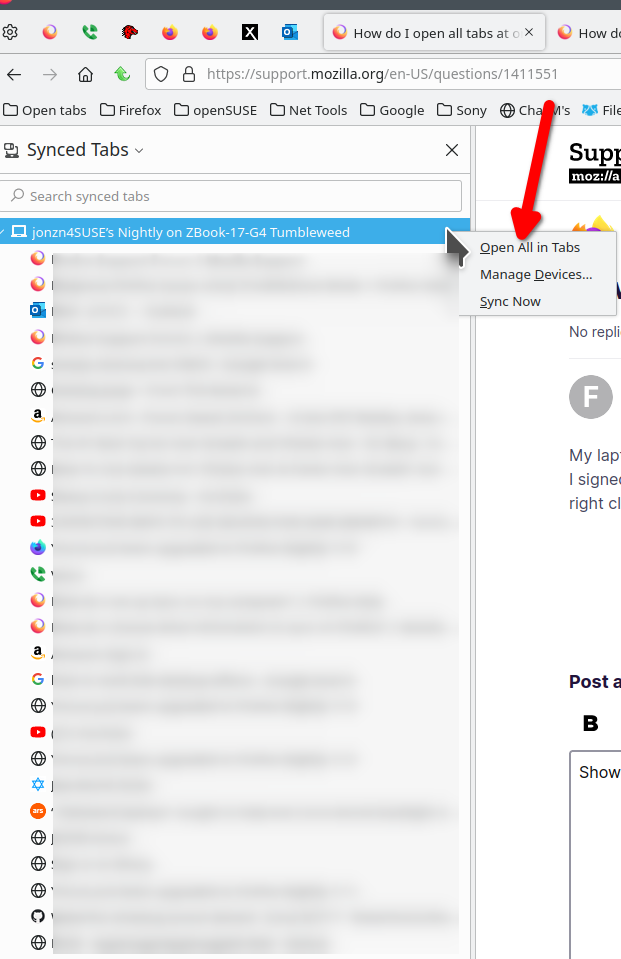
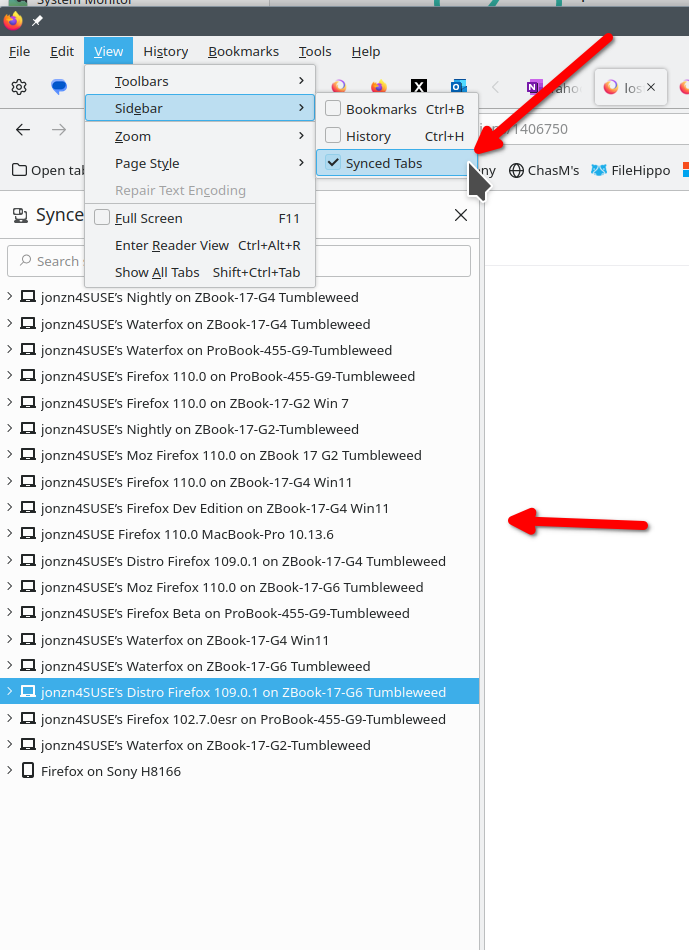
[UPDATED] I see what you're saying about seeing them under sign out. The below option should work for you. I'm currently in 112.0.1, but I run multiple versions of Firefox on my devices. In my Synced Tab, I can see my Nightly version of Firefox and I can open all the tabs if needed by right clicking on the device. see screenshot In this case, sync will see different versions of Firefox as another device. The 2nd older screenshot shows 1 way to get the Synced Tabs.
Wót jonzn4SUSE změnjony
Thank you, it worked!
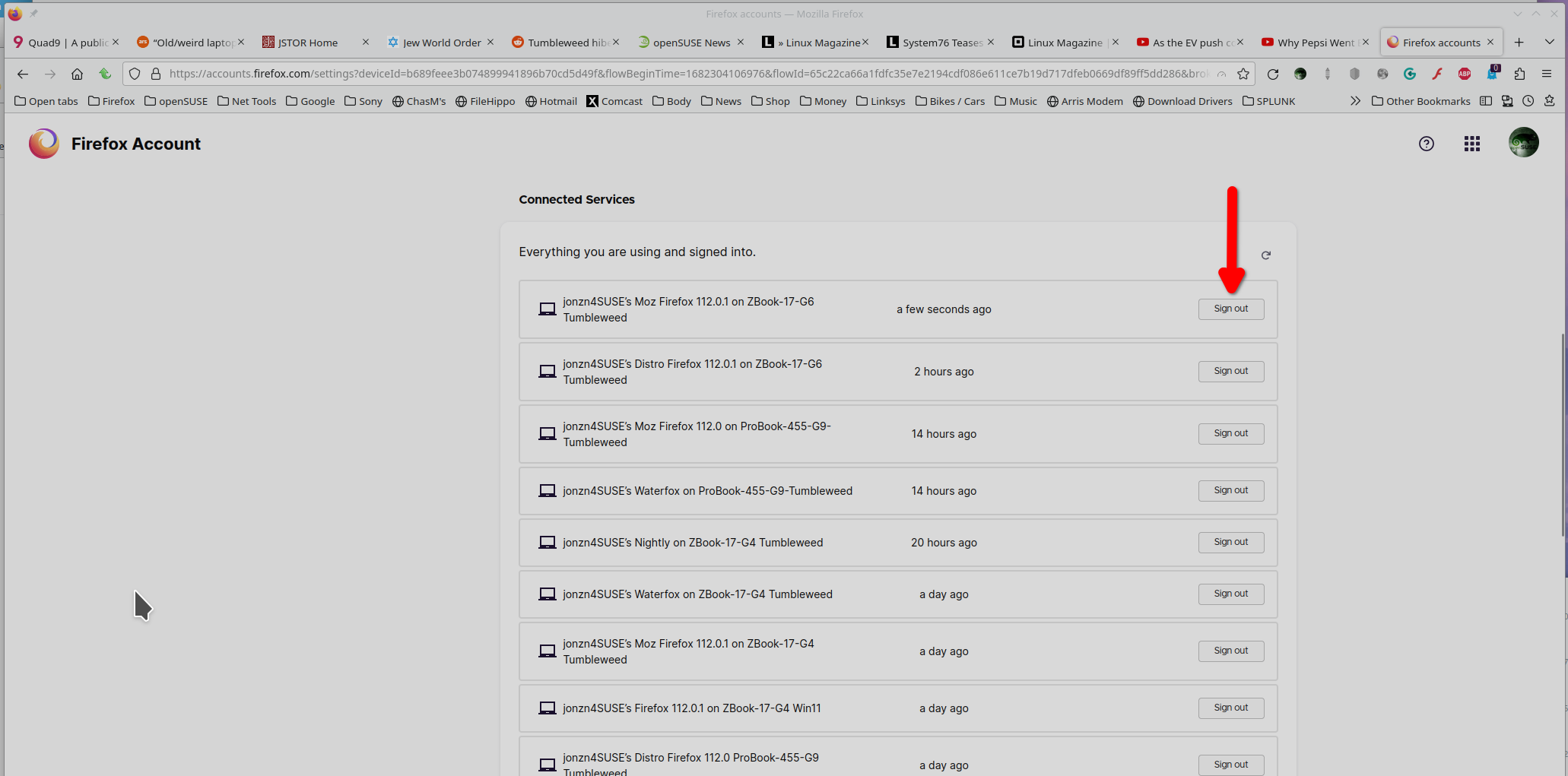
Glad to hear it worked for you. Mark it as resolved. Also, if the previous device was stolen, you may want to remove it from your account. see screenshot Just a suggestion.