


Windows 10 reached EOS (end of support) on October 14, 2025. If you are on Windows 10, see this article.

Pomoc pśepytaś

Glědajśo se wobšudy pomocy. Njenapominajomy was nigda, telefonowy numer zawołaś, SMS pósłaś abo wósobinske informacije pśeraźiś. Pšosym dajśo suspektnu aktiwitu z pomocu nastajenja „Znjewužywanje k wěsći daś“ k wěsći.

Dalšne informacije
Toś ta nitka jo se archiwěrowała. Pšosym stajśo nowe pšašanje, joli trjebaśo pomoc.
Rozwězany Archiwěrowany

Theme creation question

Peter Schachte

I've been making my own Firefox theme using the Firefox Color extension. I uploaded an image but I can't figure out how to show the image on the new tab screen. Setting the new tab page color to transparent only makes everything white. I know the image is uploaded correctly because I can see some of it in the toolbar and tab list. Is it possible to show the image on the new tab page?
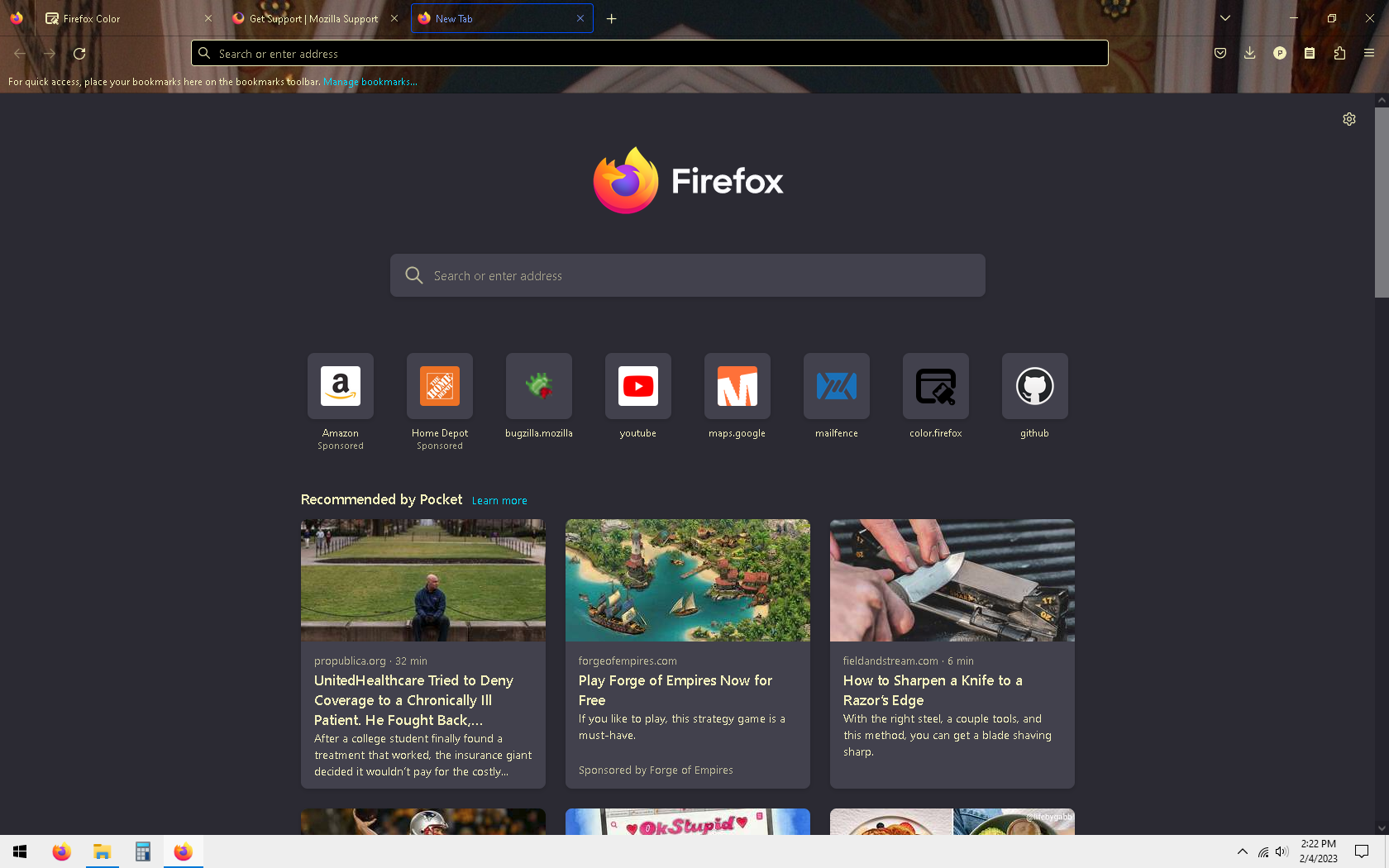
I've been making my own Firefox theme using the Firefox Color extension. I uploaded an image but I can't figure out how to show the image on the new tab screen. Setting the new tab page color to transparent only makes everything white. I know the image is uploaded correctly because I can see some of it in the toolbar and tab list. Is it possible to show the image on the new tab page?
Pśipowjesone fota wobrazowki

Wšykne wótegrona (1)

Wubrane rozwězanje

A theme can only style the user interface part of Firefox and not the browsing area, so you won't be able to do this via Firefox Color. For the Firefox Home page you could possibly do this via userContent.css in the chrome folder in the Firefox profile folder.

For the Firefox Home page, you can look on the Add-ons website for a suitable extension. https://addons.mozilla.org/firefox/addon/new-tab-tools/