

Toś ta nitka jo se archiwěrowała.
Pšosym stajśo nowe pšašanje, joli trjebaśo pomoc.

Archiwěrowany
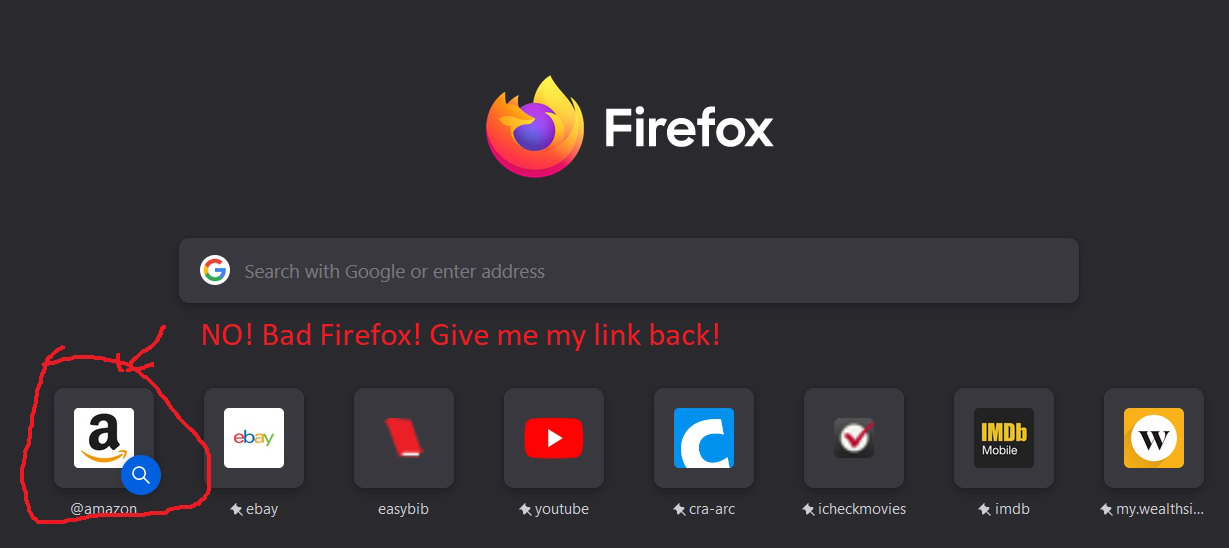
The Amazon link I had in my shortcuts on my home screen has been replaced by an Amazon search link

The Amazon link I had in my shortcuts on my home screen has been replaced by an Amazon search link. I don't want to search Amazon, I want to go to the specific Amazon web-page I had in my shortcuts on my home page. How can I change it back?
The Amazon link I had in my shortcuts on my home screen has been replaced by an Amazon search link. I don't want to search Amazon, I want to go to the specific Amazon web-page I had in my shortcuts on my home page. How can I change it back?
Wšykne wótegrona (2)

Sometimes a website will 'retire' a given link. Try starting from the websites main page and work your way to what you want. Then create a new bookmark.

I hope you have already found a solution. If not, click the three dots on the icon and unpin it. Then go to a blank tile (if there's no blank one, go to one that you don't use so often). Click on the three dots of the said icon and edit. Add the link and the name you want. Hope this helps.