


Firefox crashes
I am trying 2 take Firefox to default . When I get to the blue and white barber pole on it side after a few seconds it quits and and tells me it is enbarrased Help I am not a computer person but ur directions usually make it east even 4 me Thank u Gene Read
Wšykne wótegrona (2)

We're sorry to hear that Firefox is crashing. In order to assist you better, please follow the steps below to provide us crash IDs to help us learn more about your crash.
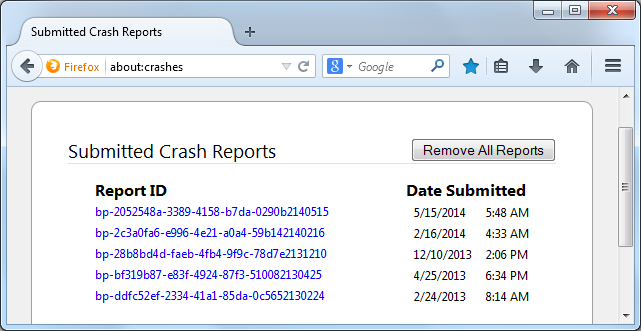
- Enter about:crashes in the Firefox address bar and press Enter. A Submitted Crash Reports list will appear, similar to the one shown below.
- Copy the 5 most recent Report IDs that start with bp- and then go back to your forum question and paste that into the "Post a Reply" box.
Thank you for your help!
More information and further troubleshooting steps can be found in the Troubleshoot Firefox crashes (closing or quitting unexpectedly) article.
Start Firefox in Safe Mode {web link} While you are in safe mode; Press the <Alt> or <F10> key to bring up the tool bar. Followed by;
Windows; Tools > Options Linux; Edit > Preferences Mac; application name > Preferences
Then Advanced > General. Look for and turn off Use Hardware Acceleration.
Poke around safe web sites and see if there is still a problem. Then restart.