


Windows 10 reached EOS (end of support) on October 14, 2025. If you are on Windows 10, see this article.

Hilfe durchsuchen

Vorsicht vor Support-Betrug: Wir fordern Sie niemals auf, eine Telefonnummer anzurufen, eine SMS an eine Telefonnummer zu senden oder persönliche Daten preiszugeben. Bitte melden Sie verdächtige Aktivitäten über die Funktion „Missbrauch melden“.

Weitere Informationen
Offen

Tab title bar shows white text when white background is used.

mikeschwarz85018

The topic that best describes my question is "Appearance", but I don't see that topic in the dropdown. Firefox 159.0.1. I have Firefox adhere to "system colors". The current tab title has a white background, the others blue. With an older version of Firefox, the text in the tab title was black if the background was white. With version 159.0.1, the current tab title uses white text if the background is white, making it unreadable. See images with red arrow pointing to what I'm talking about. The first 2 images show the new Firefox, 159.0.1. The 3rd image shows an older version, that properly adjusted the text color to black, if the tab title area was white.
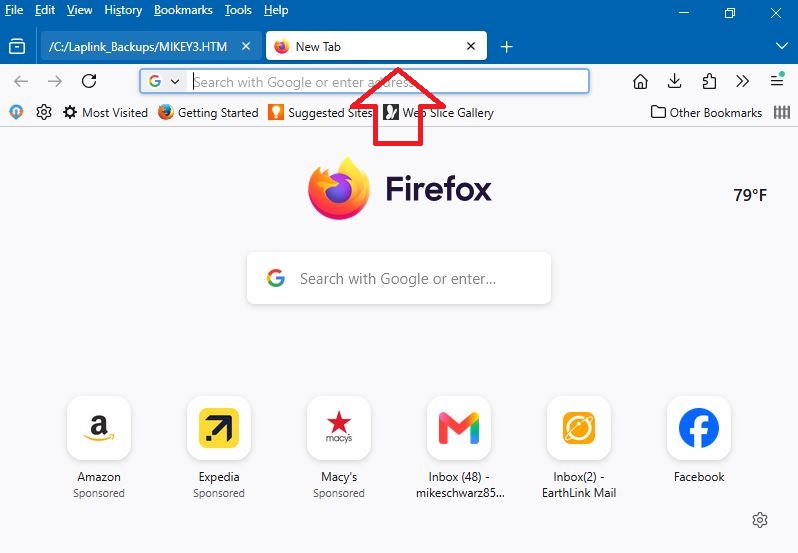
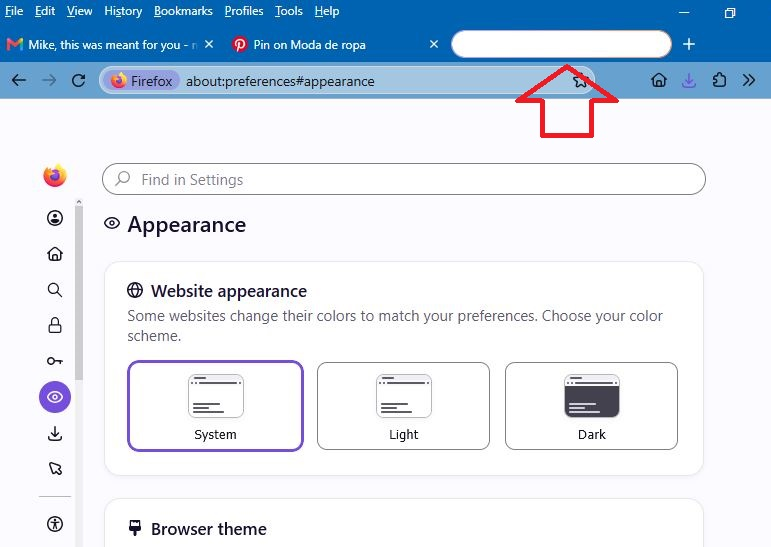
The topic that best describes my question is "Appearance", but I don't see that topic in the dropdown. Firefox 159.0.1. I have Firefox adhere to "system colors". The current tab title has a white background, the others blue. With an older version of Firefox, the text in the tab title was black if the background was white. With version 159.0.1, the current tab title uses white text if the background is white, making it unreadable. See images with red arrow pointing to what I'm talking about. The first 2 images show the new Firefox, 159.0.1. The 3rd image shows an older version, that properly adjusted the text color to black, if the tab title area was white.
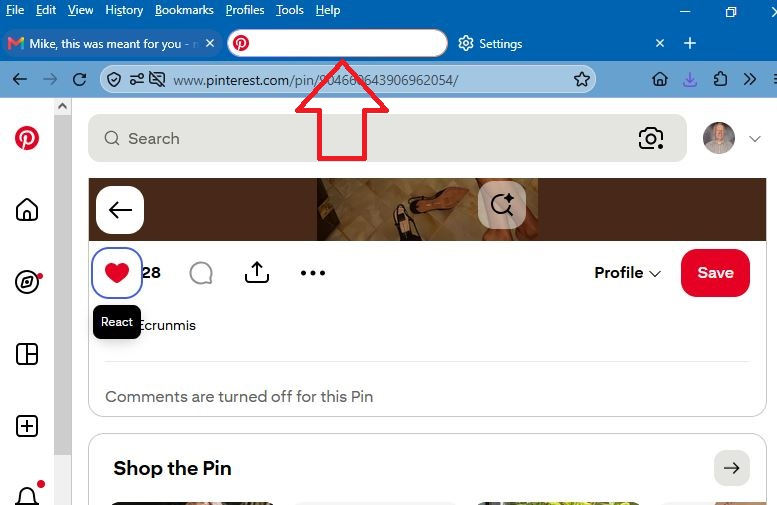
Angefügte Screenshots

Alle Antworten (1)

Note: the order of the images were rearranged by the web site when submitted. The older version of Firefox is now shown in the FIRST image, the newer version is shown in the following 2 images.

Stellen Sie eine Frage

Sie müssen sich mit Ihrem Benutzerkonto anmelden, um auf Beiträge zu antworten. Bitte stellen Sie eine neue Frage, wenn Sie noch kein Benutzerkonto haben.