


Firefox suddenly displays all text in foreign, unintelligible characters

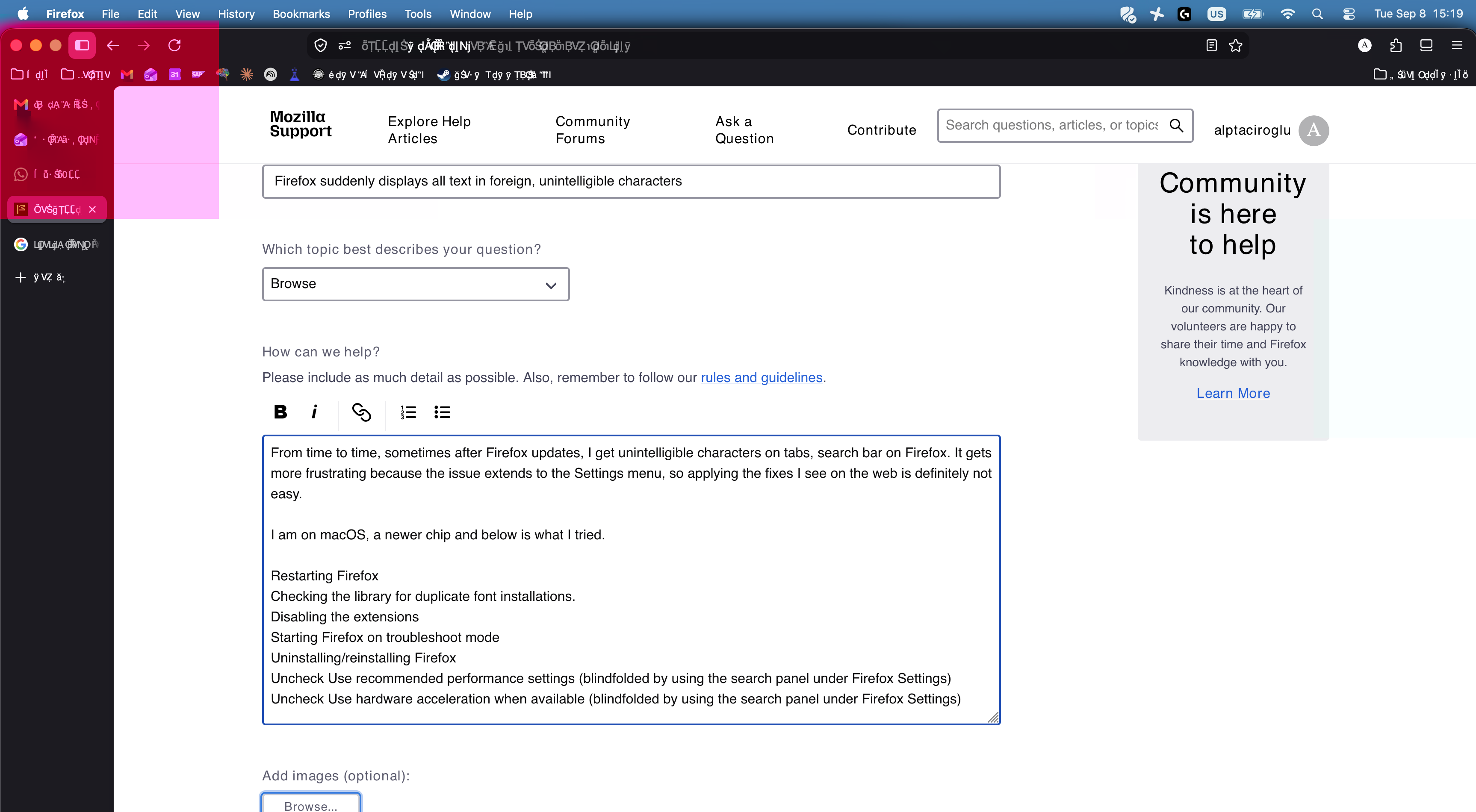
From time to time, sometimes after Firefox updates, I get unintelligible characters on tabs, search bar on Firefox. It gets more frustrating because the issue extends to the Settings menu, so applying the fixes I see on the web is definitely not easy.
I am on macOS, a newer chip and below is what I tried.
Restarting Firefox Checking the library for duplicate font installations. Disabling the extensions Starting Firefox on troubleshoot mode Uninstalling/reinstalling Firefox Uncheck Use recommended performance settings (blindfolded by using the search panel under Firefox Settings) Uncheck Use hardware acceleration when available (blindfolded by using the search panel under Firefox Settings)
Alle Antworten (2)
And any system utilities that mirror display, provide virtual screens or spaces, add overlays with extra functionality etc.?
I can honestly also see from the screenshot that rendering of website–supplied webfont glyphs doesn't work either, so there's something wrong with the type render as a whole.
Are you running an up–to–date macOS version?
It is up-to-date yes.
Now it suddenly went away but this happens from time to time. I do have displaylinkmanager for work. Might be related to that. If it happens again I will try to close that and see if I can solve it. Thanks for your answer.