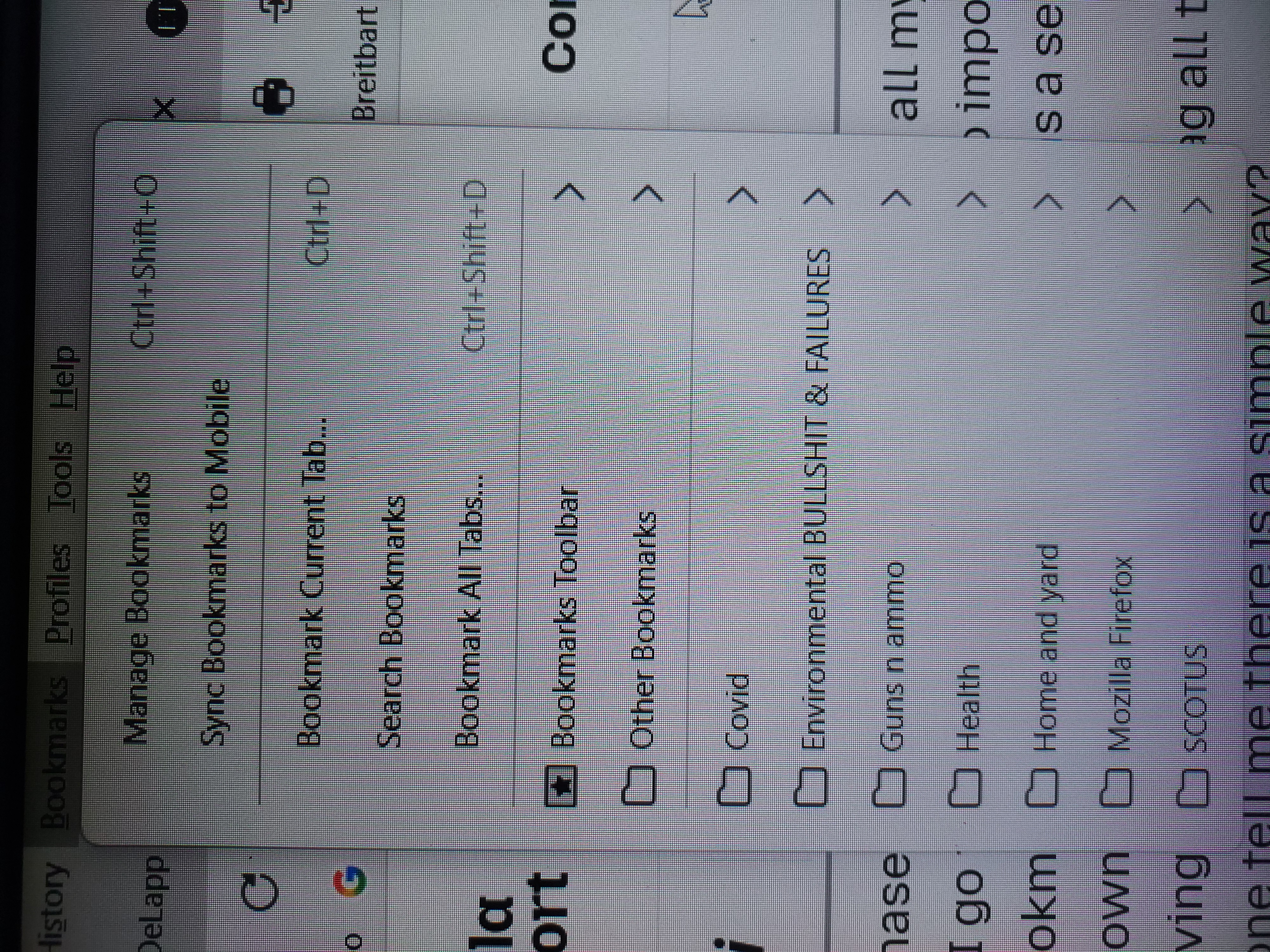
New computer and attempting to move bookmarks from bookmark toolbar on old computer to new via html file.

I purchased a new computer and I saved all my bookmarks from my old computer, as directed in the instructions into a html file and put it on a flash drive. When I go thru the suggested process to import these files from the flash drive, they do not go into the main 'bookmarks toolbar folder in the bookmarks drop down, they install as a separate file in the last section at the bottom as a separate file. Every time I attempt to import the html file of old bookmarks, it goes in the 4th section of the bookmarks drop down as a new folder called ' bookmarks toolbar'. Example: if I import the html file 10 times I then have 10 new 'bookmarks toolbar' folders in the 4th section. As I had before... for several years... I want all my book marks in the drop down tab in the 3rd section (see attachment) 'bookmarks toolbar' which sits just above the 'other bookmarks' file... not in a folder below in the 4th section. Help...