


Change font size on the bookmarks toolbar?

How do I change the font size on the bookmarks toolbar?
Thank you.
Diane
Ausgewählte Lösung
Ignore the Accessibility option as that only effects the actual website not the tool bars.
Have a look at this link to see if that may help as an easy option, the [userChrome.css] would take some time to build.
https://addons.mozilla.org/en-US/firefox/addon/theme-font-size-changer/
Geändert am von amoun
Alle Antworten (4)
A few ways?
Could you show the issue: I don't use the text as I can see form the icon what site it is.
The most control is via the [userChrome.css] file that you are most likely to to have to create, so please read up on that.
Otherwise use the limited options under Settings/Preferences > Accessibility
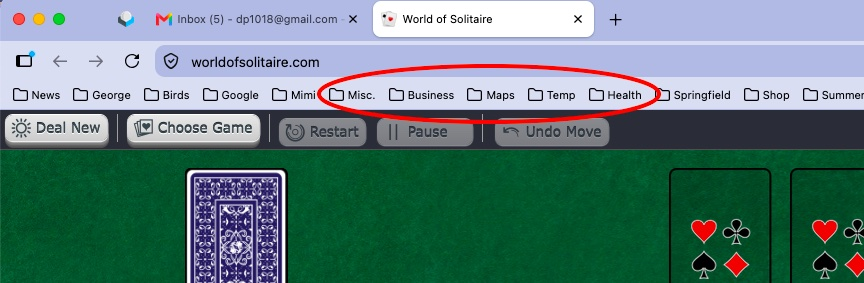
Hi, Thank you for responding so quickly. This time I am attaching a screen shot. As you'll see I have folders (each containing multiple bookmarks) along the Bookmarks Toolbar. I would like those folder names in a larger font size. Please advise. And many thanks for your assistance! Diane
Ausgewählte Lösung
Ignore the Accessibility option as that only effects the actual website not the tool bars.
Have a look at this link to see if that may help as an easy option, the [userChrome.css] would take some time to build.
https://addons.mozilla.org/en-US/firefox/addon/theme-font-size-changer/
Geändert am von amoun
The "CHOSEN SOLUTION" has been removed from use in Firefox. The current Toolbar fonts are too small for our larger monitors, NEED a choice to make them larger.