


Send message error

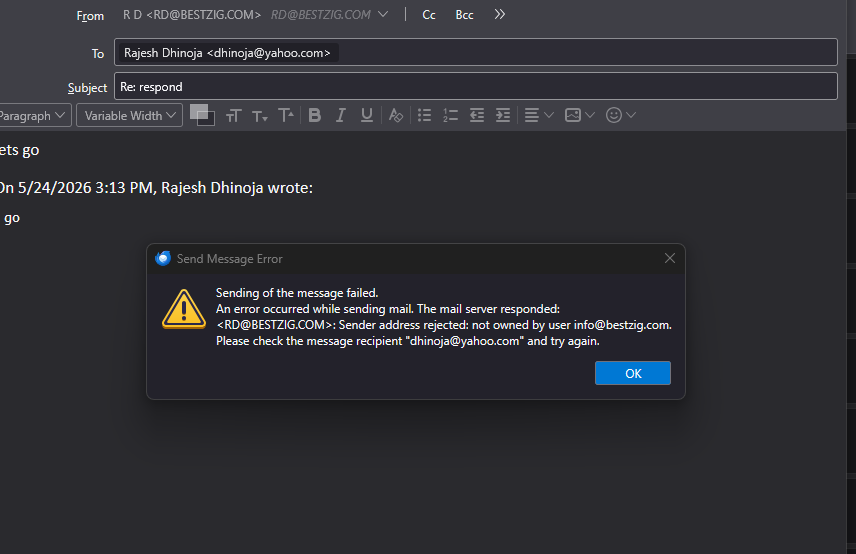
Hello I am having difficulty in sending message for 2 of my email addresses through Hostinger. My ither accounts through Hostinger works fine. See pic attached for the error message. Please help and advice. Thank you
Alle Antworten (3)
It is inicating that you are using two different email addresses, the RD@ and the info@. posting screenshots of your server pane and of your SMTP server pane may be helpful. thank you.

Problem sending email using Thunderbird I have 3 email accounts with charter.net Incoming mail configured correctly as I can receive mail for each account. When I set the SMTP for one account the message is sent but this pops up if sending from the other 2 accounts. Checking the account settings for SMTP the address is always the last one changed.
When I change the SMTP full email address to for that account the message is sent. When I go back to the first account and try to send a message it tries to use the last SMTP setting and the error pops up again.
How can I set up SMTP to recognize all 3 accounts not just the last one edited?
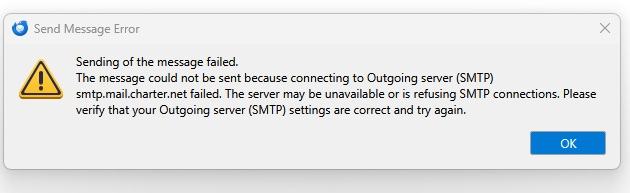
My guess is that you are using the same SMTP server for all. A common error. To fix it, do this: - click to account settings pane - click account name for one of them in left sidebar - click the 'edit SMTP server button in lower right - verify that the email account there is the correct one for that account. - for documentation only, enter the email address also in the DOCUMENTATION field there - click OK - Now, repeat the above for each account. My guess is that you will find discrepancies. If so, just click back to the dropdown menu on that pane and select one of the other SMTP servers to use instead.