


Join us to show up for other Firefox users 🦊. Earn fun badges and Mozilla swag vouchers! Find out more: https://mzl.la/askafox150

Windows 10 reached EOS (end of support) on October 14, 2025. If you are on Windows 10, see this article.

Hilfe durchsuchen

Vorsicht vor Support-Betrug: Wir fordern Sie niemals auf, eine Telefonnummer anzurufen, eine SMS an eine Telefonnummer zu senden oder persönliche Daten preiszugeben. Bitte melden Sie verdächtige Aktivitäten über die Funktion „Missbrauch melden“.

Weitere Informationen

High GPU usage on Google Search AI Overviews - Firefox 149.0.2 (macOS) - Chrome is fine

  • 1 Antwort
  • 1 hat dieses Problem
  • 44 Aufrufe
  • Letzte Antwort von Agent virtuel
  • Offen

Hello,

I am reporting a performance issue specifically related to Google Search's AI features (AI Overviews) in Firefox 149.0.2 on macOS.

The Issue: When an AI-generated summary appears in Google Search results, GPU usage spikes significantly, reaching up to 212%. This causes the laptop to overheat and triggers high fan speeds.

Critical Comparison:

Firefox 149.0.2: Extreme GPU load and performance degradation when rendering Google AI elements.

Google Chrome 147.0.7727.56: Works perfectly with normal GPU usage under the same conditions.

Tested on two different MacBooks: MacBook Pro (A1502), 16GB RAM, i7 (2015) — OS: macOS Monterey. MacBook Pro (MMQX3), 64GB RAM, M1 Max (2021) — OS: macOS Sequoia (15.x/Tahoe).
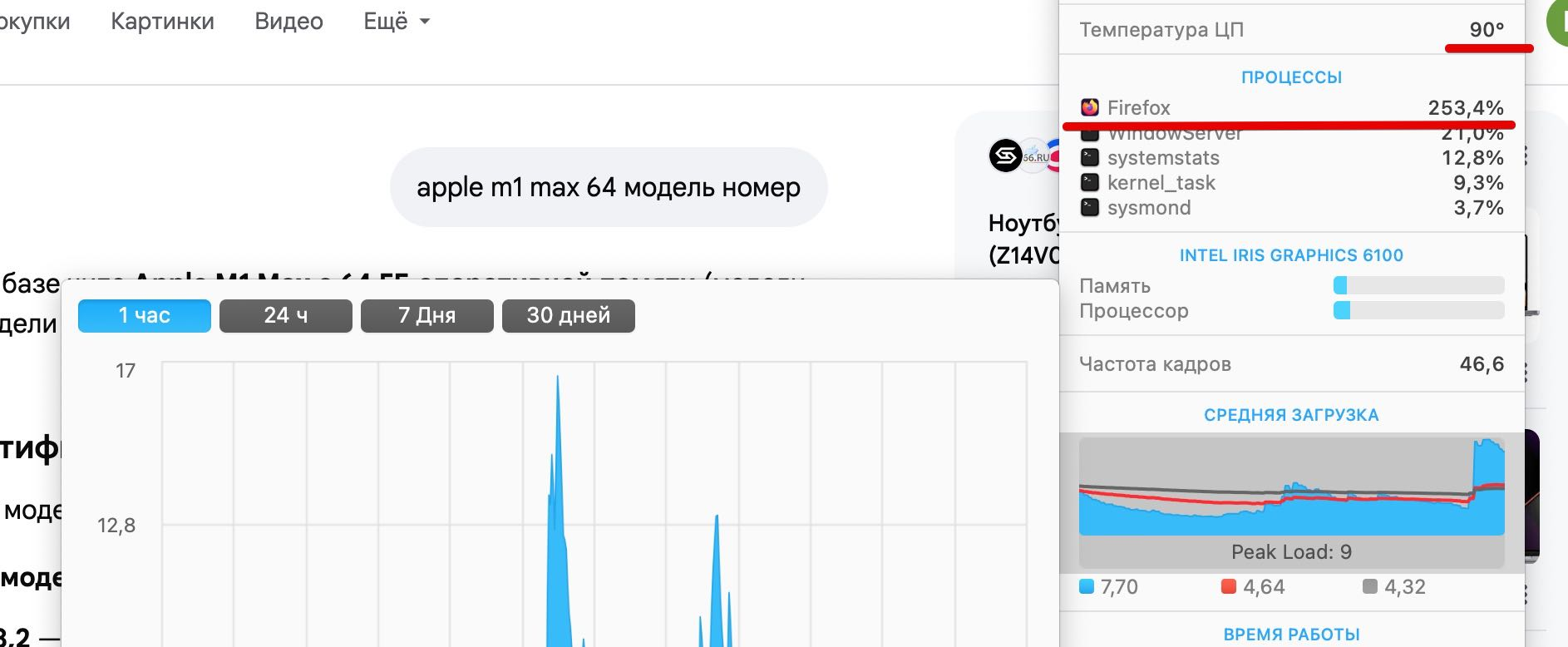

Hello, I am reporting a performance issue specifically related to Google Search's AI features (AI Overviews) in Firefox 149.0.2 on macOS. The Issue: When an AI-generated summary appears in Google Search results, GPU usage spikes significantly, reaching up to 212%. This causes the laptop to overheat and triggers high fan speeds. Critical Comparison: Firefox 149.0.2: Extreme GPU load and performance degradation when rendering Google AI elements. Google Chrome 147.0.7727.56: Works perfectly with normal GPU usage under the same conditions. Tested on two different MacBooks: MacBook Pro (A1502), 16GB RAM, i7 (2015) — OS: macOS Monterey. MacBook Pro (MMQX3), 64GB RAM, M1 Max (2021) — OS: macOS Sequoia (15.x/Tahoe).
Angefügte Screenshots

Alle Antworten (1)

Hello

Apparently, a similar subject https://bugzilla.mozilla.org/show_bug.cgi?id=2032772

For information, you can test, add custom search engines in Firefox https://support.mozilla.org/en-US/kb/add-custom-search-engine-firefox

4. In the URL with %s in place of the search term field, copy & paste the URL of the custom search engine.

https://www.google.com/search?udm=14&q=%s
Stellen Sie eine Frage

Sie müssen sich mit Ihrem Benutzerkonto anmelden, um auf Beiträge zu antworten. Bitte stellen Sie eine neue Frage, wenn Sie noch kein Benutzerkonto haben.