


Windows 10 will reach EOS (end of support) on October 14, 2025. For more information, see this article.

Hilfe durchsuchen

Vorsicht vor Support-Betrug: Wir fordern Sie niemals auf, eine Telefonnummer anzurufen, eine SMS an eine Telefonnummer zu senden oder persönliche Daten preiszugeben. Bitte melden Sie verdächtige Aktivitäten über die Funktion „Missbrauch melden“.

Weitere Informationen

Updated Firefox, add-ons lost

  • 2 Antworten
  • 0 haben dieses Problem
  • 37 Aufrufe
  • Letzte Antwort von pmartens

more options

Hello,

Today I updated to Firefox 143.0.3. When done (most of?) my add-ons were gone, in particular all my add blockers, facebook container, etc. Also, my search engine defaulted to Google (yikes!)from Duck Duck etc. I am very specific about trying to block all ads, trackers, etc and avoiding all Google products. Other things stayed the same like cookies preferences.

Is this done by design? Is there a file somewhere that still has all my add-on info, that I can restore.

I really would give up on browsing if I am forced to see ads all the time.

Thank you! Petrus Martens

Hello, Today I updated to Firefox 143.0.3. When done (most of?) my add-ons were gone, in particular all my add blockers, facebook container, etc. Also, my search engine defaulted to Google (yikes!)from Duck Duck etc. I am very specific about trying to block all ads, trackers, etc and avoiding all Google products. Other things stayed the same like cookies preferences. Is this done by design? Is there a file somewhere that still has all my add-on info, that I can restore. I really would give up on browsing if I am forced to see ads all the time. Thank you! Petrus Martens

Ausgewählte Lösung

Hi Petrus, it sounds like Firefox may have run a Refresh/Reset/Tune-up. Does the scenario in the following article look familiar -- and do you have an Old Firefox Data folder on your desktop?

Refresh Firefox - reset add-ons and settings

I have steps for Windows users to restore the profile by copying the folder inside Old Firefox Data to the relevant location in the Firefox Profiles folder. I think it would be similar on Mac, but I'm not sure anyone has confirmed that yet. See:

https://support.mozilla.org/en-US/questions/1474421#answer-1687884

Diese Antwort im Kontext lesen 👍 0

Alle Antworten (2)

more options

Ausgewählte Lösung

Hi Petrus, it sounds like Firefox may have run a Refresh/Reset/Tune-up. Does the scenario in the following article look familiar -- and do you have an Old Firefox Data folder on your desktop?

Refresh Firefox - reset add-ons and settings

I have steps for Windows users to restore the profile by copying the folder inside Old Firefox Data to the relevant location in the Firefox Profiles folder. I think it would be similar on Mac, but I'm not sure anyone has confirmed that yet. See:

https://support.mozilla.org/en-US/questions/1474421#answer-1687884

more options

Hello jscher,

Yes, your advice was very helpful. First I tried moving files around but that ended up in a mess. Everything was backed up, so no problem.

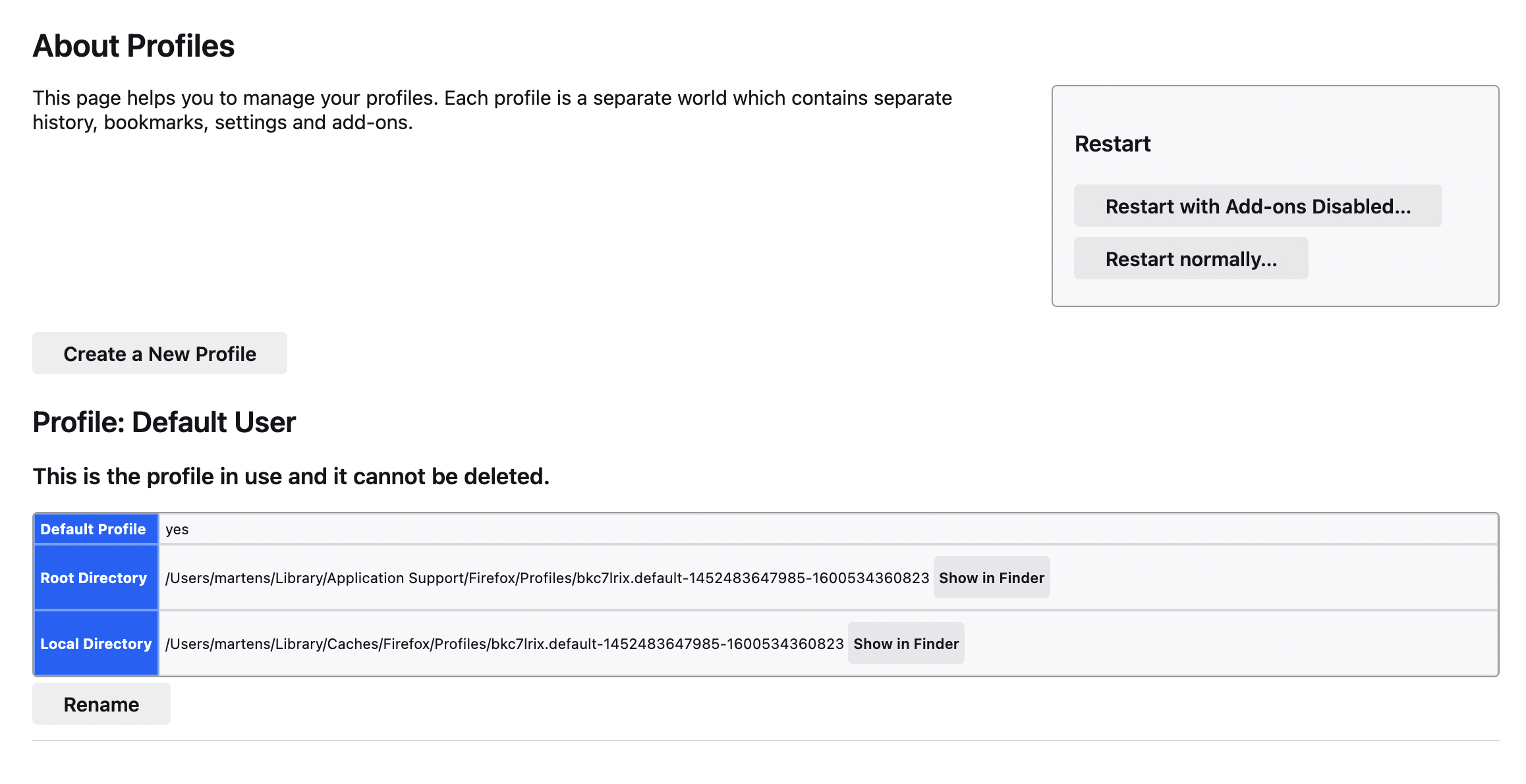
Then I again entered about:profiles and the window that showed on my Mac was totally self-explanatory, see attached, including the helpful "Show in Finder" buttons. I moved the profile from "Old FireFox" to the Profile folder, and set it as default.

Thank you!!
Stellen Sie eine Frage

Sie müssen sich mit Ihrem Benutzerkonto anmelden, um auf Beiträge zu antworten. Bitte stellen Sie eine neue Frage, wenn Sie noch kein Benutzerkonto haben.