


No + sign on tabs.

Firefox crashed. I am trying to get it to how I had it before this. One of the problems is the new tabs thing. I know about CTRL-T, I have not used it. I have used the + on the tabs for years. I know, big deal, it's just inconvenient, interrupts my train of thought to switch, which is no big deal. But if anyone has a moment and can answer, it would be a blessing for me. Thank you.
Ausgewählte Lösung
You can still move it everywhere in the Customize mode.
Diese Antwort im Kontext lesen 👍 1Alle Antworten (10)
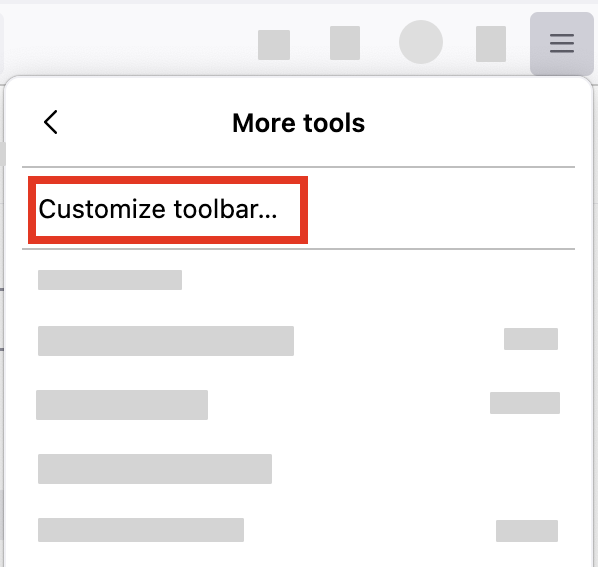
- Click the menu button
 in the top-right corner, click More tools, and choose the Customize toolbar… option.
- A special tab will open that allows you to drag and drop items in or out of the toolbar. Try to find the New tab button there.
Thanks for the reply, however. The new tab button is not there.
Geändert am von morrowken997
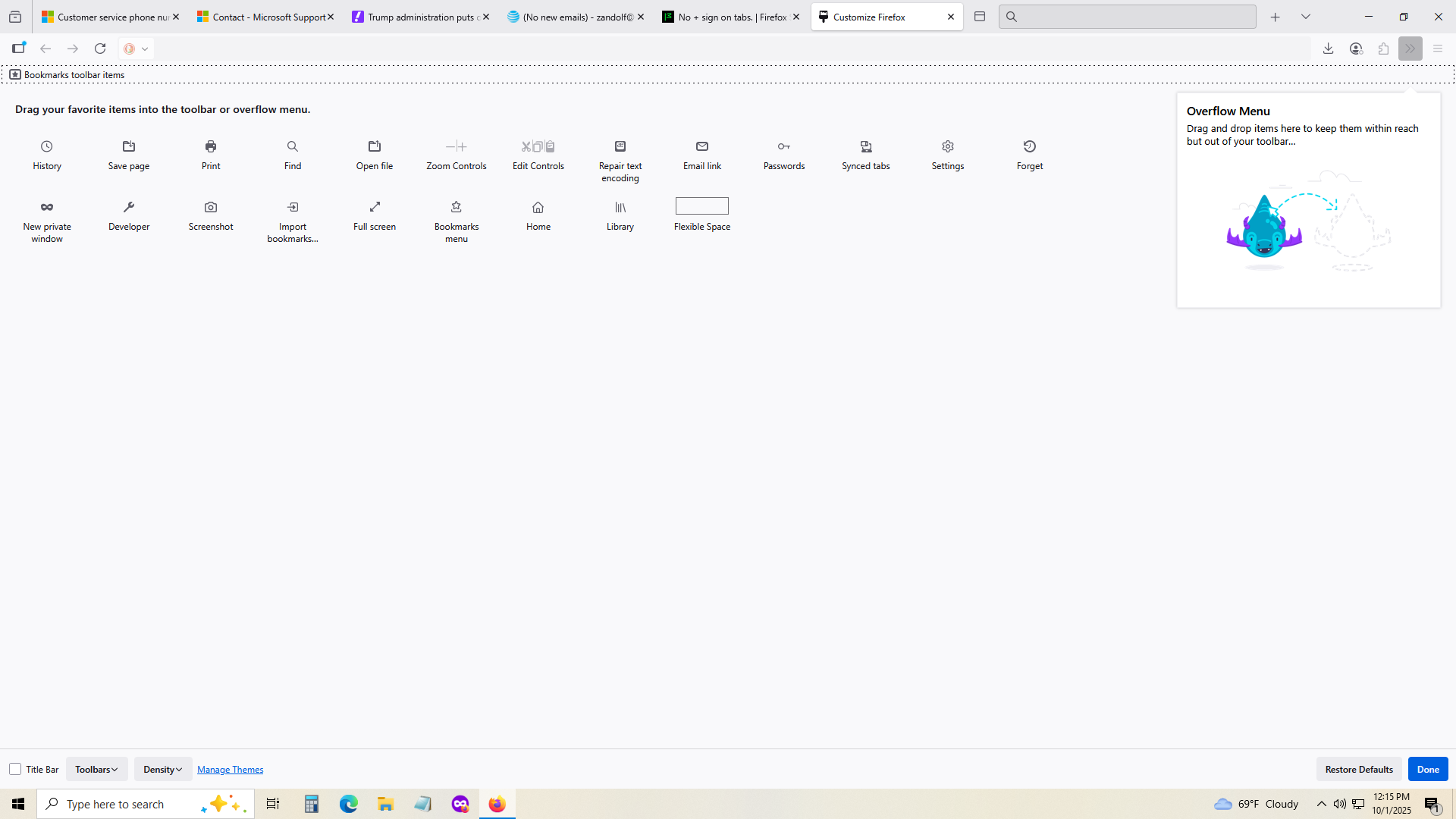
Not there
Hi
It looks like that has already been added to the toolbar, to the right of the search field.
For years it has been next to the last open tab. This is it? Can't have in like I have for I don't know how many years? Ether CTRL T or have to recall now that it is on the end? Time for me to say goodbye to Mozilla.
Thank you for your reply.
Hi
This support article will help you to customise the Firefox toolbar:
https://support.mozilla.org/en-US/kb/customize-firefox-controls-buttons-and-toolbars
Ausgewählte Lösung
You can still move it everywhere in the Customize mode.
I posted a pic of my screen in the custom app. Why are you telling me this/
We are trying to help you to customise your toolbar in Firefox.
Got it. I went in to custom again and moved it, thank you.