


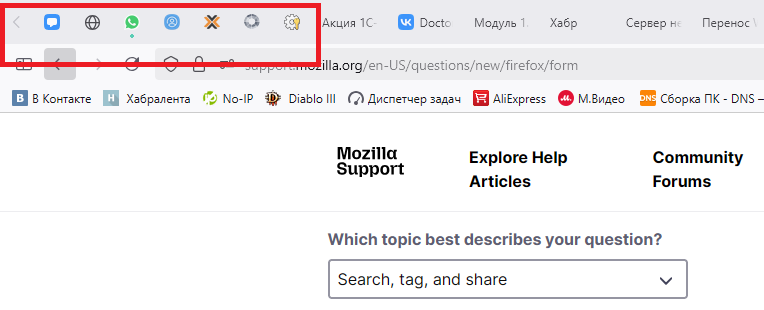
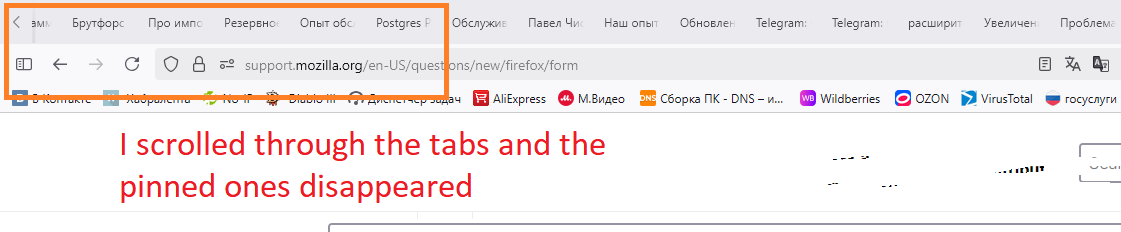
I scrolled through the tabs and the pinned ones disappeared

in the useless 141 update, pinned tabs now scroll the same way as unpinned ones, this is a problem for my 300+ tabs. I specifically pinned some tabs to have access to them all the time. with the new useless update, I now have to scroll forward/backward 300 tabs. do you really have such low-skilled testers and incompetent programmers that you didn't foresee this situation?
Alle Antworten (1)
Did this start for you in 141.0 or in the very recently released 141.0.3?
Checking your screenshot, the pinned tabs should be on the left side of the left scroll button (not part of the scrollable tabs), so something strange is going on there. If you un-pin and then re-pin one of those tabs, does it move back to its usual location?
Also, in case it helps for the moment, you can triple-click the left or right scroll button to scroll all the way to the end in that direction.