


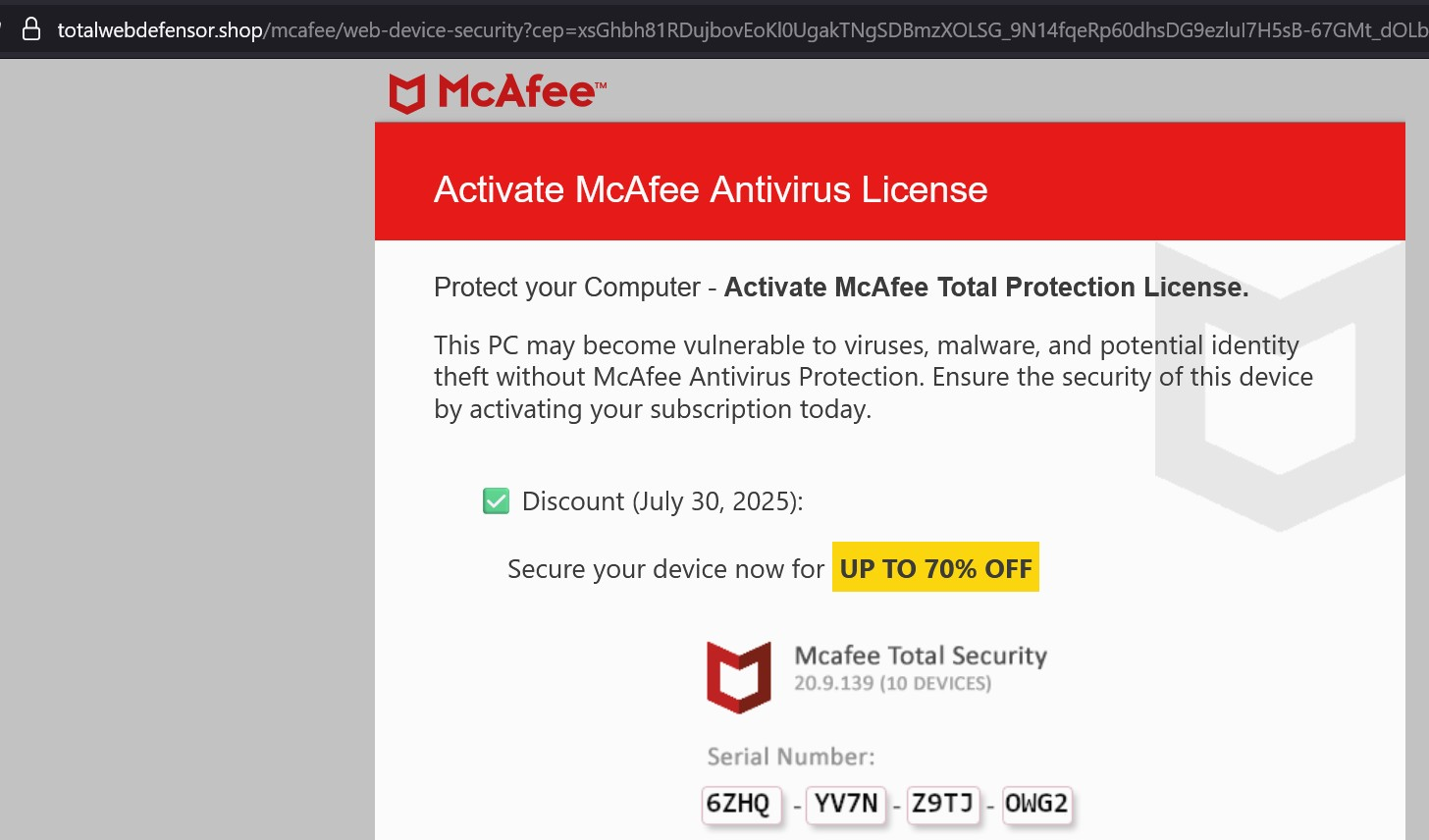
Pop-up ad for McAfee in the form of a fake Firefox tab

On Windows 11 Pro, with the promotional McAfee app already uninstalled, the Firefox browser persistently presents what amounts to a Pop-up advertisement in the form of a fake new tab that remains in the background, unseen and left open even after one closes the browser session. How can this phenomenon be permanently terminated?
Alle Antworten (3)
Addendum: I ran a full scan by Microsoft Defender Antivirus. 0 threats. I have always had the 'Block Pop-ups' box checked.
So ... I asked Grok.
What is totalwebdefensor shop popup that fakes a browser tab on behalf of or for McAfee?
"The "totalwebdefensor.shop" popup that mimics a browser tab and appears to be associated with McAfee is a form of adware or a browser-based scam. It is not an official McAfee product or service but rather a deceptive tactic used by cybercriminals to exploit the trusted McAfee brand. This popup typically claims your device is infected, your McAfee subscription has expired, or that you need to activate a license (as shown in the image), often urging immediate action like entering personal information or downloading software. In reality, this is designed to trick users into providing sensitive data (e.g., credit card details) or installing malware. The site totalwebdefensor.shop is not affiliated with McAfee and is likely hosted to generate revenue through fraudulent means or to distribute harmful software. The popup may persist as a new tab, even in the background after closing the browser, due to adware scripts or hijacked browser settings. This phenomenon is part of a broader trend of fake antivirus pop-ups, which rely on social engineering to create panic and prompt users to click malicious links. To address it, avoid interacting with the popup, and follow steps like resetting your browser, scanning for adware with a tool like Malwarebytes, and blocking the site in your browser settings."
Geändert am von Opeysheart
Addendum: I ran a full scan by Microsoft Defender Antivirus. 0 threats. I have always had the 'Block Pop-ups' box checked.
So ... I asked Grok.
What is totalwebdefensor shop popup that fakes a browser tab on behalf of or for McAfee?
"The "totalwebdefensor.shop" popup that mimics a browser tab and appears to be associated with McAfee is a form of adware or a browser-based scam. It is not an official McAfee product or service but rather a deceptive tactic used by cybercriminals to exploit the trusted McAfee brand. This popup typically claims your device is infected, your McAfee subscription has expired, or that you need to activate a license (as shown in the image), often urging immediate action like entering personal information or downloading software. In reality, this is designed to trick users into providing sensitive data (e.g., credit card details) or installing malware. The site totalwebdefensor.shop is not affiliated with McAfee and is likely hosted to generate revenue through fraudulent means or to distribute harmful software. The popup may persist as a new tab, even in the background after closing the browser, due to adware scripts or hijacked browser settings. This phenomenon is part of a broader trend of fake antivirus pop-ups, which rely on social engineering to create panic and prompt users to click malicious links. To address it, avoid interacting with the popup, and follow steps like resetting your browser, scanning for adware with a tool like Malwarebytes, and blocking the site in your browser settings."
You need some additional tools besides Microsoft Defender Antivirus like Malwarebytes Free and Hitman Pro. Those should help cleanup any hidden malware. Please try them both & let us know if they were successfully able to remove it.
Malwarebytes Free: https://www.malwarebytes.com/mwb-download
Hitman Pro (Free 30 day trial version): https://www.hitmanpro.com/en-us