


libxul.so: undefined symbol: gdk_wayland_device_get_wl_seat

When I try to run firefox 141.0 (Linux x64) I get:
libxul.so: undefined symbol: gdk_wayland_device_get_wl_seat Couldn't load XPCOM.
Is there a way to fix this?
I'm using Slackware 14.2.
Ausgewählte Lösung
Version 143.0b5 appears to resolve this issue. Thank you. Don
Diese Antwort im Kontext lesen 👍 0Alle Antworten (3)

Seen that before... I think it cannot find that file libxul.so right? See screenshot of the file on my distro. Just use the cmd whereis firefox to get an idea for the path on your distro. You can reinstall Firefox or download a tarball of the same version, unzip, get the file, move it to needed location and see if it works.
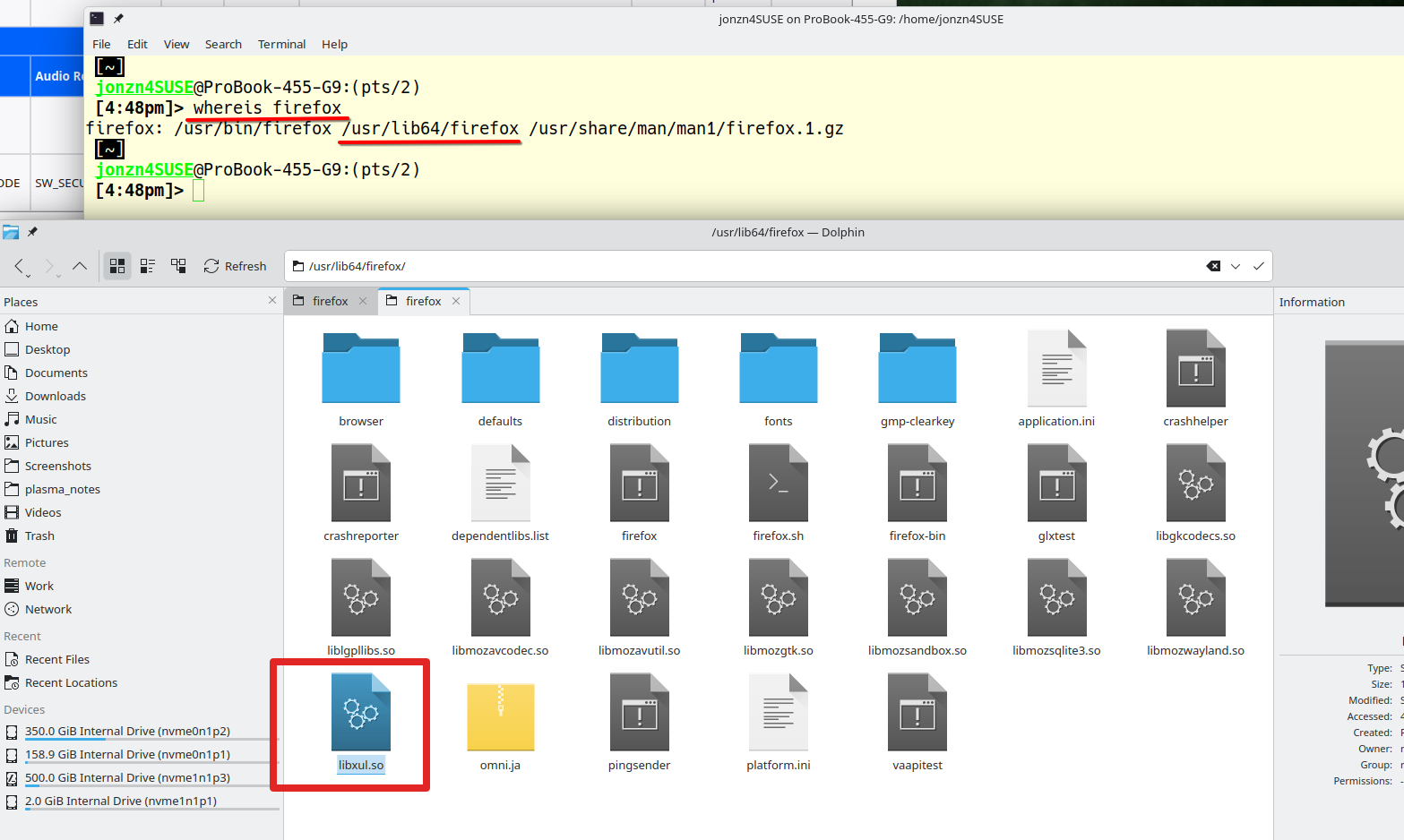
Geändert am von jonzn4SUSE
Thank you for your reply. When I "tar xfv firefox-141.0.tar.xz" it creates the directory "firefox". Normally I can run firefox from that directory. The file "libxul.so" is in that directory and so is not missing.
I must apologize, for some reason I missed the first part of the error message. The full message is:
XPCOMGlueLoad error for file /r9/browser/firefox/libxul.so: /r9/browser/firefox/libxul.so: undefined symbol: gdk_wayland_device_get_wl_seat Couldn't load XPCOM.
There appears to be a bug report on this already. This didn't turn up in my earlier searches: https://bugzilla.mozilla.org/show_bug.cgi?id=1978620
I'm guessing from that page that this will be fixed in version 143.
Thank you again. Being able to talk to someone about a problem goes a long way to a resolution.
Don
Ausgewählte Lösung
Version 143.0b5 appears to resolve this issue. Thank you. Don