


Windows 10 reached EOS (end of support) on October 14, 2025. If you are on Windows 10, see this article.

Hilfe durchsuchen

Vorsicht vor Support-Betrug: Wir fordern Sie niemals auf, eine Telefonnummer anzurufen, eine SMS an eine Telefonnummer zu senden oder persönliche Daten preiszugeben. Bitte melden Sie verdächtige Aktivitäten über die Funktion „Missbrauch melden“.

Weitere Informationen

Dieses Thema wurde geschlossen und archiviert. Bitte stellen Sie eine neue Frage, wenn Sie Hilfe benötigen.

ROBLOX's webpage doesn't load after the new update (unless in incognito)

The issue is very simple. When loading into the roblox website, the page becomes almost completely empty aside from the buttons at the top like Charts, Marketplace and the roblox icon at the top left. All of which do nothing when pressed.

The weird thing is that it works completely fine on an incognito tab..? Now I noticed something similar happening with other roblox's websites, where some parts of the site would break in very similar ways, but I thought nothing of it cause it didn't affect me too much. But after the new update, it extends to everything, not just one sub-page of roblox, the entire website is like this.

I removed my extensions and restarted my browser to see if that would fix anything but it didn't help.
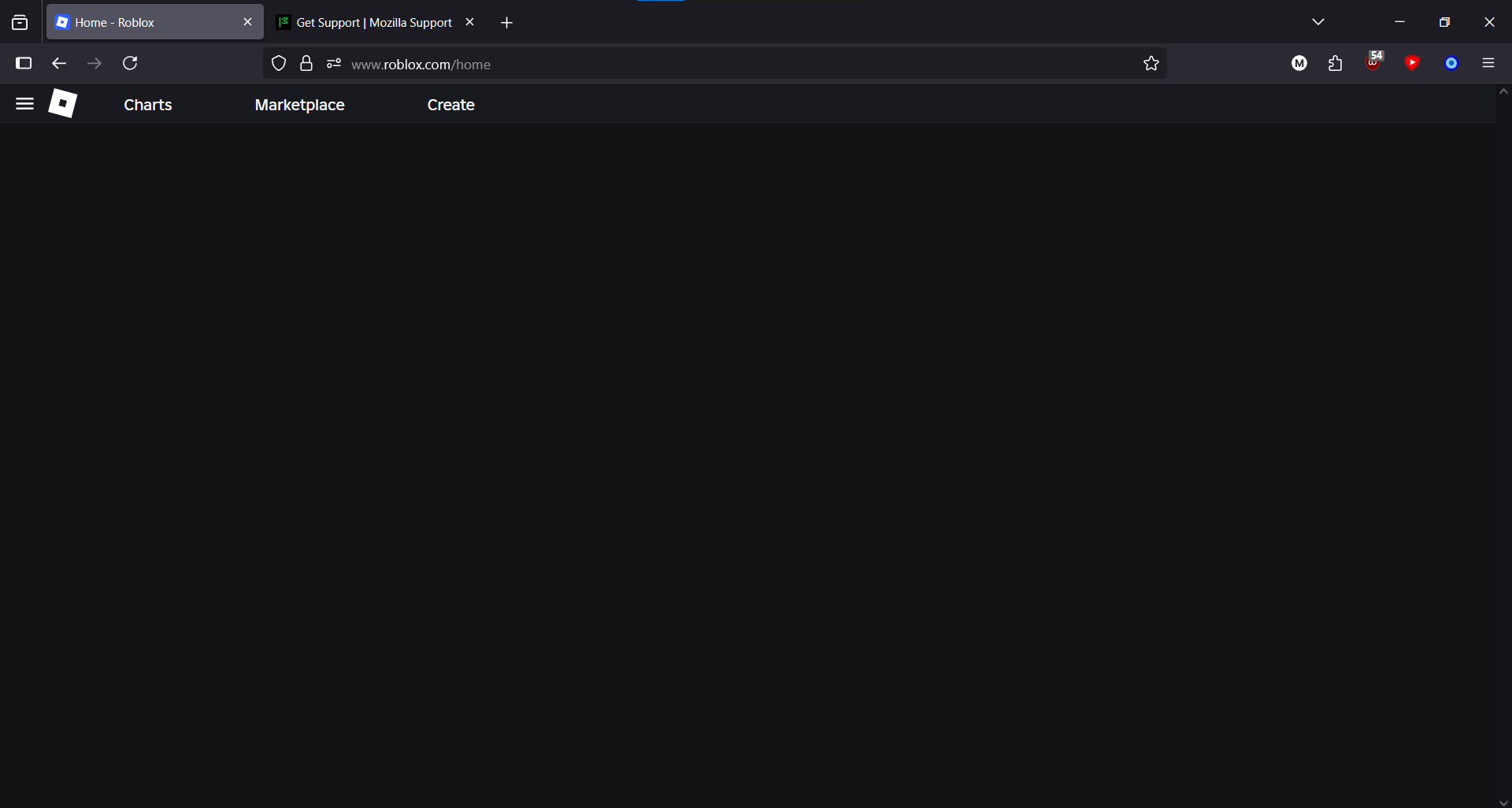
The issue is very simple. When loading into the roblox website, the page becomes almost completely empty aside from the buttons at the top like Charts, Marketplace and the roblox icon at the top left. All of which do nothing when pressed. The weird thing is that it works completely fine on an incognito tab..? Now I noticed something similar happening with other roblox's websites, where some parts of the site would break in very similar ways, but I thought nothing of it cause it didn't affect me too much. But after the new update, it extends to everything, not just one sub-page of roblox, the entire website is like this. I removed my extensions and restarted my browser to see if that would fix anything but it didn't help.
Angefügte Screenshots

Alle Antworten (1)

issue fixed by clearing cookies oops