


Windows 10 reached EOS (end of support) on October 14, 2025. If you are on Windows 10, see this article.

Hilfe durchsuchen

Vorsicht vor Support-Betrug: Wir fordern Sie niemals auf, eine Telefonnummer anzurufen, eine SMS an eine Telefonnummer zu senden oder persönliche Daten preiszugeben. Bitte melden Sie verdächtige Aktivitäten über die Funktion „Missbrauch melden“.

Weitere Informationen

Map graphics bug report

  • 2 Antworten
  • 0 haben dieses Problem
  • 250 Aufrufe
  • Letzte Antwort von jonzn4SUSE
  • Archiviert

My MacOS is 10.13.6 (cannot go higher on this machine). Since update to 15.119.0esr, embedded map graphics are no longer showing. The map graphic sub-window instead shows "Sorry, we have no imagery here" in several places across the map. I am getting the same for multiple websites, including the location maps in Zillow.com . Google Maps works fine, and I think the problem is isolated to maps embedded in pages. Did not have this issue last week, prior to updating to 15.119.0esr. This is SO BAD that if it's not fixable, I want to revert to 15.118...

Glenn Schaffer Email removed for privacy
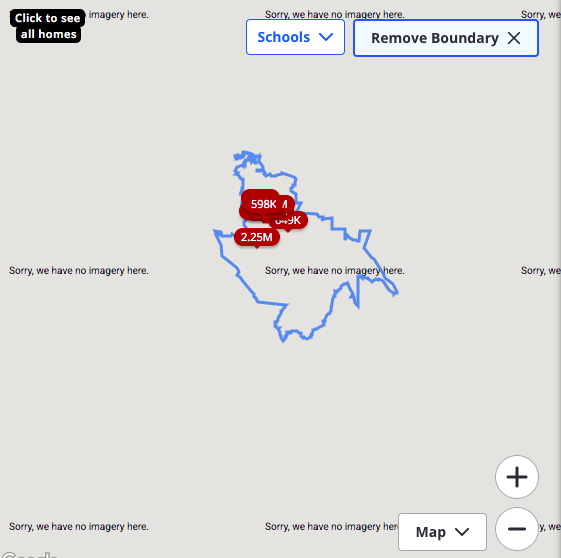
My MacOS is 10.13.6 (cannot go higher on this machine). Since update to 15.119.0esr, embedded map graphics are no longer showing. The map graphic sub-window instead shows "Sorry, we have no imagery here" in several places across the map. I am getting the same for multiple websites, including the location maps in Zillow.com . Google Maps works fine, and I think the problem is isolated to maps embedded in pages. Did not have this issue last week, prior to updating to 15.119.0esr. This is SO BAD that if it's not fixable, I want to revert to 15.118... Glenn Schaffer ''Email removed for privacy''
Angefügte Screenshots

Geändert am von NoahSUMO

Alle Antworten (2)

I have a macbook pro running the same OS. Let me see...

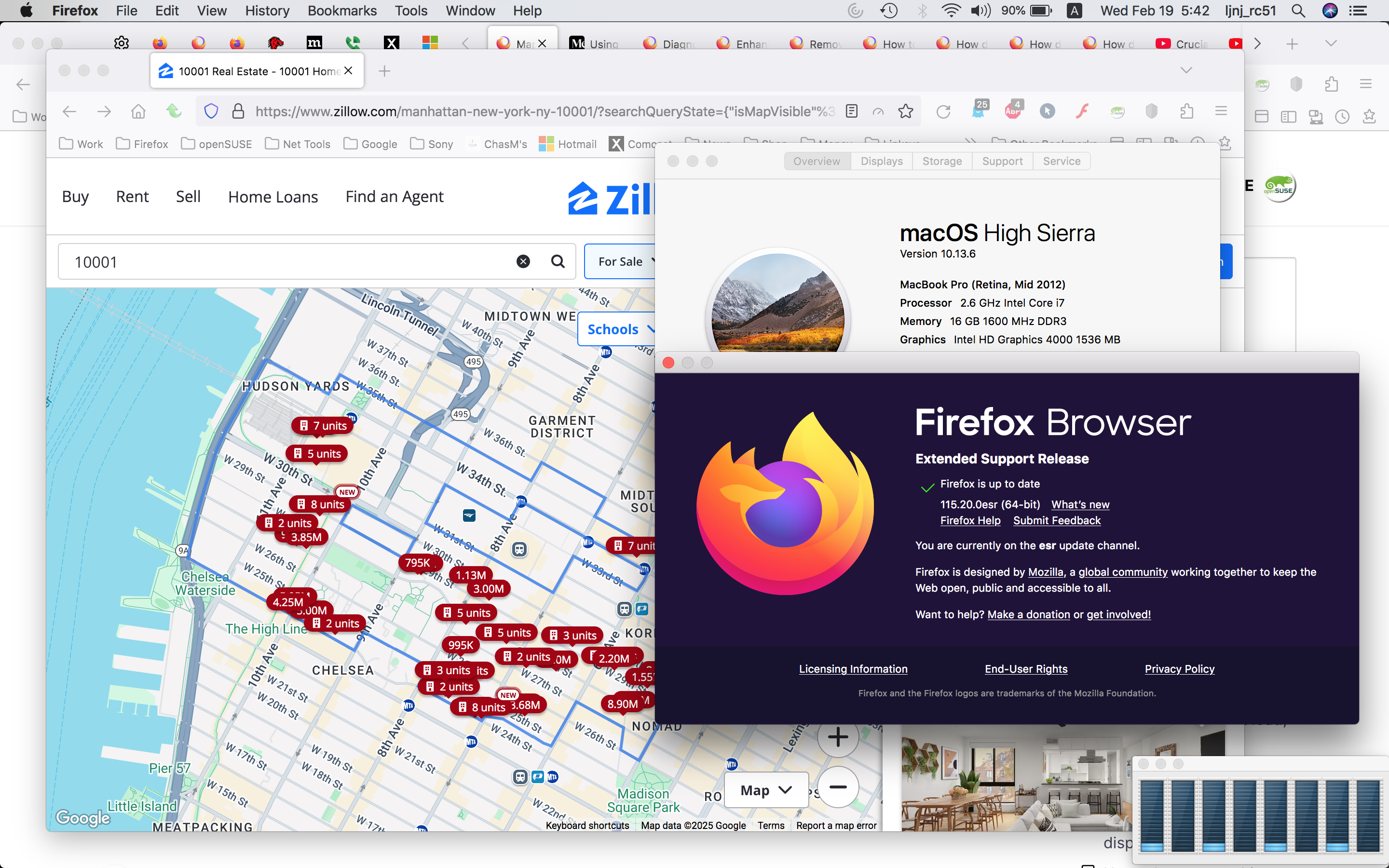
Here's what I see just using a random zip 10001. see screenshot Do you have the same issue with Firefox in Troubleshoot Mode? https://support.mozilla.org/en-US/kb/diagnose-firefox-issues-using-troubleshoot-mode#w_how-to-start-firefox-in-4troubleshoot-modesf5safe-modesf

Did you try clearing the browser cache? https://support.mozilla.org/en-US/kb/how-clear-firefox-cache#
Geändert am von jonzn4SUSE