


General Problems with speed and loading pages after latest update

Videos won't load in previously enjoyed timeframe or indeed et all sometimes. timeouts when loading pages. speeds are like 15 years ago even in troubleshoot mode and after refresh. when can I expect improvement?
Alle Antworten (11)

Use this add-on and show the issue. Provide link(s) to sites that are slow for you. https://addons.mozilla.org/en-US/firefox/addon/load-time/ Here's an example from me. see screenshot
Did you try with Firefox in Troubleshoot Mode?
Did you clear your browser cache and startup cache(see screenshot)? https://support.mozilla.org/en-US/kb/clear-cookies-and-site-data-firefox
What is your setup? WiFi or LAN Laptop, desktop, or DIY? If not DIY, what is the make and model of your computer?
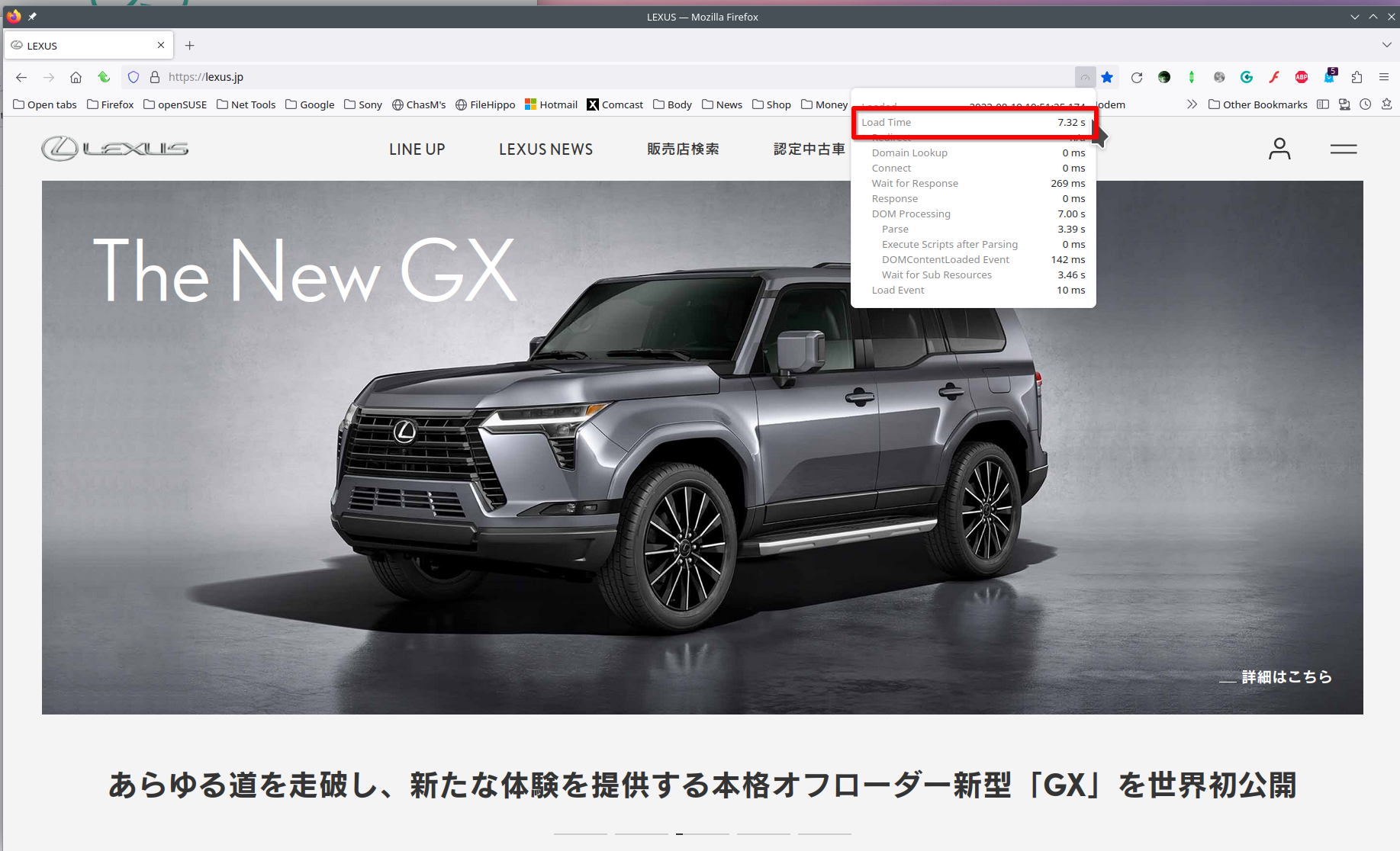
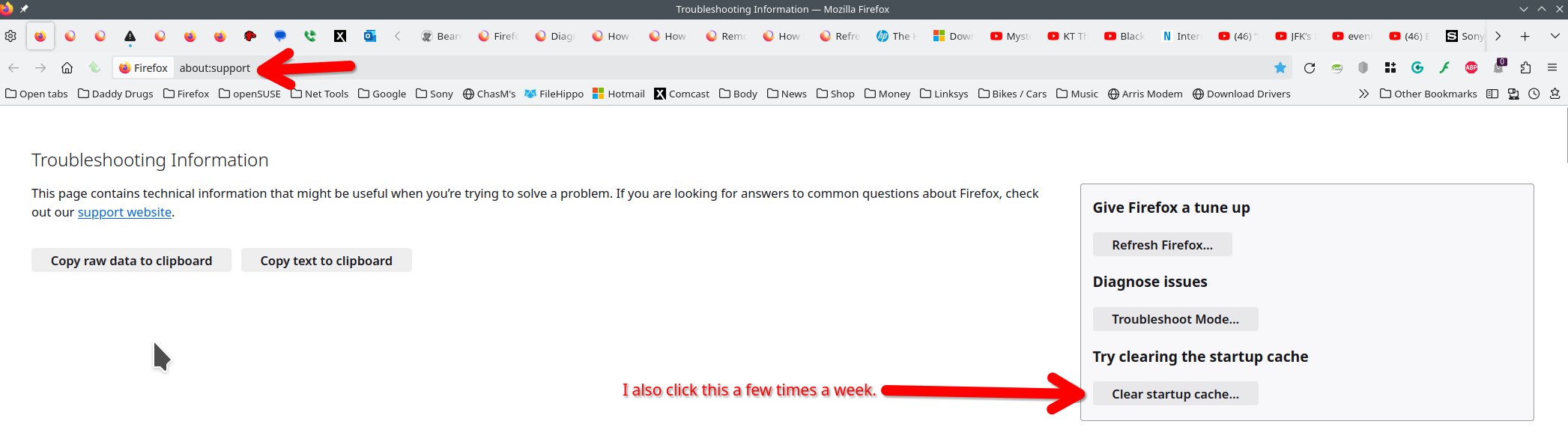
Geändert am von jonzn4SUSE
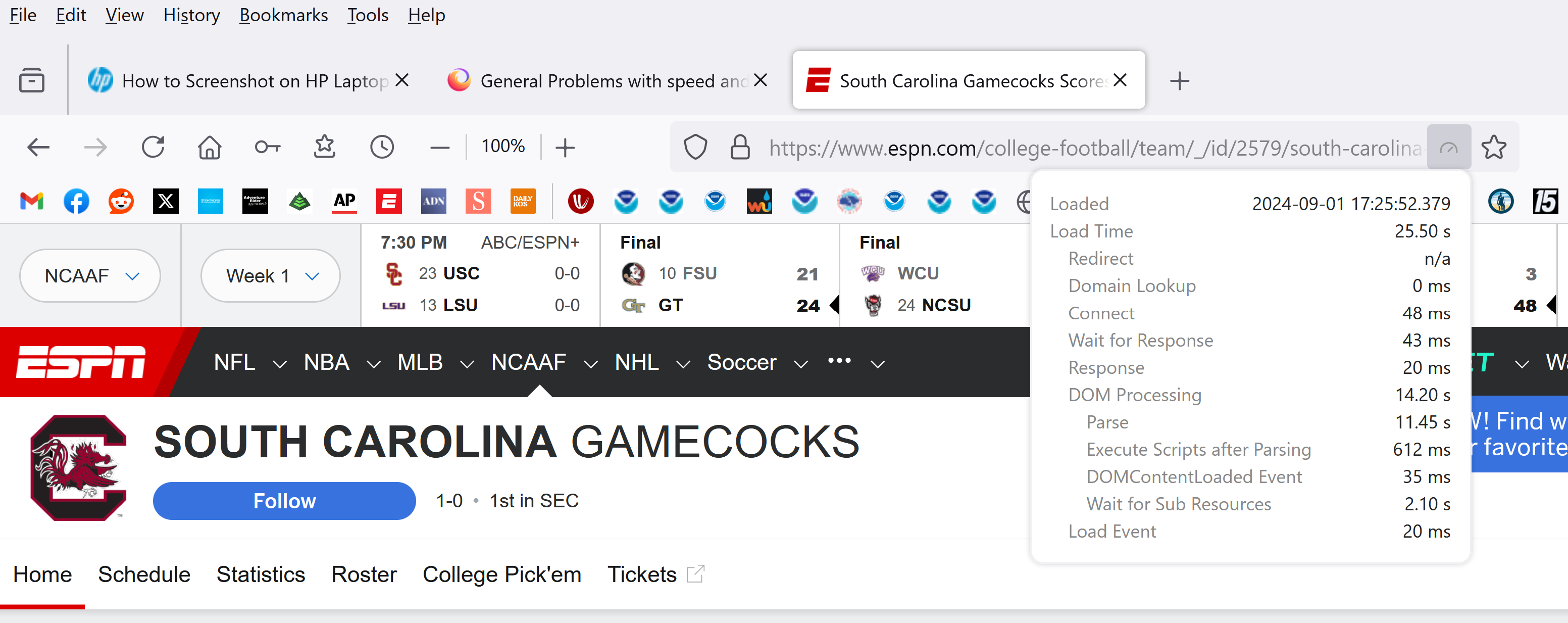
How did you get a screenshot with "load time" info included? When I try the load time info is not included. By the way load times are 12 -30 seconds. Hp Spectre 360 on wifi clean caches etc. Load times on other browsers normal and way faster than what I'm getting now after 129.0.2. yes slow loads in troubleshoot mode also. Thanks for responding.
DOM Processing and parse account for most of load time
You should be able to click the load time icon in the bar and then use your keyboard shortcut to print screen. My hp Probook has a "prt scr" key on the keyboard.
Use this to make sure your drivers are current. https://ftp.ext.hp.com/pub/caps-softpaq/cmit/HPIA.html and https://www.intel.com/content/www/us/en/support/detect.html
Geändert am von jonzn4SUSE
Everything is slow loading.
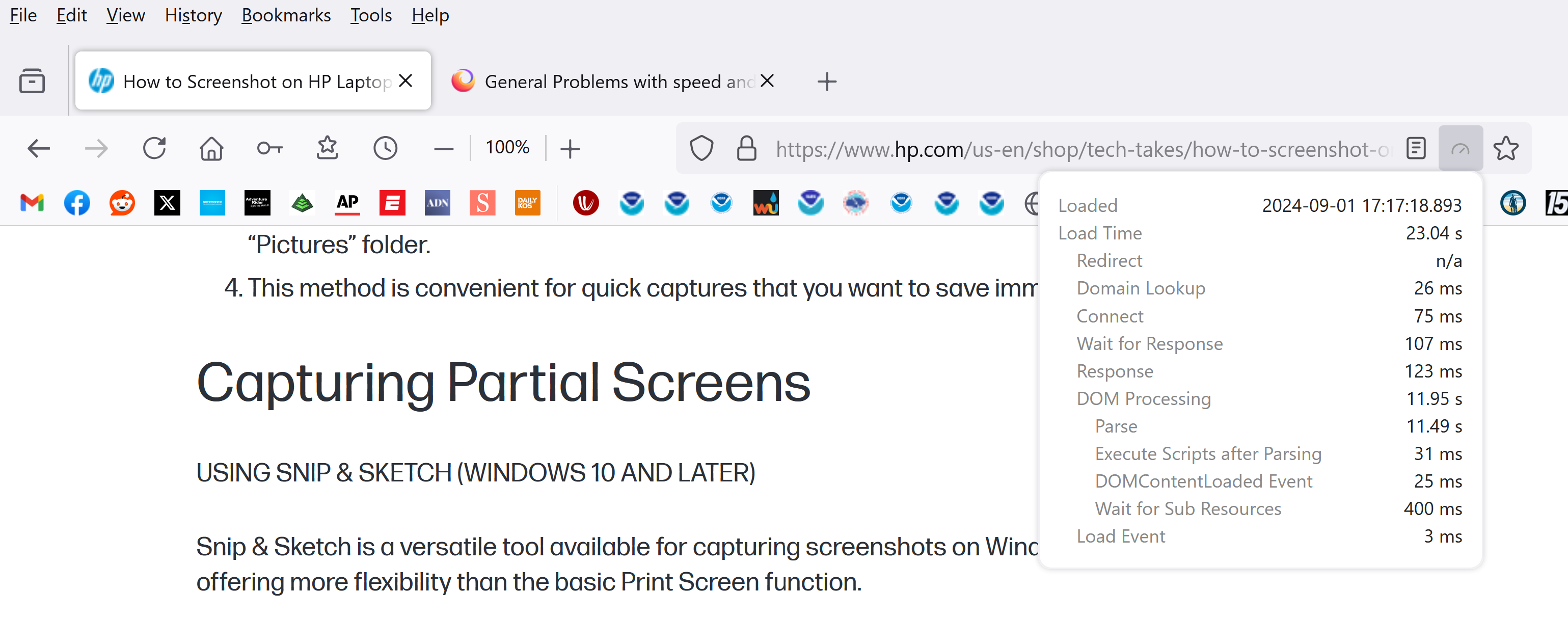
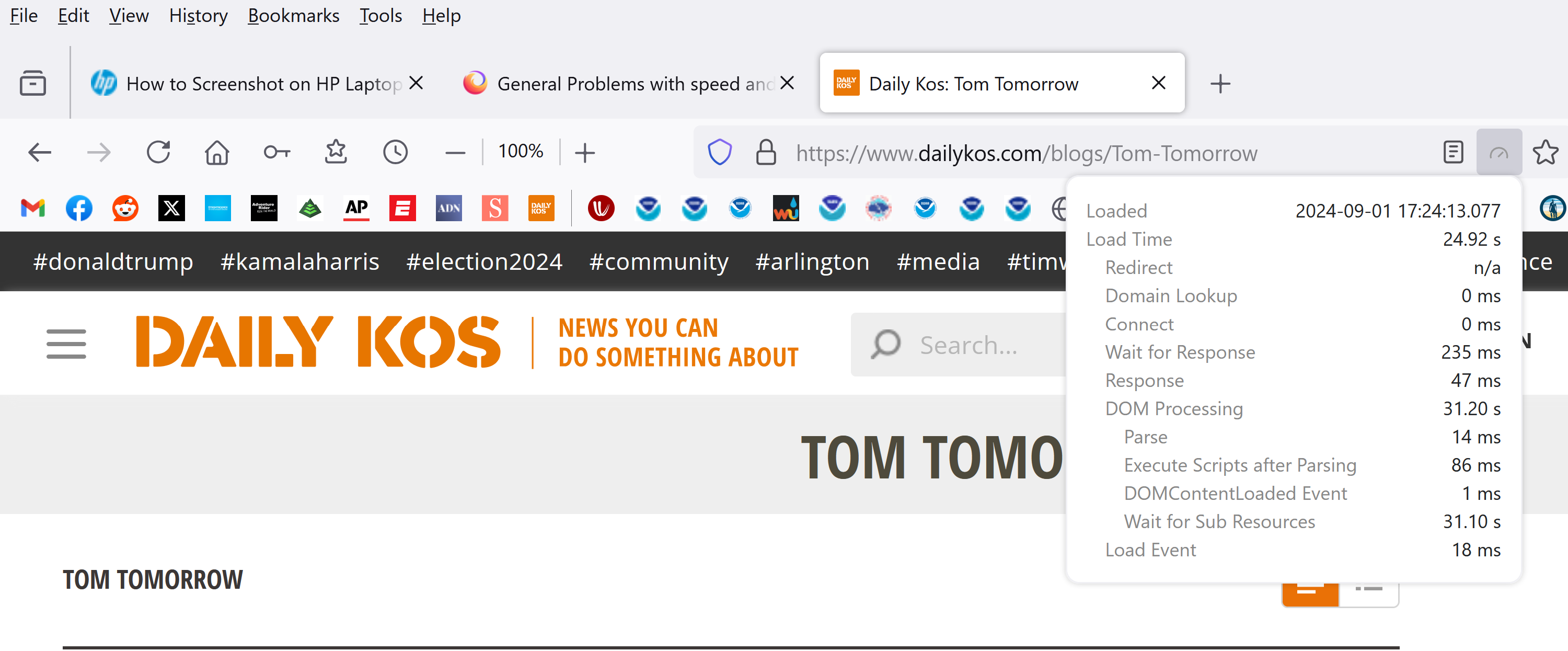
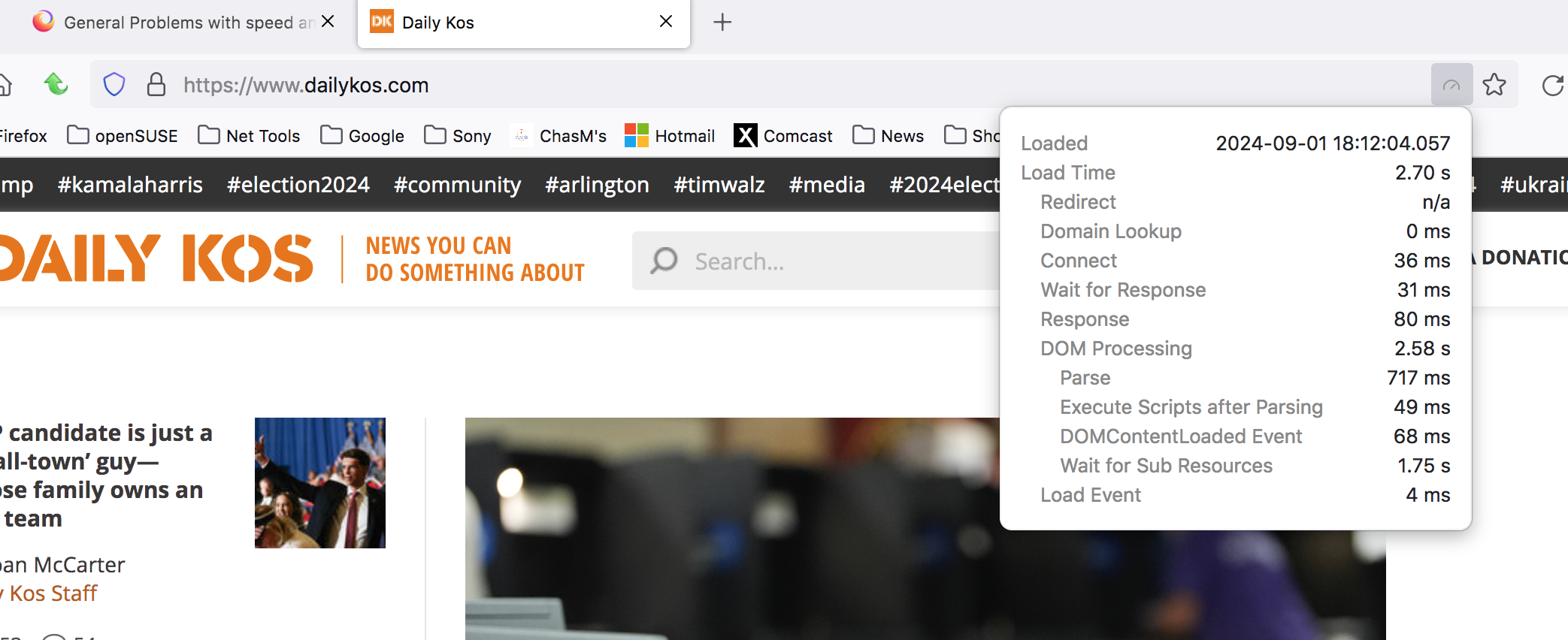
Yeah, Dailykos.com for me was less than 3seconds. see screenshot Try a different version of Firefox and install in a different directory. https://www.mozilla.org/en-US/firefox/all/#product-desktop-release
What security software are you running? Windows home or pro?
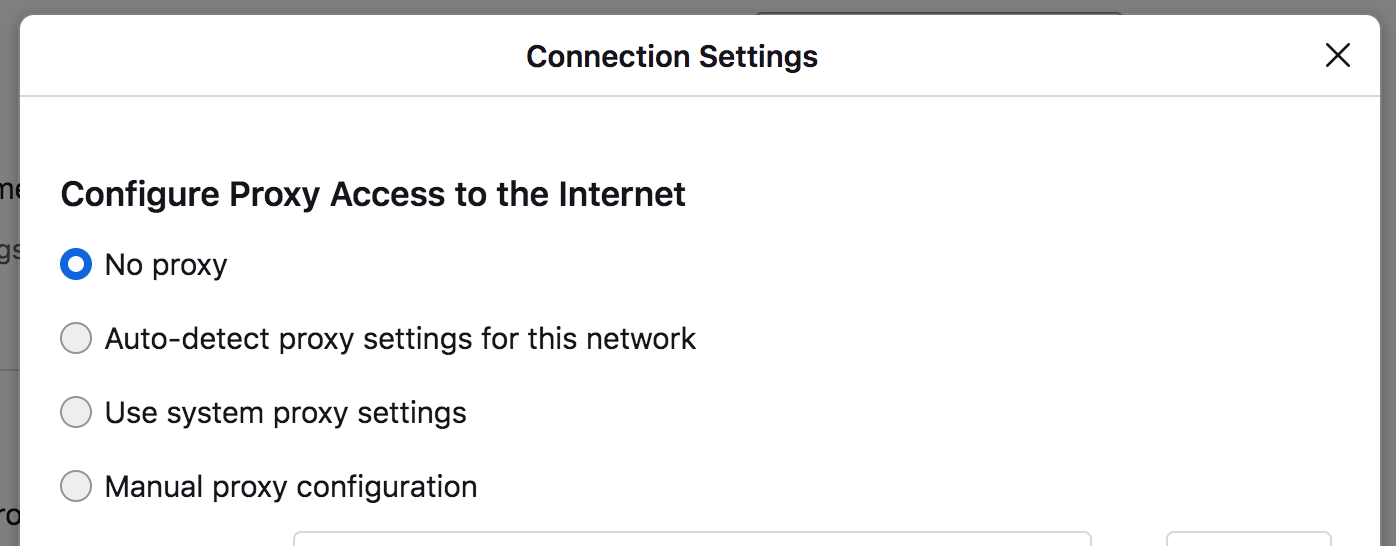
What is your DNS setup in the browser, on the computer, and what's setup in your router? Also, what do you have set for proxy? see screenshot
Geändert am von jonzn4SUSE
Switched to v130 beta....no different would like to try older versions but can't figure out how to do it. don't know how to install in different directory...prolly gonna go back to microsoft explorer thank for assist
dns setups same as ever...internet speed 1733mbps...update killing me
was finally advised to do a complete uninstall/reinstall using revo uninstaller. it worked. very disappointed not to have found that advice here in support.
Thought it resolved but has reverted. Back to super slow load times. Please help with this issue.