


Version 128 "Firefox Screenshot" (Bildschirmfoto) disappeared

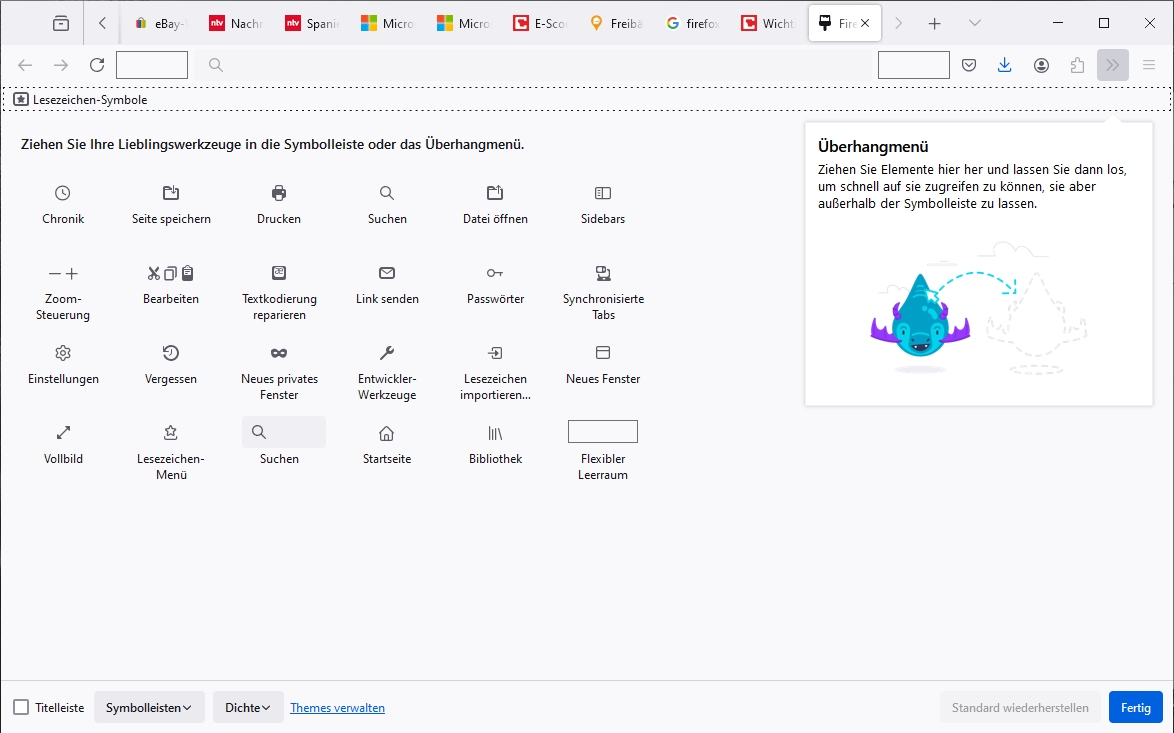
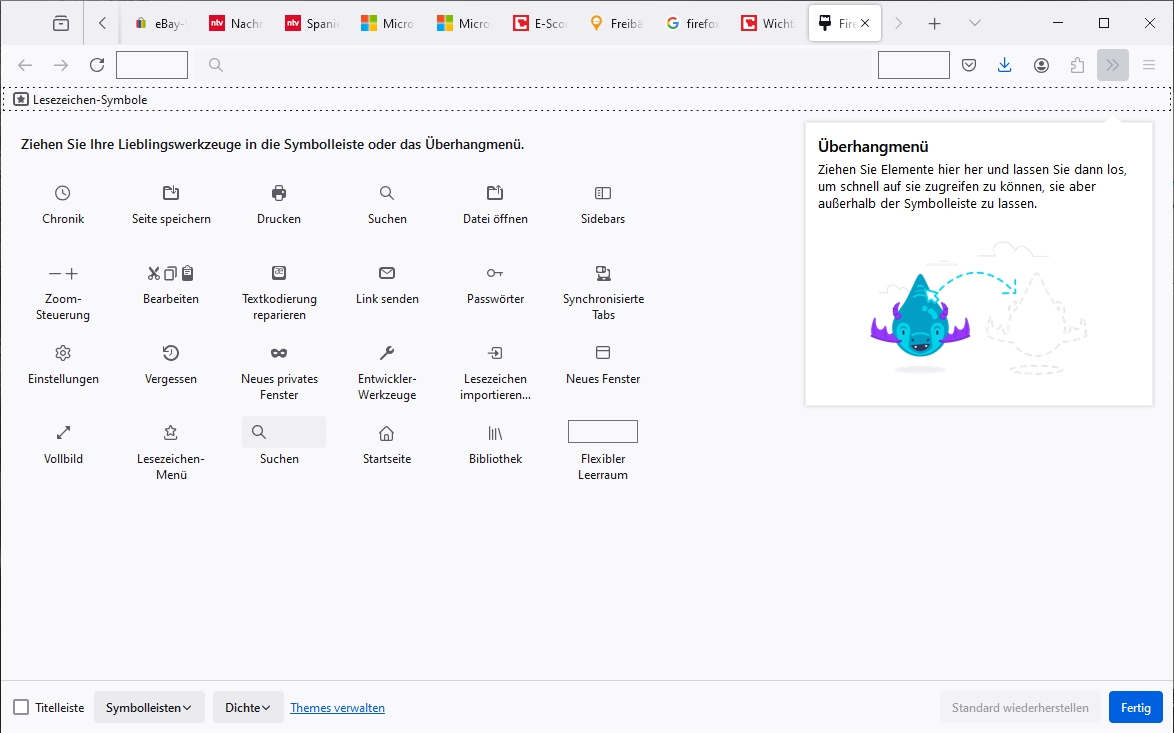
Probably since the last update (version 128) the "Screenshot" icon has disappeared.
In the "additional tools" I cannot find the symbol. What happend?
Ausgewählte Lösung
extensions.screenshots.disabled was true
I will change and try again, sorry for my delay
regards otmar
Diese Antwort im Kontext lesen 👍 0Alle Antworten (5)
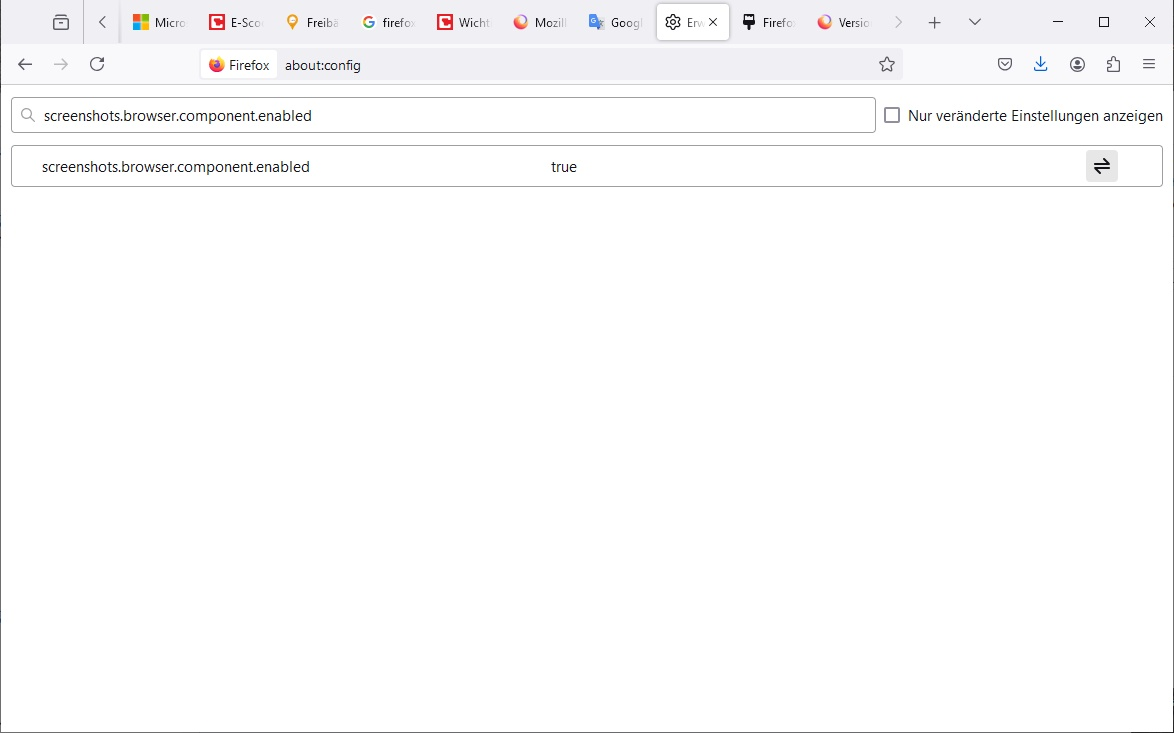
Enter about:config in the address bar and confirm that screenshots.browser.component.enabled = true.
Thanks for your quick answer. It's already true, but this missing icon (screenshots) does not appear (see attached screenshot)
OK. What about extensions.screenshots.disabled? It should be false.
Ausgewählte Lösung
extensions.screenshots.disabled was true
I will change and try again, sorry for my delay
regards otmar
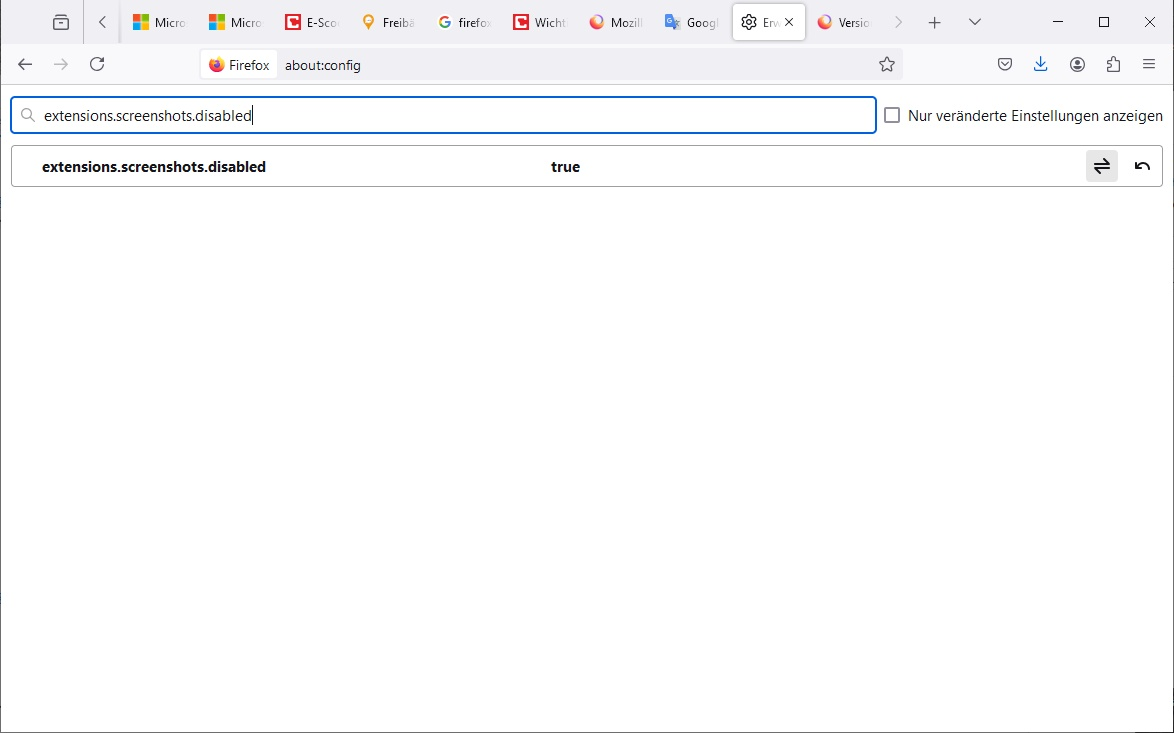
That was the solution, although I had to restart firefox after changing
extensions.screenshots.disabled
Thanks a lot !
Best regards, otmar