


Right Click Drop Down Menu Displaying Icons on one PC

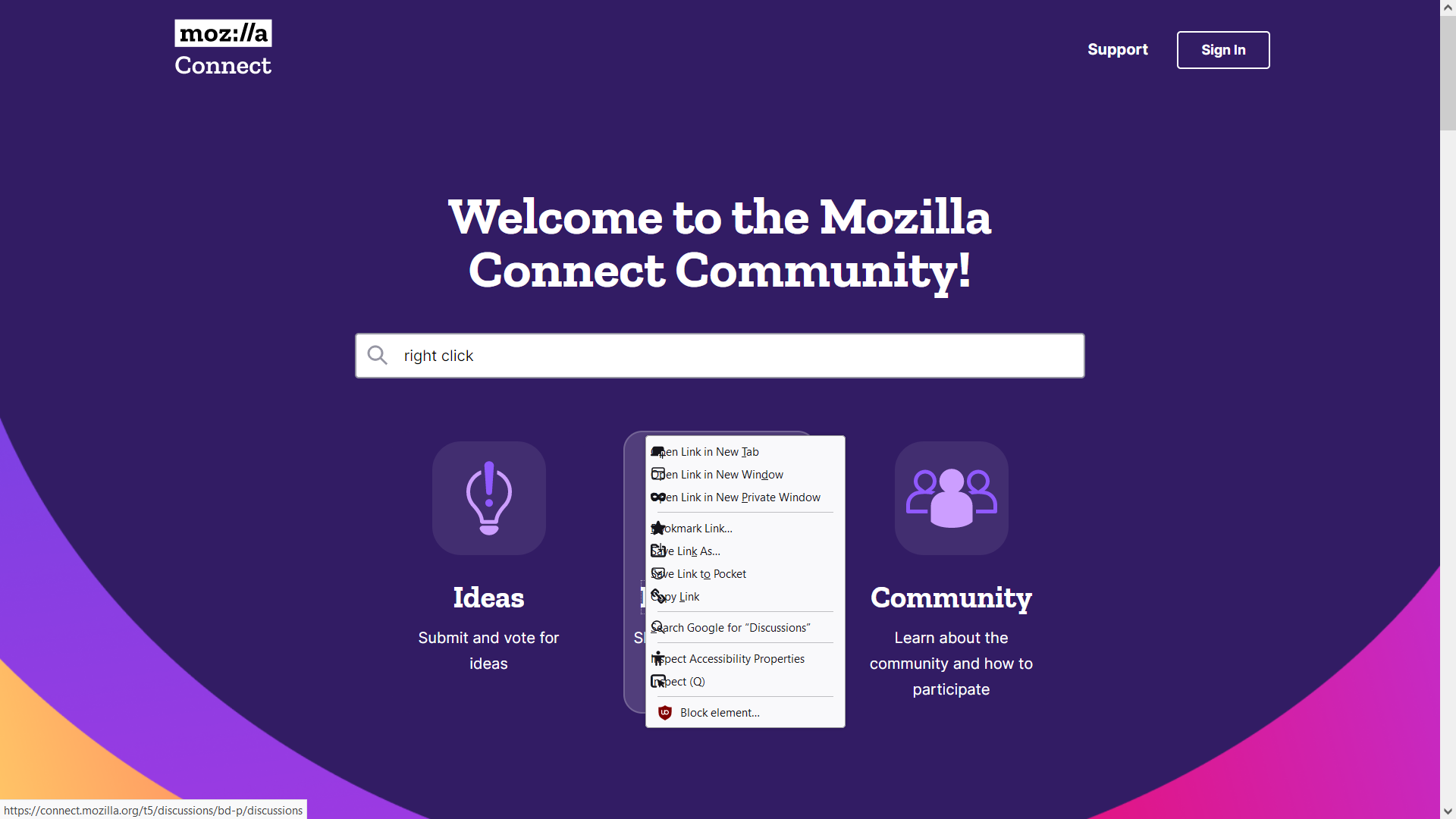
Since the latest download one of my 3 win10 PC's is displaying icons on top of the text. Firefox is up to date at Ver 118.0.1 (64-bit) I expect its a setting but I cannot find it. Screenshot attached. TIA KR's Andy B
Ausgewählte Lösung
Do you have a userChrome.css file with some code relating to menus / context menus? It may need to be altered.
Diese Antwort im Kontext lesen 👍 1Alle Antworten (6)

Ausgewählte Lösung
Do you have a userChrome.css file with some code relating to menus / context menus? It may need to be altered.
Does it still happen in Troubleshoot Mode?
Looks like you have code in userChrome.css to hide/collapse the icons and move the text to the left, but hiding the icons isn't working anymore so they appear on top of the text.
Thank you everyone you saved me a lot of time. Terry and Cor-el were spot on. I had a css file to disable the proton UI which had been overwritten with another. I reset the the css file and the problem was solved. KR's Andy B
Geändert am von Andy B
First, thanks for the help! Recapping -> version 118.15.1 ->dealing with icons suddenly appearing.
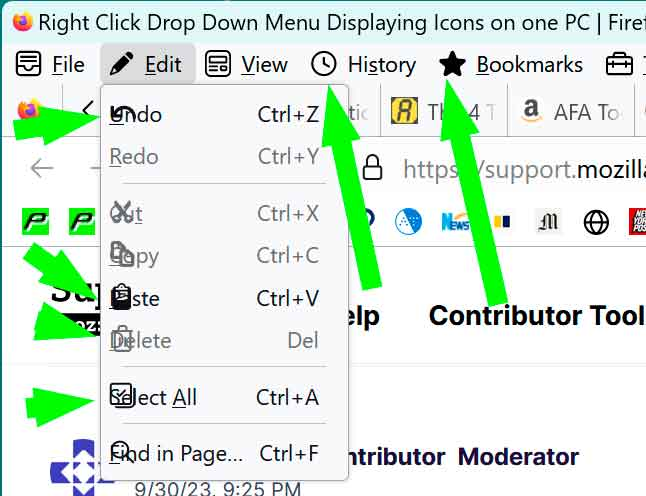
Second, I tried adding the proton.ui add-on and it made no difference. So I'm still getting icons besides the menus of the menu Bar (File, Edit, View, etc.). Moreover, clicking on one of these, e.g. File displays the usual drop-down selections like Undo, Redo, Cut, etc. and they're displaying an icon overlapping the text. Anyway, I'd love to suss out how to delete icons altogether.
Third, below is the contents of chrome.css file and because I don't see anything with regard to icons, your further help would be very nice to receive.
***********************************************************************************************
/** Import Lepton stylesheet (Chrome) *****************************************/
@import url("css/leptonChrome.css");


/** Add your custom styles below **********************************************/

/* Enable option to edit bookmark URLs under Add Bookmark (blue star) menu */
/*
 * #editBMPanel_locationRow {
 *   visibility: visible !important;
 * }
*/

/* Disable Email Image/Audio/Video and Set as Desktop Background context menu items */
/*
 * #context-sendimage,
 * #context-sendvideo,
 * #context-sendaudio,
 * #context-setDesktopBackground {
 *   display: none !important;
 * }
*/
Geändert am von cor-el
The problem may be in the imported stylesheet.