


How do I disable the mute button on tabs? Setting "browser.tabs.showAudioPlayingIcon" to false does nothing

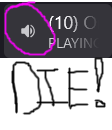
The mute icon only shows on hover and takes up 50% of the tab size so I'm constantly accidentally muting tabs without realizing it and silencing video calls and the like. The top Google result for this issue -- rightfully yelled in all caps because this is an absolutely horrid UX -- says to set browser.tabs.showAudioPlayingIcon to false, but that does absolutely nothing in FF 100.0
Ausgewählte Lösung
If you're familiar with userchrome, take a look at these -
Disabling "mute tab" icon doesn't work How to disable the audio playing icon?
Diese Antwort im Kontext lesen 👍 2Alle Antworten (2)

Ausgewählte Lösung
If you're familiar with userchrome, take a look at these -
Disabling "mute tab" icon doesn't work How to disable the audio playing icon?
RobertJ said
If you're familiar with userchrome, take a look at these - Disabling "mute tab" icon doesn't work How to disable the audio playing icon?
That worked, thank you. Not sure how I missed those answers when searching.
Feels like I'm using FireBird 0.6 again. This should be a toggle Mozilla!