


unable to send emails
I'm suddenly unable to send emails using my thunderbird account from my @talktalk.net addresses. I get the error message " An error occurred while sending mail. The mail server responded: 453 4.2.0 QAKbkgePEt3j9 Sorry, we can’t send this email at the moment because you’ve sent a lot of emails recently. Please wait an hour or so and then try sending your email again. For more information visit our help article (link: help2.talktalk.co.uk/i-cant-send-or-receive-emails) (TT603). Please check the message and try again. " I haven't been sending many emails recently ! The help article doesn't help. Any suggestions ?
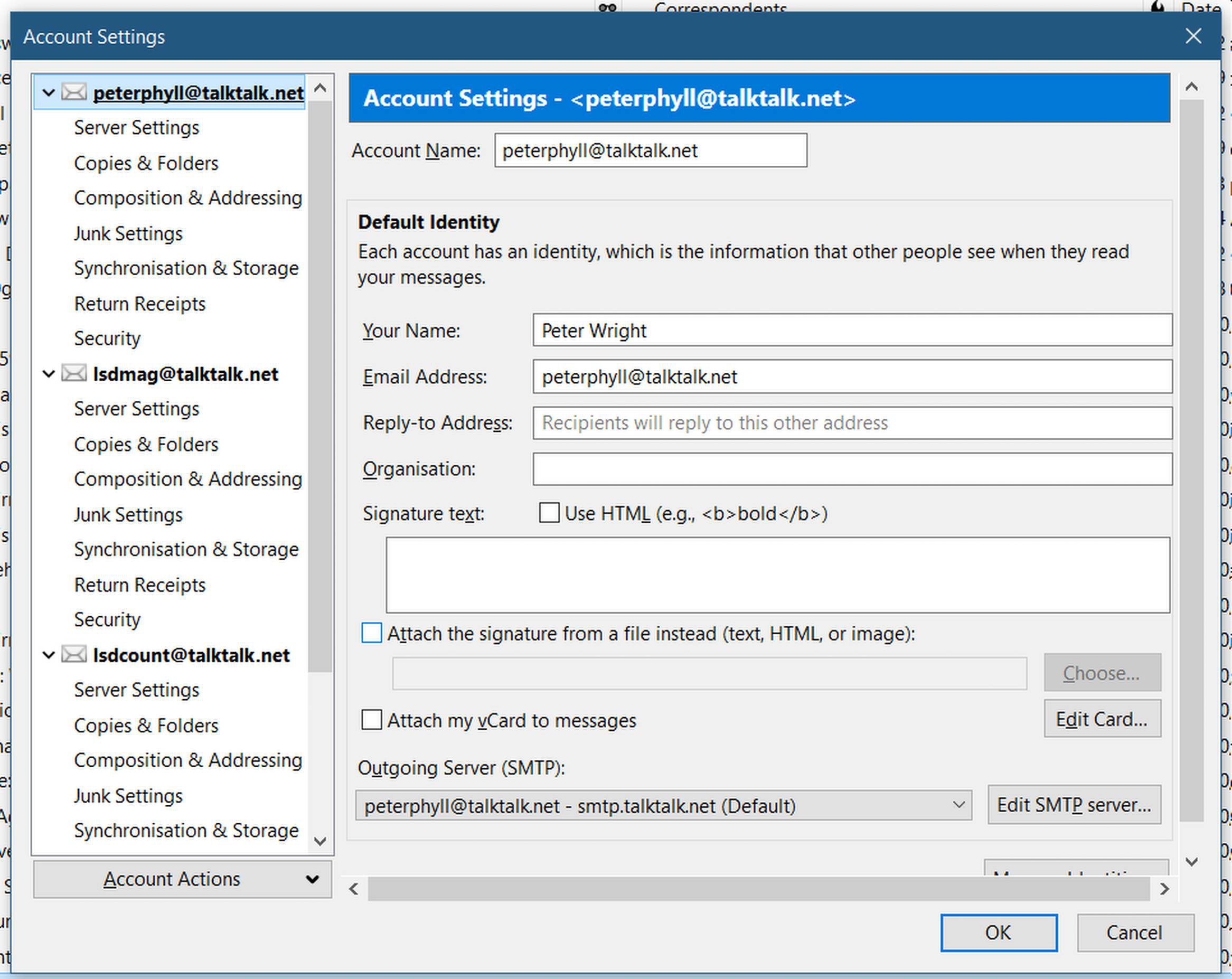
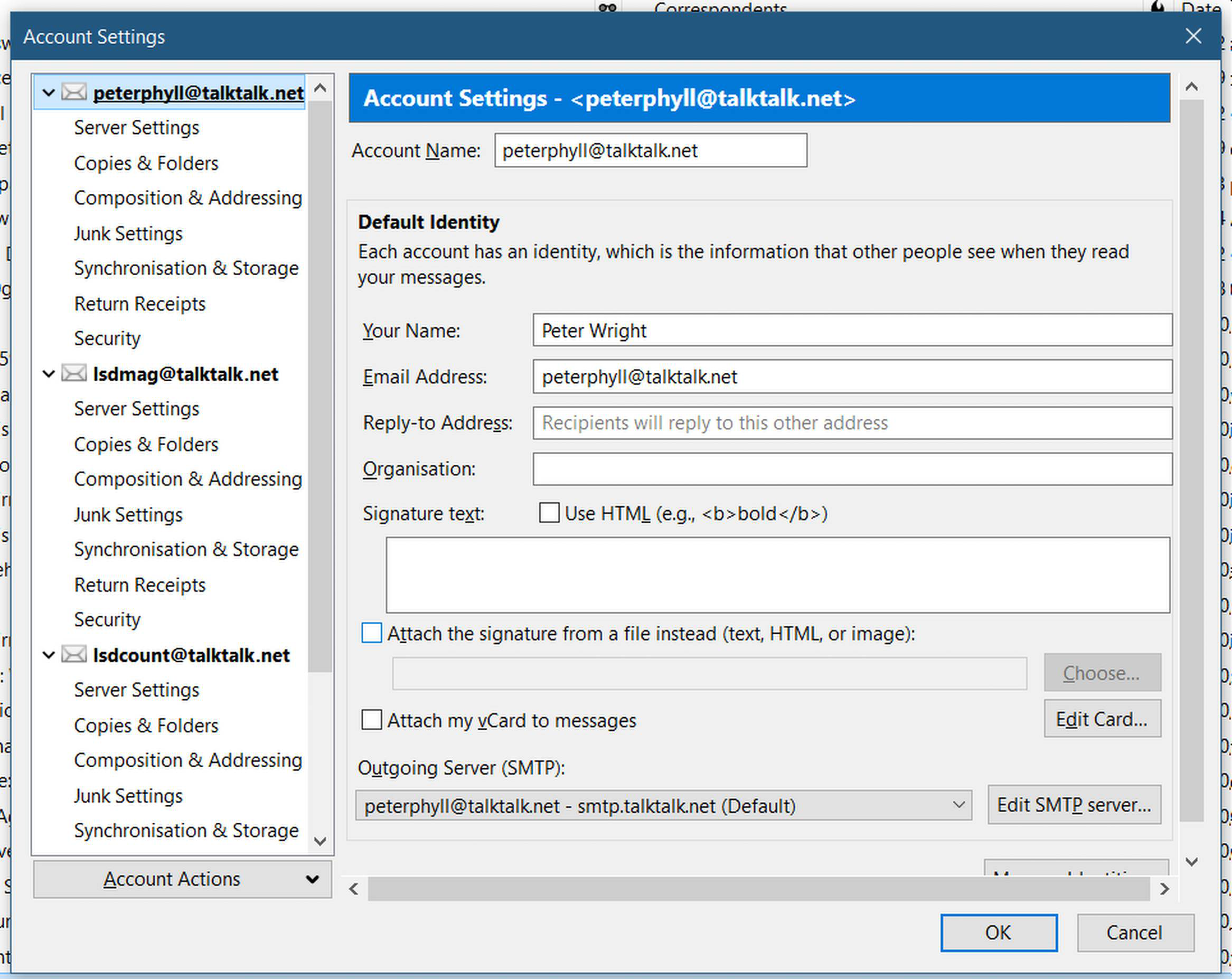
The error message has now changed. it now reads " Sending of the message failed. The message could not be sent because connecting to Outgoing server (SMTP) smtp.talktalk.net failed. The server may be unavailable or is refusing SMTP connections. Please verify that your Outgoing server (SMTP) settings are correct and try again. " My server settings appear to be OK - see screenshot. Any other ideas ?
Geändert am von peterphyll
Ausgewählte Lösung
peterphyll said
My server settings appear to be OK - see screenshot. Any other ideas ?Can you add a screenshot also from smtp settings? The picture added by you doesn't show the outgoing / smtp settings.
p.s. as on pictures are your personal data you might want to delete the pictures from your above posts (and the one that you will add after we will "process it") :)
Diese Antwort im Kontext lesen 👍 0Alle Antworten (15)

Any suggestions ?
The error message is from your email provider's server (TalkTalk), so you should talk to them. Thunderbird is an email client, and neither Thunderbird nor Mozilla are an email provider.
Talktalk claim that as I can access my emails normally from their website, the problem must be with Thunderbird.
Update on my problem: The error message I now get is: " Sending of the message failed. The message could not be sent because connecting to Outgoing server (SMTP) smtp.talktalk.net failed. The server may be unavailable or is refusing SMTP connections. Please verify that your Outgoing server (SMTP) settings are correct and try again." I check my settings and they appear to be OK see attached screenshot. Any further ideas ?

I'd change your TalkTalk password just in case it's been compromised and someone is using your account to send spam.
Talktalk claim that as I can access my emails normally from their website, the problem must be with Thunderbird.
This is nonsense. Webmail infrastructure is independent from POP/IMAP/SMTP servers. Therefore, if webmail works, this isn't an indication that there are no other problems. Try to escalate your issue to the next higher level.
The error message has now changed. it now reads " Sending of the message failed. The message could not be sent because connecting to Outgoing server (SMTP) smtp.talktalk.net failed. The server may be unavailable or is refusing SMTP connections. Please verify that your Outgoing server (SMTP) settings are correct and try again. " My server settings appear to be OK - see screenshot. Any other ideas ?
The error message has now changed. it now reads " Sending of the message failed. The message could not be sent because connecting to Outgoing server (SMTP) smtp.talktalk.net failed. The server may be unavailable or is refusing SMTP connections. Please verify that your Outgoing server (SMTP) settings are correct and try again. " My server settings appear to be OK - see screenshot. Any other ideas ?
The error message has now changed. it now reads " Sending of the message failed. The message could not be sent because connecting to Outgoing server (SMTP) smtp.talktalk.net failed. The server may be unavailable or is refusing SMTP connections. Please verify that your Outgoing server (SMTP) settings are correct and try again. " My server settings appear to be OK - see screenshot. Any other ideas ?
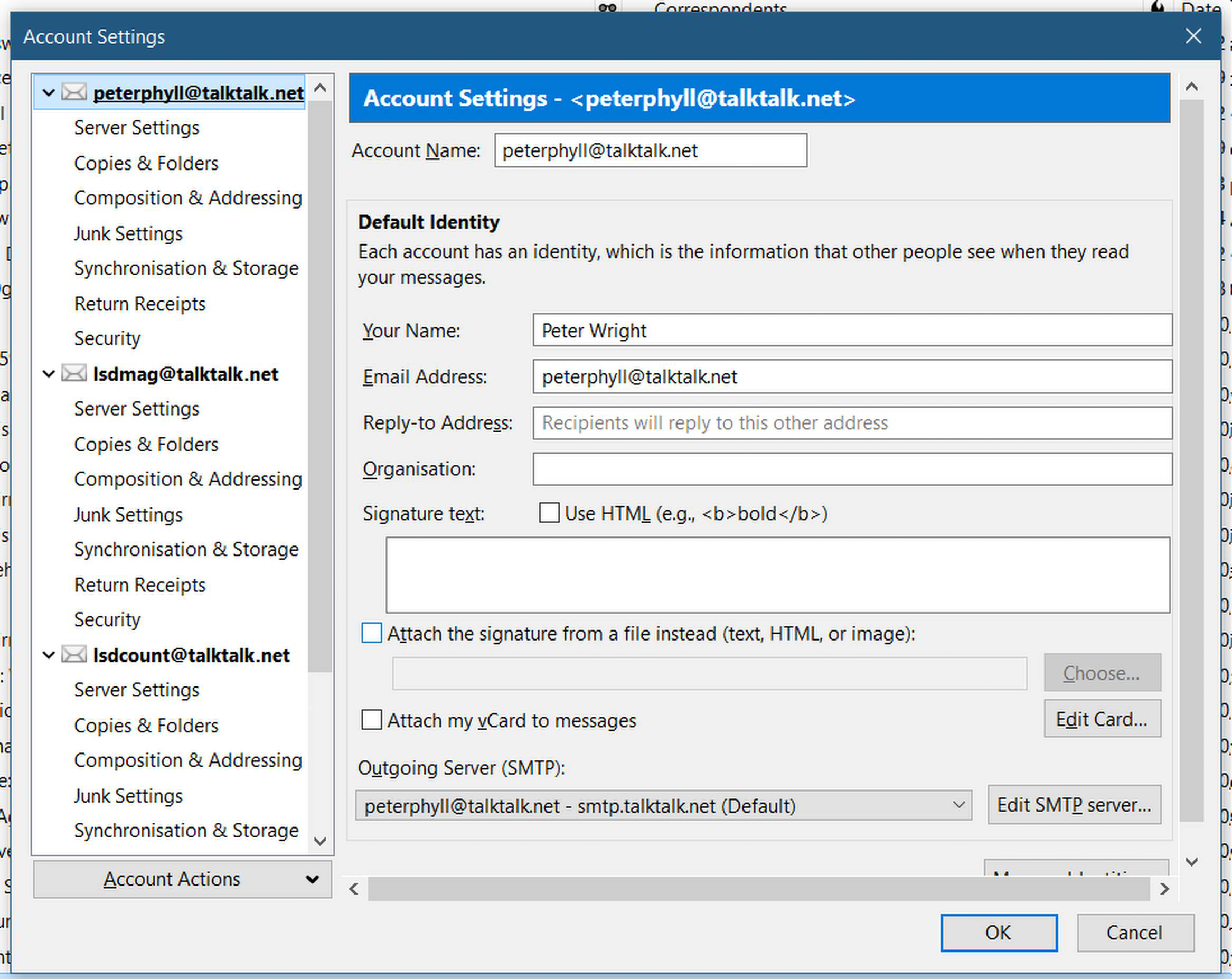
The error message has now changed. it now reads " Sending of the message failed. The message could not be sent because connecting to Outgoing server (SMTP) smtp.talktalk.net failed. The server may be unavailable or is refusing SMTP connections. Please verify that your Outgoing server (SMTP) settings are correct and try again. " My server settings appear to be OK - see screenshot. Any other ideas ?
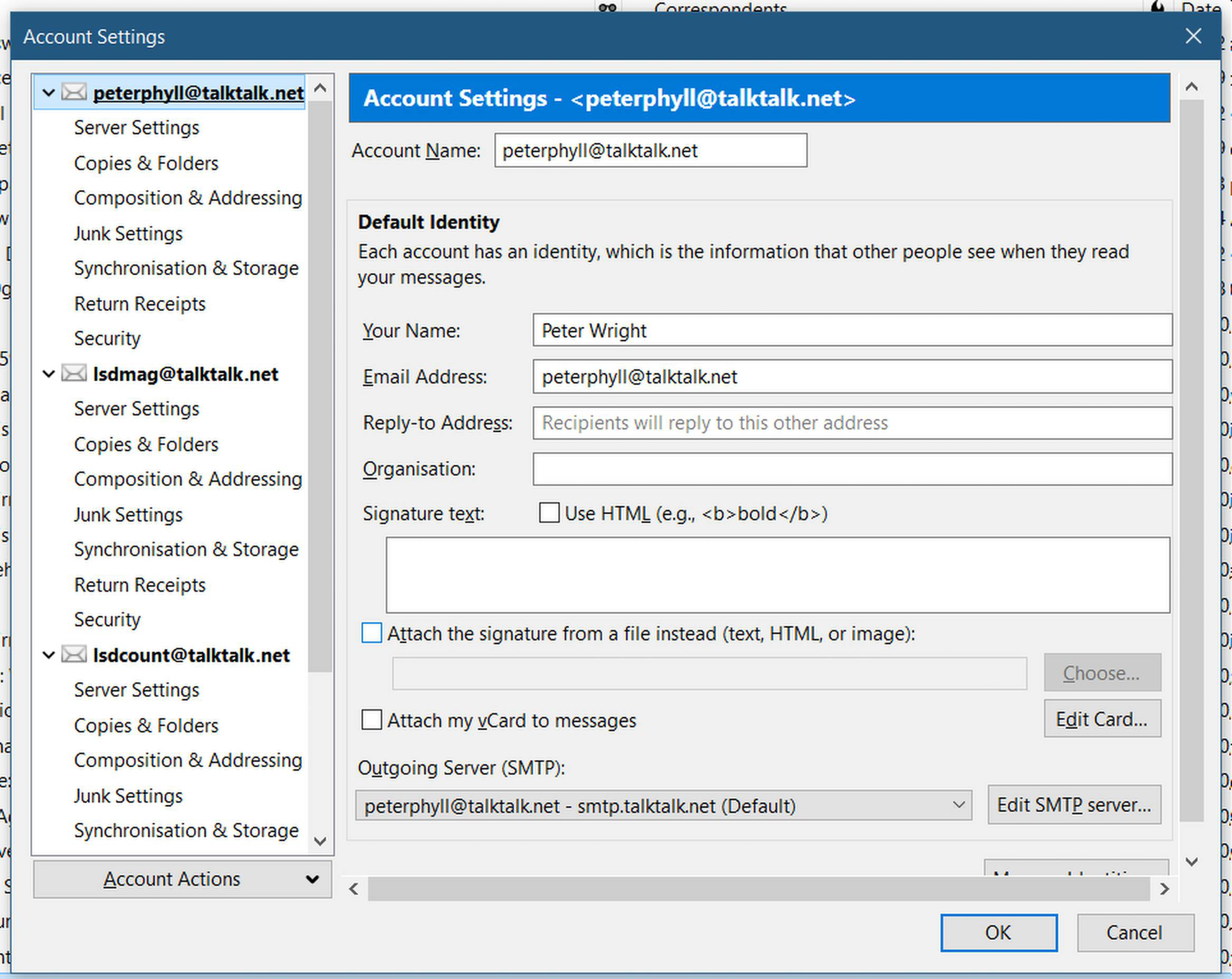
The error message has now changed. it now reads " Sending of the message failed. The message could not be sent because connecting to Outgoing server (SMTP) smtp.talktalk.net failed. The server may be unavailable or is refusing SMTP connections. Please verify that your Outgoing server (SMTP) settings are correct and try again. " My server settings appear to be OK - see screenshot. Any other ideas ?

Further to christ1's comments, TalkTalk's own site says the same - incorrect settings for IMAP or POP (or issues with those servers) will not affect accessing webmail. Please check your Thunderbird account is using the correct settings - https://community.talktalk.co.uk/t5/Articles/Email-settings-IMAP-amp-POP3/ta-p/2204399
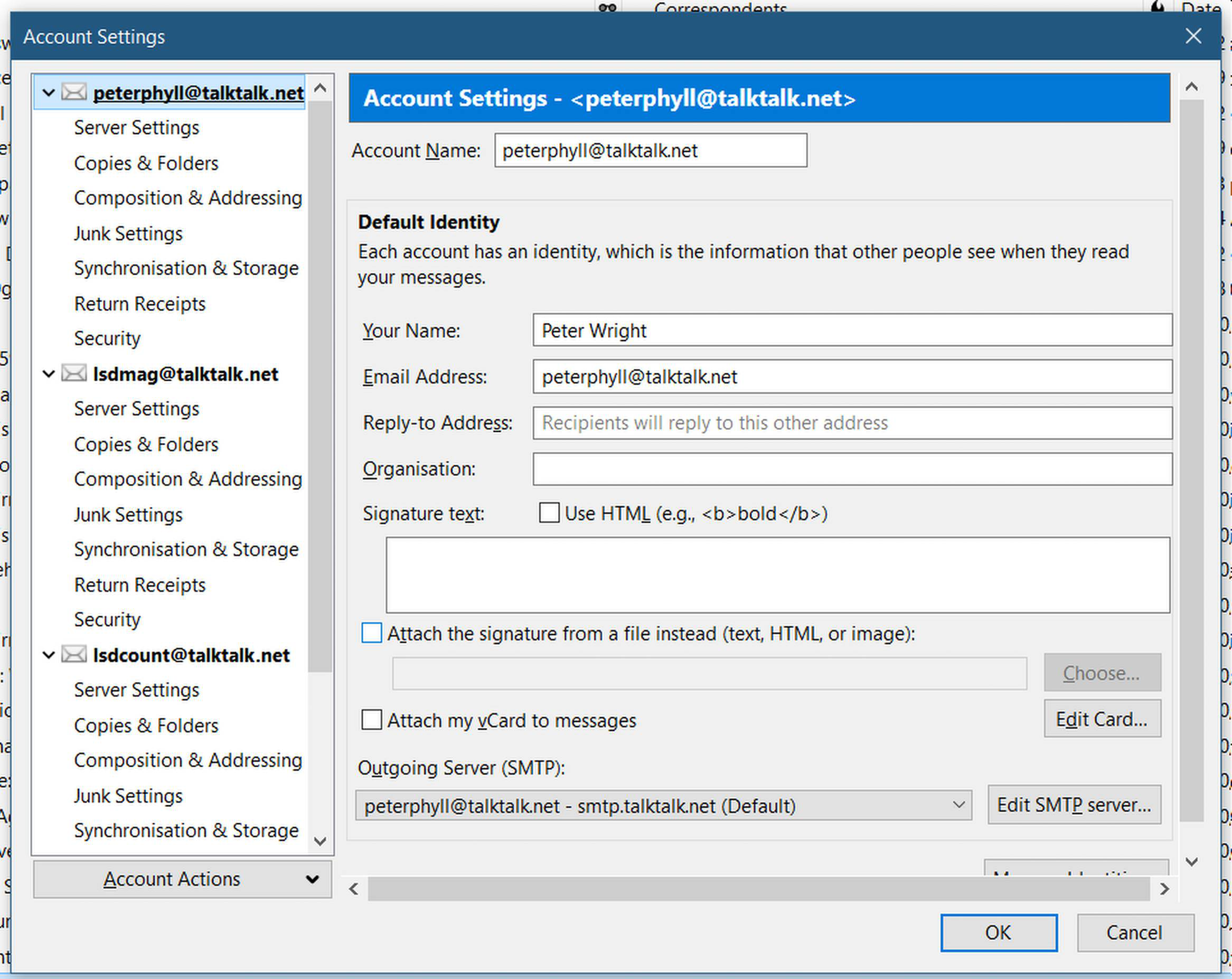
The error message has now changed. it now reads " Sending of the message failed. The message could not be sent because connecting to Outgoing server (SMTP) smtp.talktalk.net failed. The server may be unavailable or is refusing SMTP connections. Please verify that your Outgoing server (SMTP) settings are correct and try again. " My server settings appear to be OK - see screenshot. Any other ideas ?
Further to christ1's comment, even TalkTalk's website agrees that webmail may work when SMTP, POP, IMAP connections fail. That can be due to wrong settings or their servers having problems. Check your Thunderbird settings are correct - https://community.talktalk.co.uk/t5/Articles/Email-settings-IMAP-amp-POP3/ta-p/2204399

Ausgewählte Lösung
peterphyll said
My server settings appear to be OK - see screenshot. Any other ideas ?Can you add a screenshot also from smtp settings? The picture added by you doesn't show the outgoing / smtp settings.
p.s. as on pictures are your personal data you might want to delete the pictures from your above posts (and the one that you will add after we will "process it") :)
Thanks everyone. Problem now solved. My outgoing smtp settings were " smtp.talktalk.net (Default)". I tried amending it omitting the (Default) and it's now all fine. Thanks again Peterphyll