


Firefox no longer showing certain Salesforce pages
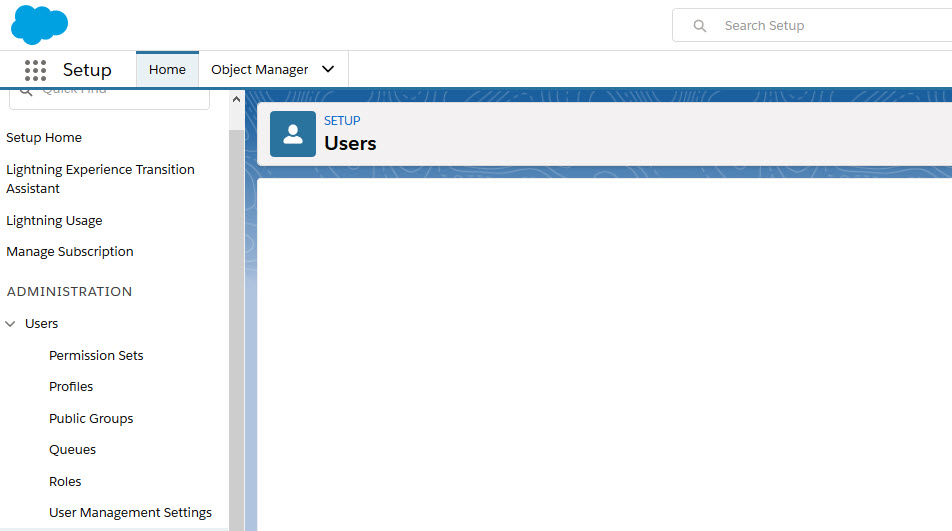
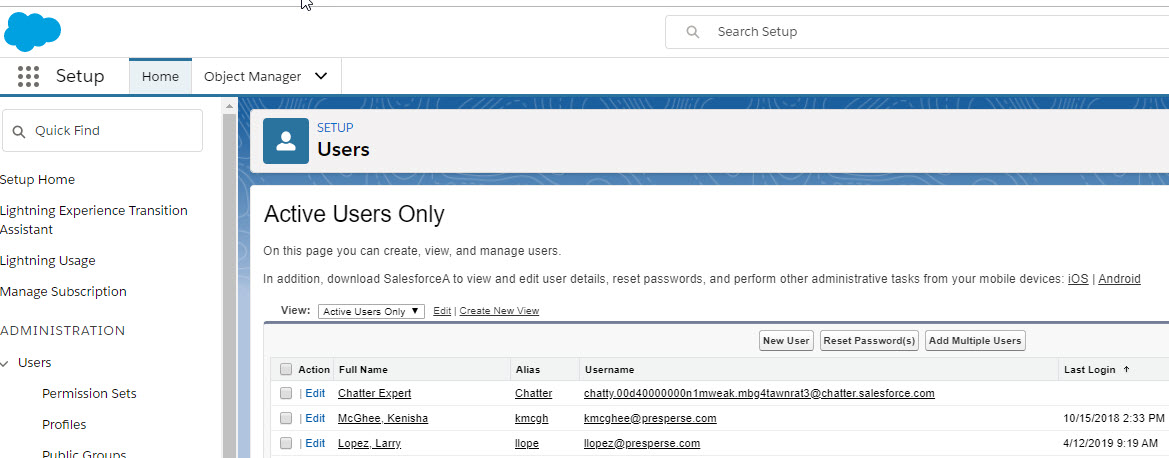
When going to certain pages in Salesforce it does not render in Firefox. Not sure what they are using on these pages but it is an alternate to html. If you are a Salesforce admin and go to the "Users" area, you will see what I mean. Edge and Chrome render correctly. Images attached.
Geändert am von NoahSUMO
Alle Antworten (4)

Ausgewählte Lösung
Make sure you are not blocking content.
Start Firefox in Safe Mode {web link}
A small dialog should appear. Click Start In Safe Mode (not Refresh). Is the problem still there?
One issue that seems more common lately is Firefox's Content Blocking. When it is blocking content in a page, a shield icon will appear at the left end of the address bar next to the padlock icon. This article has more info on managing this feature:
You can check the Web Console for possible error messages.
- "3-bar" menu button or Tools -> Web Developer
- https://developer.mozilla.org/en-US/Tools/Web_Console
You can check the Network Monitor to see if content is blocked or otherwise fails to load.
If necessary use "Ctrl+F5" or "Ctrl+Shift+R" (Mac: Command+Shift+R) to reload the page and bypass the cache to generate a fresh log.
Seems the content blocker got me. Thanks for all the help.
Glad to help. Safe Surfing.