


Animations do not render properly on machines running Windows 10.

HTML5 Animations do not render properly on machines running Windows 10 (version 1803, OS Build 17134.254). The same animation on the same computer works fine in Chrome. It also works fine in Firefox on Windows 7 machines. Issue did not start until late Firefox update came out.
Alle Antworten (8)
Here are picture of it on Windows 7 & 10.
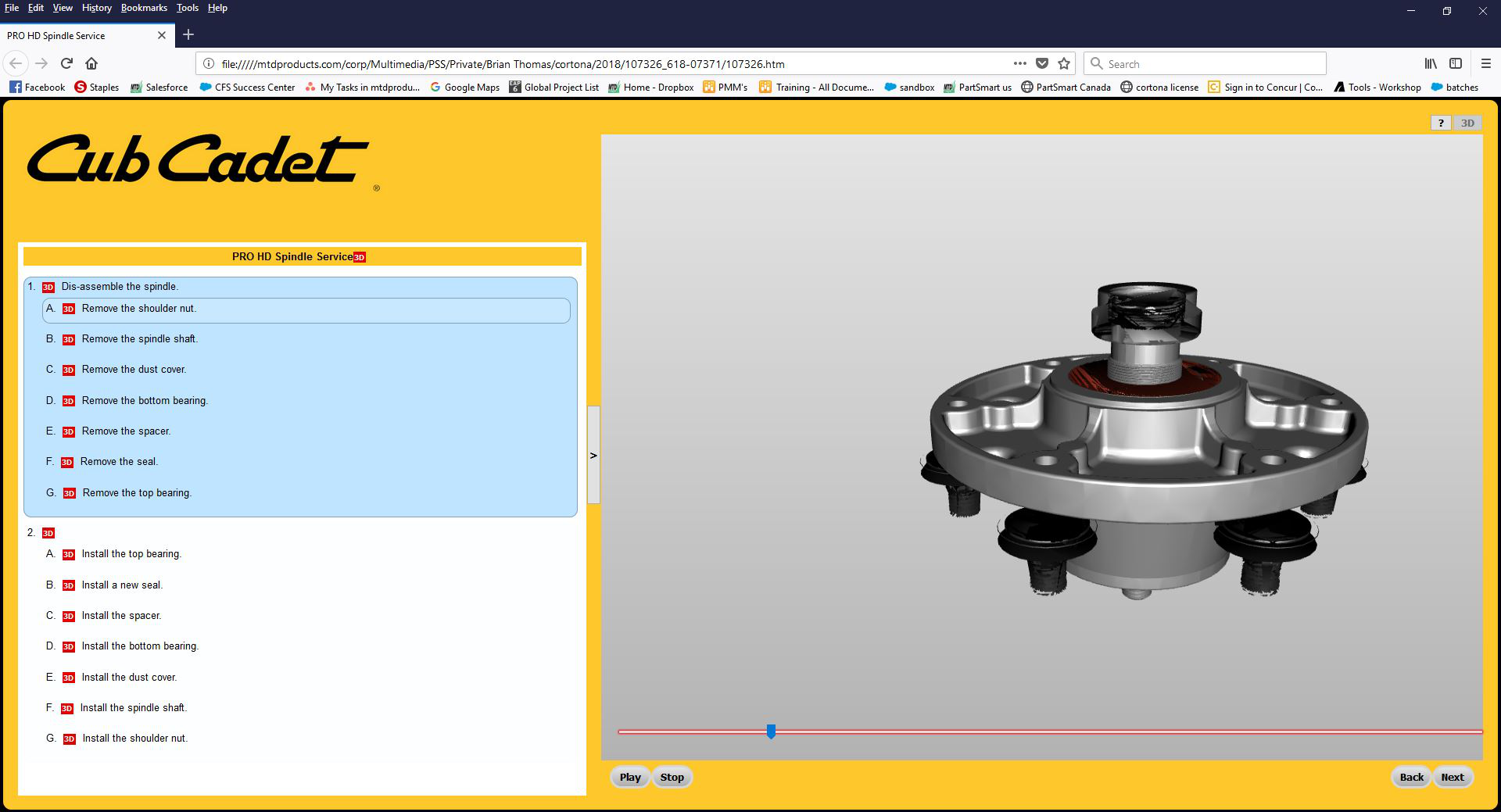
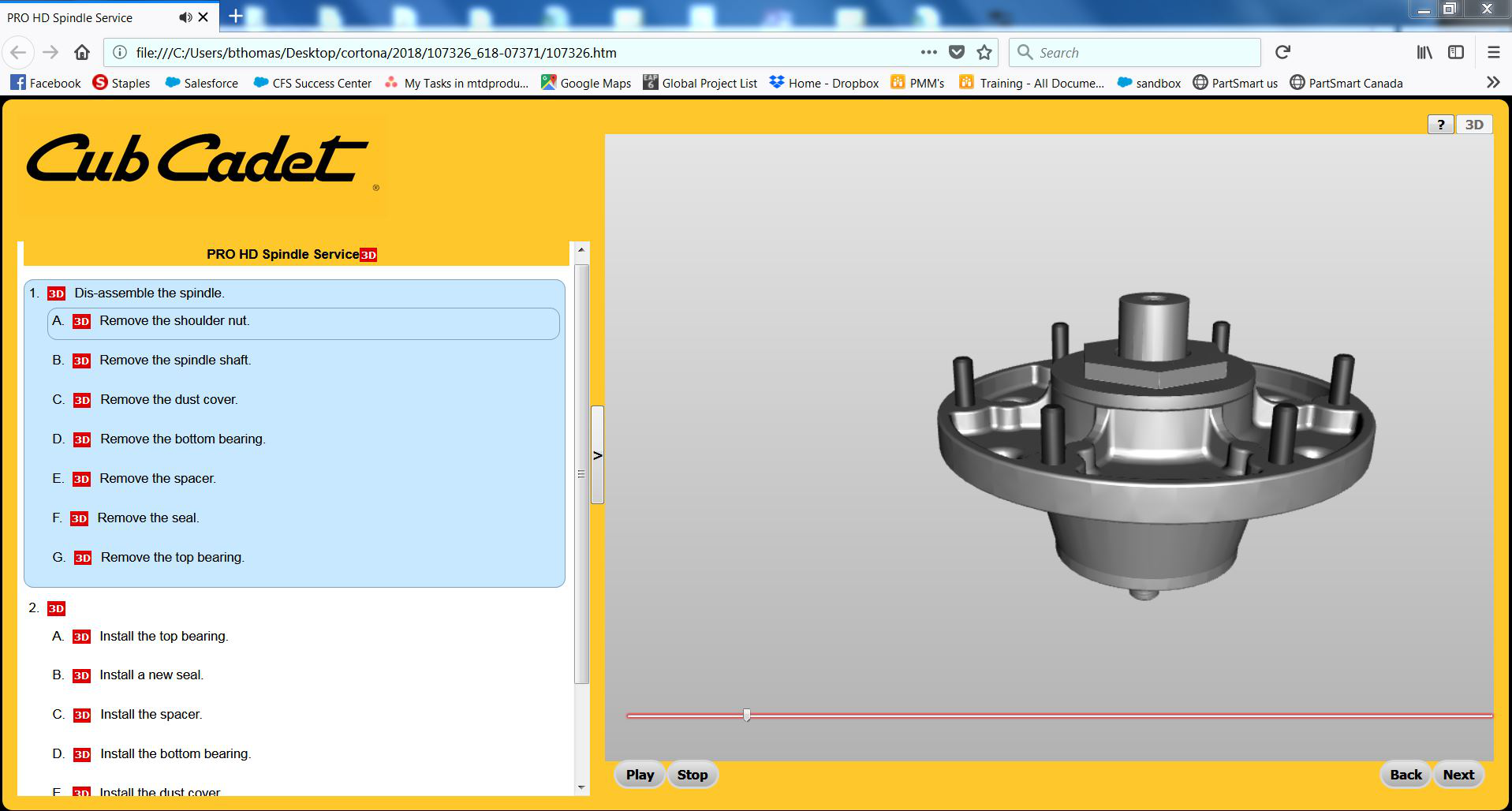

Please provide a public link (no password) that we can check out. No Personal Information Please !
I called for more help. The clip played fine on my Win 7 FF 54
Make sure you are not blocking content.
Start Firefox in Safe Mode {web link} by holding down the <Shift> (Mac=Options) key, and then starting Firefox.
A small dialog should appear. Click Start In Safe Mode (not Refresh). Is the problem still there?
One issue that seems more common lately is Firefox's Tracking Protection feature. When it is blocking content in a page, a shield icon will appear at the left end of the address bar next to the padlock icon. This article has more info on managing this feature: Tracking Protection {web link}
Animation doesn't load in safe mode.
Switch to Firefox Quantum extended support release and now it works.
Hi, that's great. Please mark your answer as the solution.
hi buda2918
Could this be the following bug:
https://bugzilla.mozilla.org/show_bug.cgi?id=1489099 aka " polygons not drawn or visible edges with Firefox 62"
Be great if you could read the above bug link and see if that is your problem.
Cheers! ...Roland