Thunderbird cannot be unintalled
I cannot start Thunderbird. There is a notice that an update failed to complete and I need to restart the computer. Have restarted lots of times but it made no difference. None of the help suggestions worked either. Neither did system restore. Downloaded new but that would not install because restart still needed. Tried to uninstall via Windows but that too did not work as restart needed. So I can neither remove no use Thunderbird.
Alle Antworten (1)
re :None of the help suggestions worked either. It would be helpful if you could state what help you are talking out.
Make hidden files and folders visible: http://kb.mozillazine.org/Show_hidden_files_and_folders
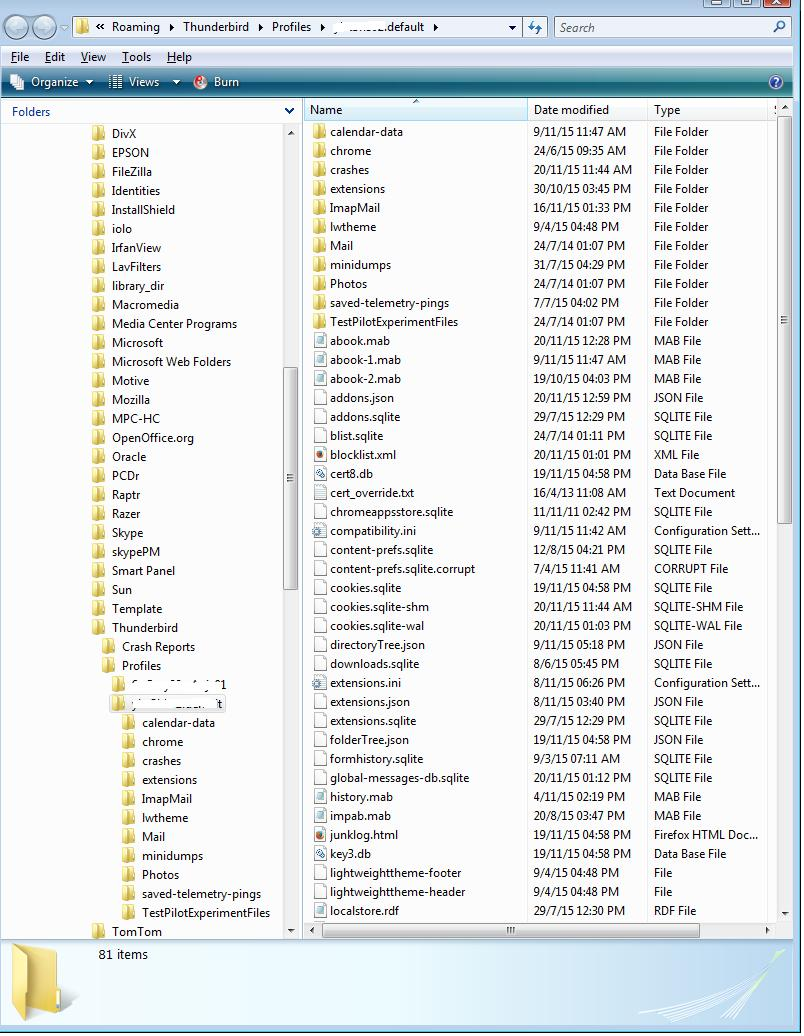
Access this location: C:\Users\<Windows user name>\AppData\Roaming\Thunderbird\Profiles\<Profile name>\ 'profile name' folder is usually 'xxxxxxxx.default' where the x's are letters and numbers The folder contents will look similar to the image below. locate and delete the 'parent.lock' file
Access where the actual program is installed: If Windows 32 bit, it is here:
- C:\Program Files\Mozilla Thunderbird\
If Windows 64 bit, it is here:
- C:\Program Files (x86)\Mozilla Thunderbird\
Delete the 'Mozilla Thunderbird' folder.
Then download a fresh version from here:
Choose Windows OS download in your prefered language.
install Thunderbird program.
Start Thunderbird.