How to Link Privyseal and E-mail Signature to a e-mail

We needing to link the PrivySeal signature as well as our work e-mail signature to an email. I can only seem to link either or and not both. Privy Seal advise that it must be done at the HTML link but I cannot get it correct. Thank you
Alle Antworten (1)
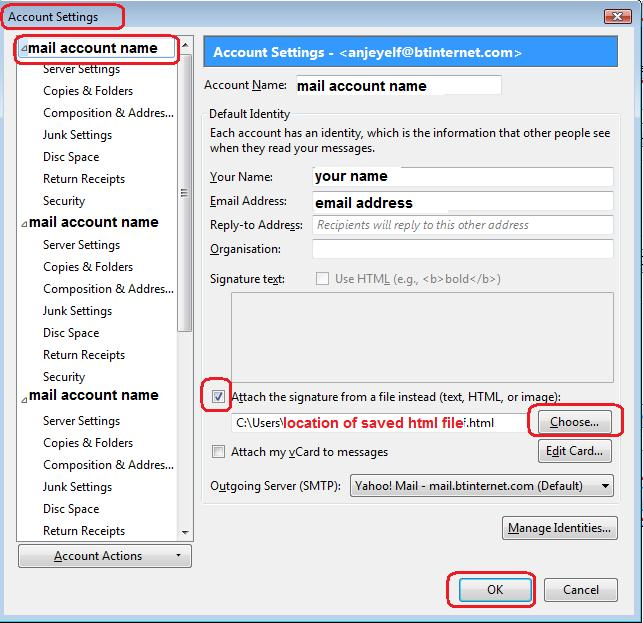
Click on 'Write' Remove all current signatures, so it is empty. Create the necessary signatures; both of them. You could use a table to help with positioning of information. For everything you put in signature, you must select all formatting you require. Do not assume that the auto default settings will be applied. When you have finished and signature now looks as you require: 'Save as' > 'File' Choose a suitable folder (not in Thunderbird) where you keep all signatures. Make sure it is saved as a HTML file type. Access Account Settings and instruct that account to use that new signature html file. See image below.